
Launchy: A Radial Cmd-Tab Alternative for Mac
Command-Tab makes you cycle through every open app, and the Dock makes you hunt with the pointer. Launchy puts the apps you use most on a wheel that opens where you are working, and one letter picks the one you want. This piece covers how the wheel works, what the free trial and the $6.99 unlock include, the rough edges reviewers found, and when rcmd, AltTab, Kando, Invoke or Pie Menu is the better pick.

OneTimePay.app
6 min read
Is there a faster way than Command-Tab to jump straight to an app on my Mac?
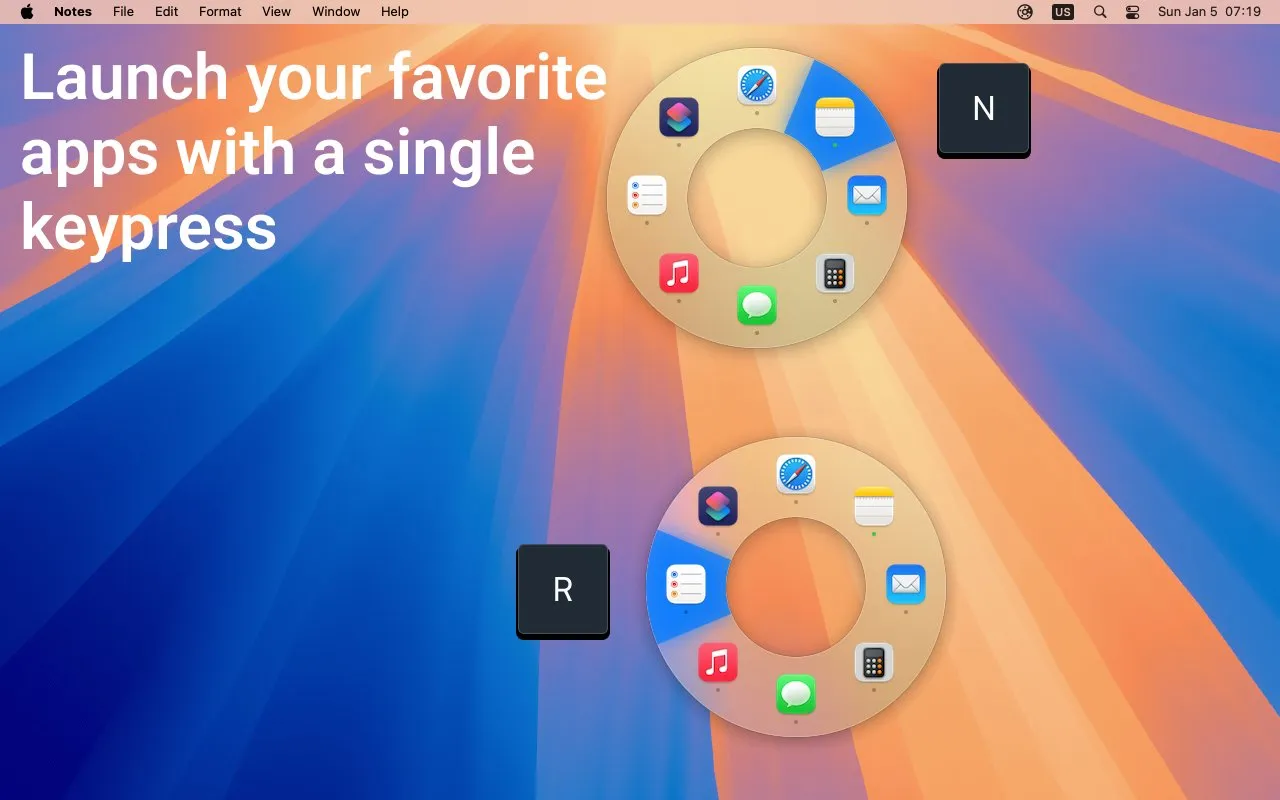
Yes. Launchy opens a wheel of your chosen apps at the cursor or the screen center. Press an app's letter, use the arrow keys or click, and it launches or comes to the front. A second mode shows only the running apps. The download is free to try; LaunchyPro is $6.99 once.
On this page
Is there a faster way than Command-Tab to jump straight to an app on my Mac?
In short
Yes. Launchy swaps cycling for direct picks. One shortcut opens a ring of the apps, files and folders you put there, either centered on screen or around the pointer. Every app has a fixed spot and a letter, so reaching Mail is the same move every time, whether Mail is running or not. If it is closed, Launchy opens it; if it is open, Launchy brings it forward.
A radial app switcher you can drive from the keyboard
Letters: press A to Z to jump to the app whose name starts with that letter. Press it again to step to the next app with the same letter.
Arrow keys: step around the wheel one wedge at a time.
Pointer: move toward a wedge and click. A selection distance setting decides how far from the wheel a move still counts.
Hide and show: the down arrow hides the highlighted app and the up arrow unhides it, so you can tidy the screen without leaving the wheel.
Your apps, or only the running ones
The wheel has two modes. The first shows the set you arranged yourself. The second shows whatever is running right now, which makes it a straight Command-Tab replacement. The ] and [ keys flip between them while the wheel is open, and a small dot marks apps that are already running.
Files, folders and per-app launch rules
In short
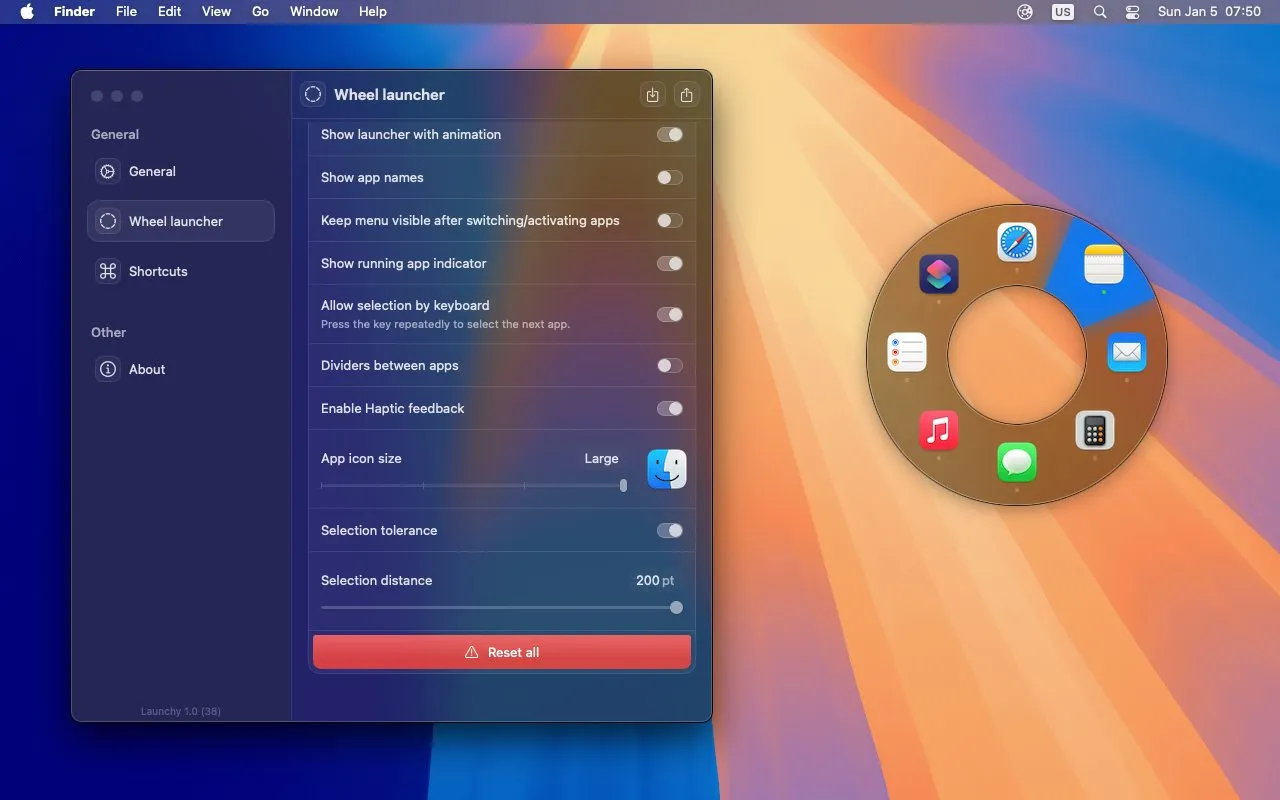
Drag apps, files and folders onto the wheel to add them, and drag wedges to reorder. Each app can carry its own rules: hide every other app when it opens, hide itself again afterwards, bring all of its windows forward, or launch with custom arguments. The whole set can be exported to a file and syncs to your other Macs over iCloud.
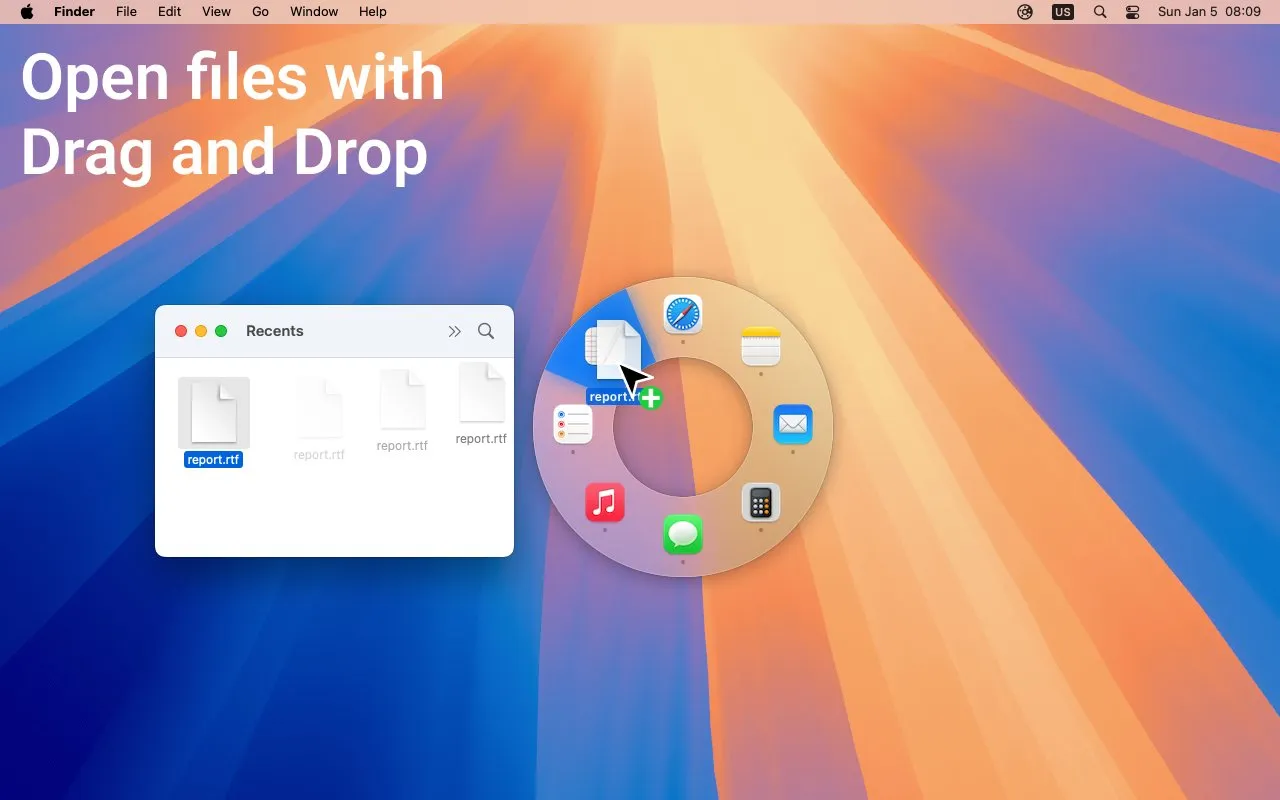
The look is adjustable too. The settings window offers four preset sizes (Tiny, Small, Medium, Large) plus sliders for menu size and ring thickness, an icon size control, app names on or off, dividers, haptic feedback and the open animation. Version 1.3.1 added Liquid Glass styling on macOS versions that support it and a switch to turn off the selection animations.
What the free trial and $6.99 Pro cover
In short
Launchy is a free download from the Mac App Store, and the only in-app purchase is LaunchyPro at $6.99, paid once. There is no subscription. The free version counts your launches: when the app launched, the developer described a trial of 300 launches or switches, after which it drops to a free mode with limited functionality.
The store page does not spell out what the limited free mode keeps, so plan on buying LaunchyPro if the trial convinces you. The price has risen since launch, when the unlock was $4.99. Launchy is the work of one developer, Ivan Sapozhnik, who answers reviews on the store and runs a Discord for support. It first shipped in January 2025; the current version, 1.3.2, came out on 14 July 2026.
Price
$6.99 once
Trial
Usage-based
Requires
macOS 13+
Size
2.9 MB
Privacy label
No data collected
Sync
iCloud
Launchy vs rcmd, AltTab, Kando, Invoke and Pie Menu
In short
Launchy is not the cheapest way past Command-Tab. rcmd and AltTab are keyboard switchers with free tiers, and Kando is a free radial menu. Invoke costs the same $6.99 and adds per-app menus and built-in tools. Pie Menu is the premium radial option. Launchy's case is a wheel built only for launching and switching apps.
| App | Price | Buy once? | How you pick | Launches apps | Free trial |
|---|---|---|---|---|---|
Launchy this one this article | Free trial, Pro $6.99 | Yes | Wheel: letter, arrows or pointer | Usage-based | |
rcmd keyboard switcher | Free; Pro €15 | Yes, lifetime licence | Right Command + letter | 14 days of Pro | |
AltTab open source | Free; optional Pro | Core is free | List with window previews | 14 days of Pro | |
Kando open source | Free | Nothing to buy | Pie menu, any action | n/a | |
Invoke radial menu | Free; Pro $6.99 | Yes | Per-app wheel at cursor | 14 days | |
Pie Menu radial menu | $39.99 or $19.99/yr | Buy once or subscribe | Per-app shortcut wheel | 7 days |
An app switcher you buy once: which one to pick
If your hands never leave the keyboard, rcmd is the most direct switch: hold right Command and press a letter, no menu at all. If you have many windows per app, AltTab shows a preview of each one. If you want one menu on Windows, Linux and macOS, Kando is free. For a wheel that changes with the app in front and carries extras such as clipboard history, read our Invoke spotlight; for per-app keyboard shortcuts on a wheel, see the Pie Menu spotlight. Launchy fits if you want the same fixed spot for each app and a running-apps view on one wheel.
Who Launchy suits, and who should skip it
In short
It suits people who spend the day in a handful of apps and want a fixed place for each: one store reviewer, a video editor and animator, dropped plans for a Stream Deck after trying it. Skip it if you need window-level previews, want a free tool, or depend on always-on-top windows staying put when other apps hide.
Hide others has a catch: one reviewer found that the “hide all other applications” option also hides windows set to float on top, with no way to exempt them.
The open animation can feel slow: another found the wheel choppy to open; the developer pointed to the “Show launcher with animation” toggle, which turns it off.
Few ratings so far: the US store has too few ratings to show an average, so the track record rests on a handful of reviews and a 168-upvote Product Hunt launch.
Before you buy
Use the trial on your real day: put your five to ten most-used apps on the wheel, hide the Dock, and use only Launchy and the running-apps mode for a few hours. If you never reach for Command-Tab, the $6.99 is worth it. Prices were verified on 31 October 2026.
Frequently asked questions
Does Launchy need a subscription?
No. Launchy is a free download from the Mac App Store, and its only in-app purchase is LaunchyPro, a one-time $6.99 (US price on 31 October 2026). The free version counts your launches; at launch the developer described a 300-use trial followed by a limited free mode.
Is Launchy worth paying for when Kando is free?
It depends on what you want the wheel for. Kando is a free, open-source radial menu for Windows, macOS and Linux that can hold any kind of action. Launchy is Mac-only and built for one job: launching and switching apps, with a running-apps mode, letter keys and per-app hide rules. If you only need app switching, $6.99 buys the more focused tool; if you want one menu across operating systems, use Kando.
Can Launchy replace the Dock?
For launching and switching, yes. You can hide the Dock in System Settings and keep your main apps, files and folders on the wheel, which opens at the cursor or the screen center. Switching to the running-apps mode shows what is open, so you do not need the Dock for that either.
Does Launchy collect any data?
The Mac App Store privacy label says the developer does not collect any data from the app. Your wheel setup syncs between Macs through your own iCloud account, and you can also export it to a file.
Does Launchy work on Intel Macs?
Yes, on macOS 13 or later. Version 1.3.2, released 14 July 2026, fixed a crash that could hit Intel Macs on macOS 13.
Is Launchy the cheapest Command-Tab alternative?
No. rcmd and AltTab both have free tiers and Kando is free. Invoke Pro costs the same $6.99 once. Launchy is a low-cost pick among paid radial launchers, not the cheapest option overall.
Sources
- 1
Free download; LaunchyPro in-app purchase $6.99; macOS 13.0 or later; 2.9 MB; 13 languages; Data Not Collected; version 1.3.2 (14 July 2026) and 1.3.1 release notes; user reviews.
- 2
Launchy README and changelog (GitHub)
User-defined and running-apps modes; hide and unhide apps; A to Z selection; per-app options (hide others, auto-hide, activate all windows, launch arguments); import and export; iCloud sync; usage counter hidden after purchase (1.2.7).
- 3
Maker post: trial of 300 launches or switches, then a limited free mode; one-time unlock ($4.99 at launch); ] and [ switch modes, up and down arrows unhide and hide; 168 upvotes.
- 4
Right Command plus an app’s letter; free features forever; rcmd Pro lifetime licence €15; 14-day trial.
- 5
Free and open-source window switcher (GPL-3.0) with window previews; optional Pro with a 14-day trial; macOS 12 and later.
- 6
Free and open-source pie menu for Windows, macOS and Linux; menus can change with the current app.
- 7
Free download; Invoke Pro $6.99; 14-day trial; macOS 13.0 or later.
- 8
$19.99 a year or $39.99 one-time with lifetime updates; 7-day trial.

Launchy
Radial app launcher and switcher for macOS
once
macOS
More apps worth a look: browse the desktop