
Invoke: A Radial Menu Launcher for Mac With Built-In Tools
A radial menu puts your most-used actions in a ring next to the pointer, so you flick toward one instead of hunting through a menu bar. Invoke adds a second job to that ring: it also holds your clipboard history, a color picker, music controls and a focus timer. This piece covers how the menu works, what each wedge can do, what is free and what Pro adds, and how it compares with the other Mac radial menus.

OneTimePay.app
6 min read
Is there a Mac radial menu that also has clipboard history?
Yes. Invoke is a Mac radial menu that also has clipboard history. A shortcut opens a ring of actions next to your cursor, the ring changes with the app in front, and built-in tools include a searchable clipboard history, a color picker, music controls and a focus timer. The core is free; Invoke Pro is $6.99 once.
On this page
Is there a Mac radial menu that also has clipboard history?
In short
Yes. Invoke opens a radial menu next to your pointer when you press or hold a shortcut, and its built-in tools include a clipboard history you can search and tag. The same ring carries a screen color picker, music controls and a focus timer, so you do not need a separate utility for each.
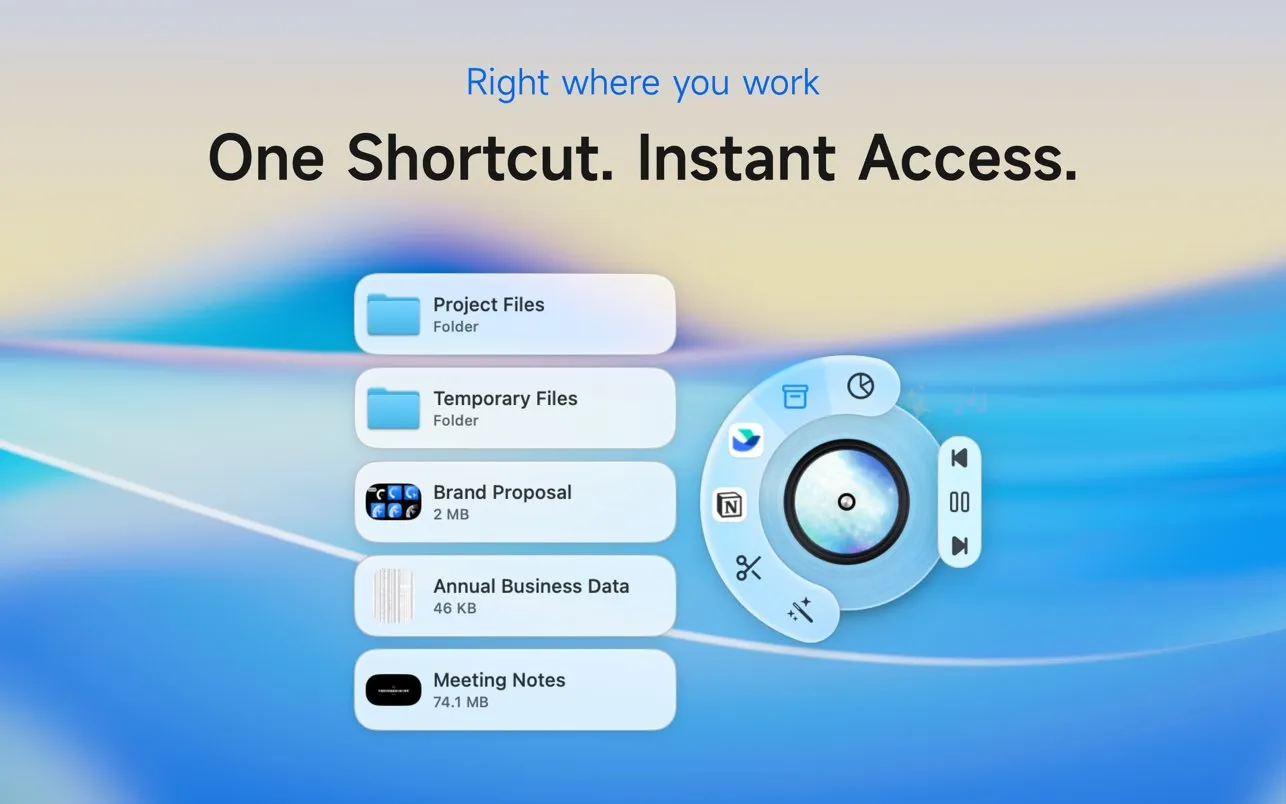
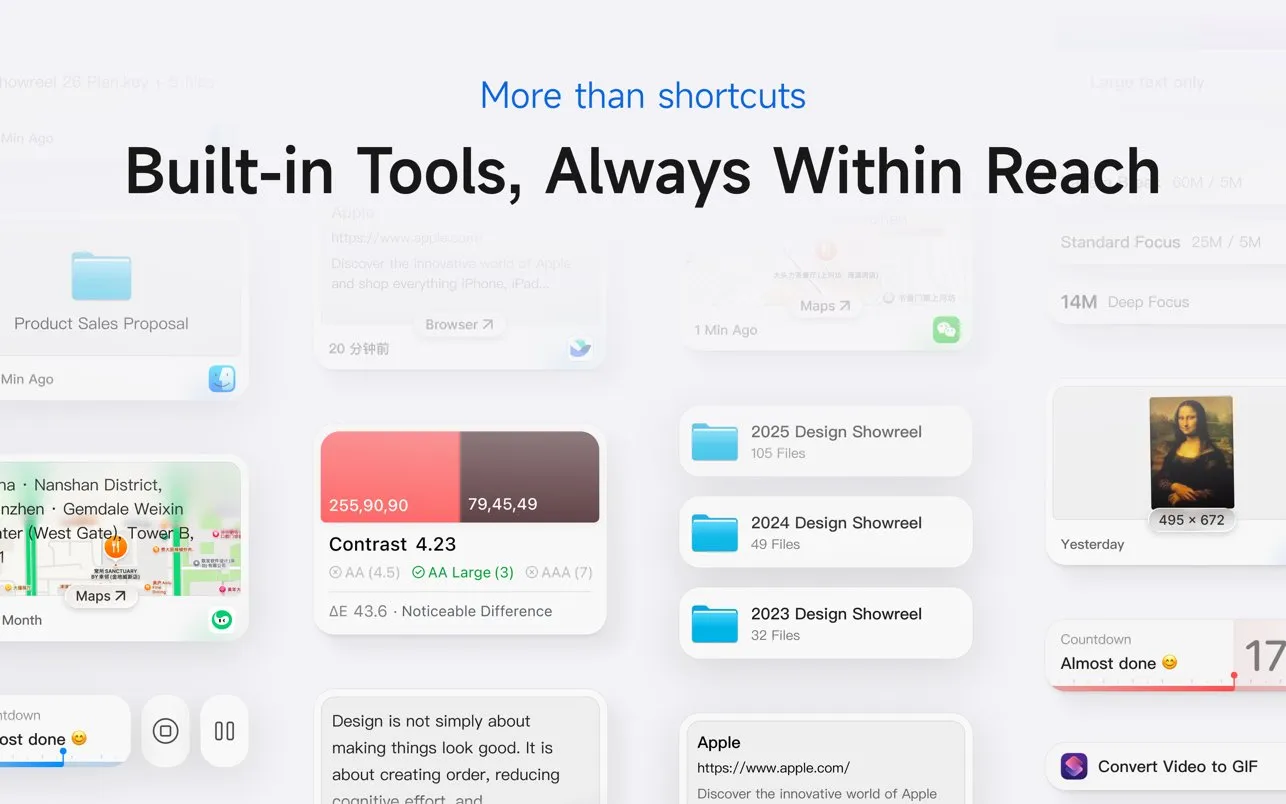
Most radial menu launchers for Mac stop at launching things: apps, files, keyboard shortcuts. Invoke treats the ring as a home for small tools as well. The App Store listing names four built in: clipboard history, a color picker, music controls and Time Rhythm, a focus timer with reminders. They live in the same menu you already opened to run a shortcut, so the clipboard is one flick away instead of one more menu bar icon.
Hold, select, release: how the menu works
In short
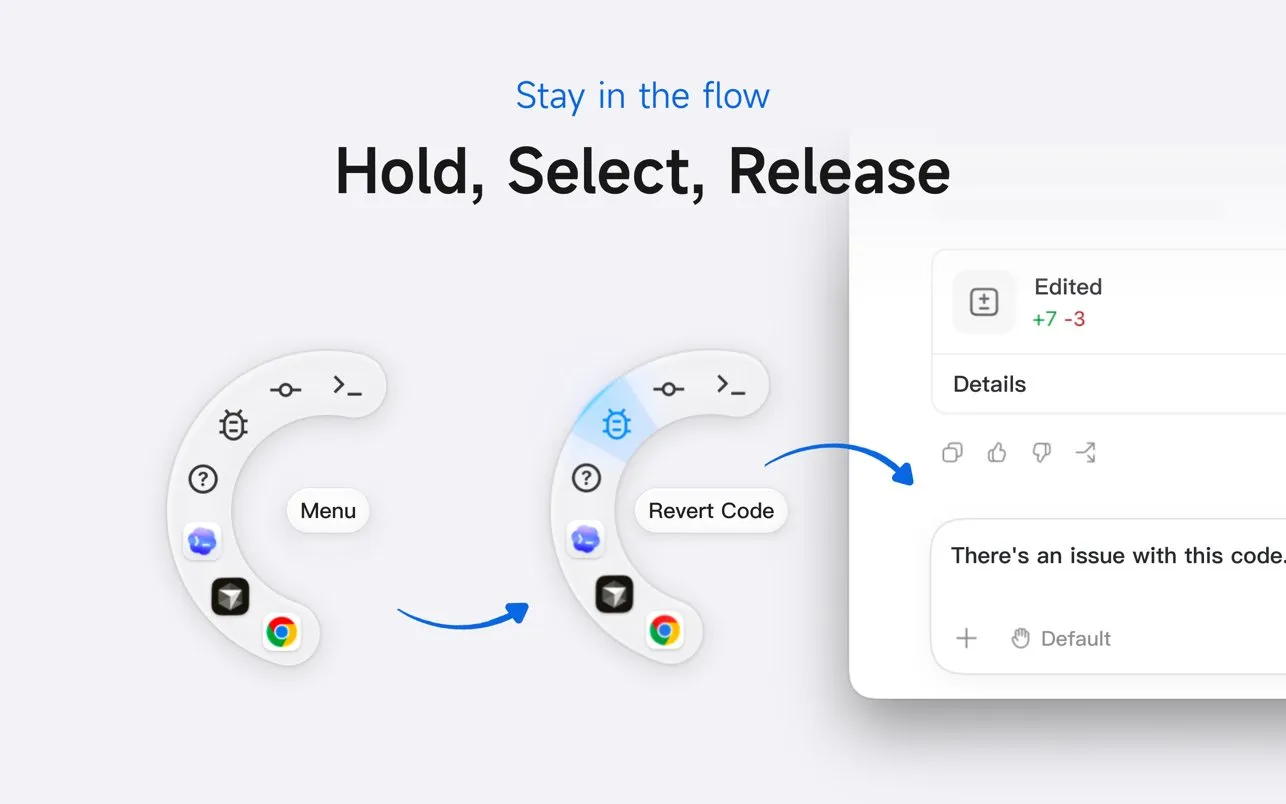
Hold your shortcut and the ring appears at the cursor. Move toward an action and let go to run it. If you prefer clicking, a tap mode opens the ring and leaves it open. Triggers can also be double-tapped keys, mouse buttons, scroll wheels or macro pads.
The tap mode and the extra triggers arrived in version 1.0.1, nine days after launch. That matters if you use a mouse with side buttons: you can put the whole ring on a thumb button and never touch the keyboard to open it. Folders work as submenus, so a wedge for your project folder fans out into its files instead of opening a Finder window.
An app-specific radial menu on Mac
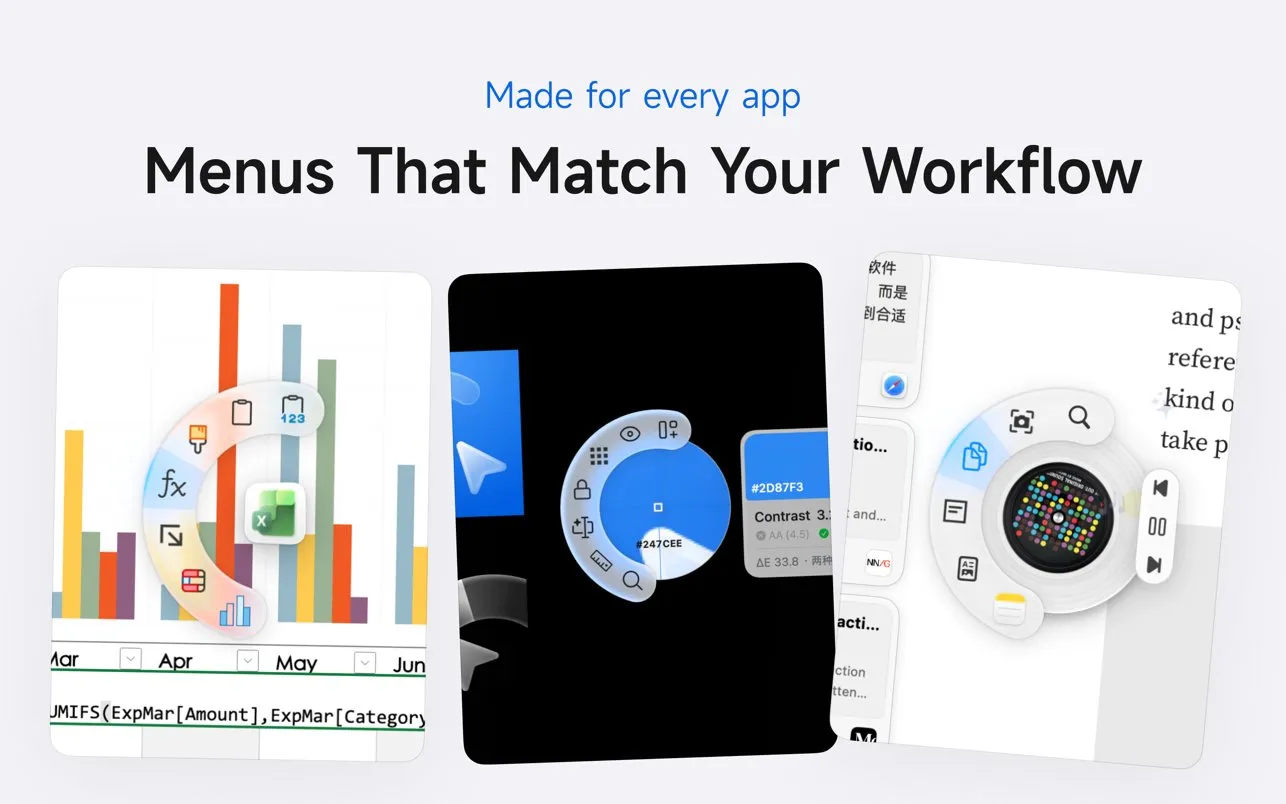
The ring changes with the frontmost app. In a spreadsheet it can hold formula and chart actions, in a design tool it can hold layer and color tools, and in a code editor it can hold the commands you keep forgetting. Invoke ships preset menus for popular apps, and the maker says the context-aware menus were designed with Figma workflows in mind. The free version includes app-specific menus; Pro makes them unlimited.
What a single wedge can do
In short
A wedge can press a keyboard shortcut, open an app, open a folder, load a website, paste a text snippet or run an Apple Shortcut. Icons come from emoji, SF Symbols and other libraries. The free version covers shortcuts and apps; Pro adds the other four.
Free: the radial menu itself, keyboard-shortcut and app actions, app-specific menus, and the built-in tools.
Invoke Pro ($6.99 once): website, text, folder and Shortcut actions, unlimited app-specific menus, and advanced Color Picker and Time Rhythm options.
Trial: 14 days of Pro, added in version 1.1.0.
The Apple Shortcuts action is the quiet power feature. Anything you can build in the Shortcuts app, from resizing an image to converting a video to a GIF, becomes a wedge. The listing does not say how many app-specific menus the free tier allows, so try the free version with your real apps before you decide whether Pro is worth it.
The built-in tools
In short
Four tools come with the app: clipboard history, a color picker, music controls and a focus timer called Time Rhythm. Each opens from the ring, so you skip a separate menu bar app for each one.
A Mac radial menu with clipboard history
Clipboard history keeps what you copied, searchable and taggable. Version 1.1.0 turned it into a sidebar you can dock to the screen edge and resize. Data stays local by default, the app checks for sensitive information, and iCloud sync for the history is optional. The App Store privacy label reads Data Not Collected.
Color picker, music and a focus timer
The color picker samples any pixel on screen and gives HEX, RGB and HSL values, and the listing images show a contrast score against WCAG levels too. Music controls cover Apple Music, with artwork, and since 1.1.0 third-party players as well. Time Rhythm runs focus and break intervals with reminders.
Every Mac radial menu, compared
In short
Invoke is the cheapest paid option here and the only one whose maker lists a built-in clipboard history. It is not the cheapest overall: Kando is free and also changes menus per app. Pie Menu and Radial are more mature per-app rivals that cost more.
| App | Price | Purchase model | Per-app menus | Clipboard history | Requires |
|---|---|---|---|---|---|
Invoke this one built-in tools | Free / $6.99 Pro | Buy once | macOS 13+ | ||
Pie Menu Knauken AS | $39.99 | Buy once or $19.99/yr | macOS 13+ | ||
Radial AppVerge | €19.99 | Buy once, 5 Macs | macOS 15+ | ||
Pieoneer App ahead | $9.99 | Buy once | Not stated | macOS 15.6+ | |
Kando open source | Free | Open source | macOS · Win · Linux |
Pie Menu is the polished native pick with ready-made shortcut sets for many apps, at $39.99 once or $19.99 a year; we covered it in its own Pie Menu spotlight. Radial leans toward automation and covers five Macs for €19.99, but needs macOS 15. Pieoneer is a launcher and app switcher with a music remote, and needs macOS 15.6. Kando costs nothing and runs on Windows and Linux too, though it is built on Electron rather than as a native Mac app.
Kando
$0
free
Invoke Pro
$6.99
once
Pieoneer
$9.99
once
Radial
€19.99
once
Pie Menu
$39.99
once
One-time prices on 17 October 2026. Radial is priced in euros. Pie Menu also sells a $19.99 yearly plan.
Core app
Free
Pro
$6.99 once
Trial
14 days
Requires
macOS 13+
Chips
Apple silicon + Intel
Privacy label
No data collected
Who Invoke suits, and who should skip it
In short
It suits people who want one ring for shortcuts, files and small tools, and owners of Macs on macOS 13 or 14, which Radial and Pieoneer do not support. Skip it if you only need a launcher, or if you want a long track record before you trust an app with your clipboard.
Designers who pick colors, check contrast and switch between Figma tools all day.
Mouse-first users with side buttons, who can open the ring without the keyboard.
Anyone running macOS 13 or 14, where Radial and Pieoneer will not install.
A young app
Invoke 1.0 shipped on 22 June 2026, and the App Store page does not yet have enough ratings to show an average. Updates have come about monthly. Use the 14-day trial before you pay.
Frequently asked questions
Can a radial menu on Mac open folders and paste text snippets too?
Yes. In Invoke a wedge can open a folder, which expands into a submenu of its files, or paste a saved text snippet. It can also load a website or run an Apple Shortcut. Those four action types are part of Invoke Pro, the $6.99 one-time unlock; keyboard shortcuts and app launching work in the free version.
What's the cheapest Mac radial menu that changes based on the app I'm using?
Kando, which is free and open source and can open a different menu per app or window. Among paid native apps, Invoke is the cheapest we found: free to download, with Pro at $6.99 once for unlimited app-specific menus. Radial is €19.99 once and Pie Menu is $39.99 once.
Is Invoke a subscription?
No. Invoke is free to download, and Invoke Pro is a single $6.99 in-app purchase after a 14-day free trial. There is no monthly or yearly plan on the App Store listing.
Does Invoke work on Intel Macs and older versions of macOS?
It runs on Intel Macs since version 1.0.2 and on Apple silicon, and it needs macOS 13 Ventura or later. Radial needs macOS 15 and Pieoneer needs macOS 15.6, so Invoke covers older Macs than either.
Does Invoke send my clipboard history anywhere?
Its App Store privacy label is Data Not Collected, and the maker says data is stored locally by default with detection for sensitive information. Syncing clipboard history over iCloud is listed as an optional feature.
Sources
- 1
Free to download; Invoke Pro is a $6.99 one-time in-app purchase after a 14-day free trial. Requires macOS 13.0 or later. Version history from 1.0 (22 June 2026) to 1.1.0 (9 October 2026), the Pro feature list, the Data Not Collected privacy label, and five supported languages.
- 2
The maker’s launch page: a cursor-first radial menu from a solo developer, with context-aware menus designed with Figma workflows in mind, and Intel and macOS 13 support added after launch.
- 3
A $39.99 one-time purchase with lifetime updates or a $19.99 yearly subscription, both with a 7-day trial, plus a Setapp option. The App Store listing requires macOS 13.0 or later.
- 4
€19.99 paid once, covering up to 5 Macs, with a 7-day trial. Context-aware menus tailored to the app in front. Requires macOS 15 Sequoia.
- 5
$9.99 on the US store at check time, by App ahead GmbH. Pie menu for launching apps, folders and documents, switching apps and triggering shortcuts, with a music remote. Requires macOS 15.6 or later.
- 6
Free and open source, for Windows, macOS and Linux, and able to open a different menu depending on the current application or window.

Invoke
Your favorite Mac actions, right at your cursor
once
macOS
More apps you buy once: browse the desktop