
A Codex Alternative for Local Models: OpenCode Superapp
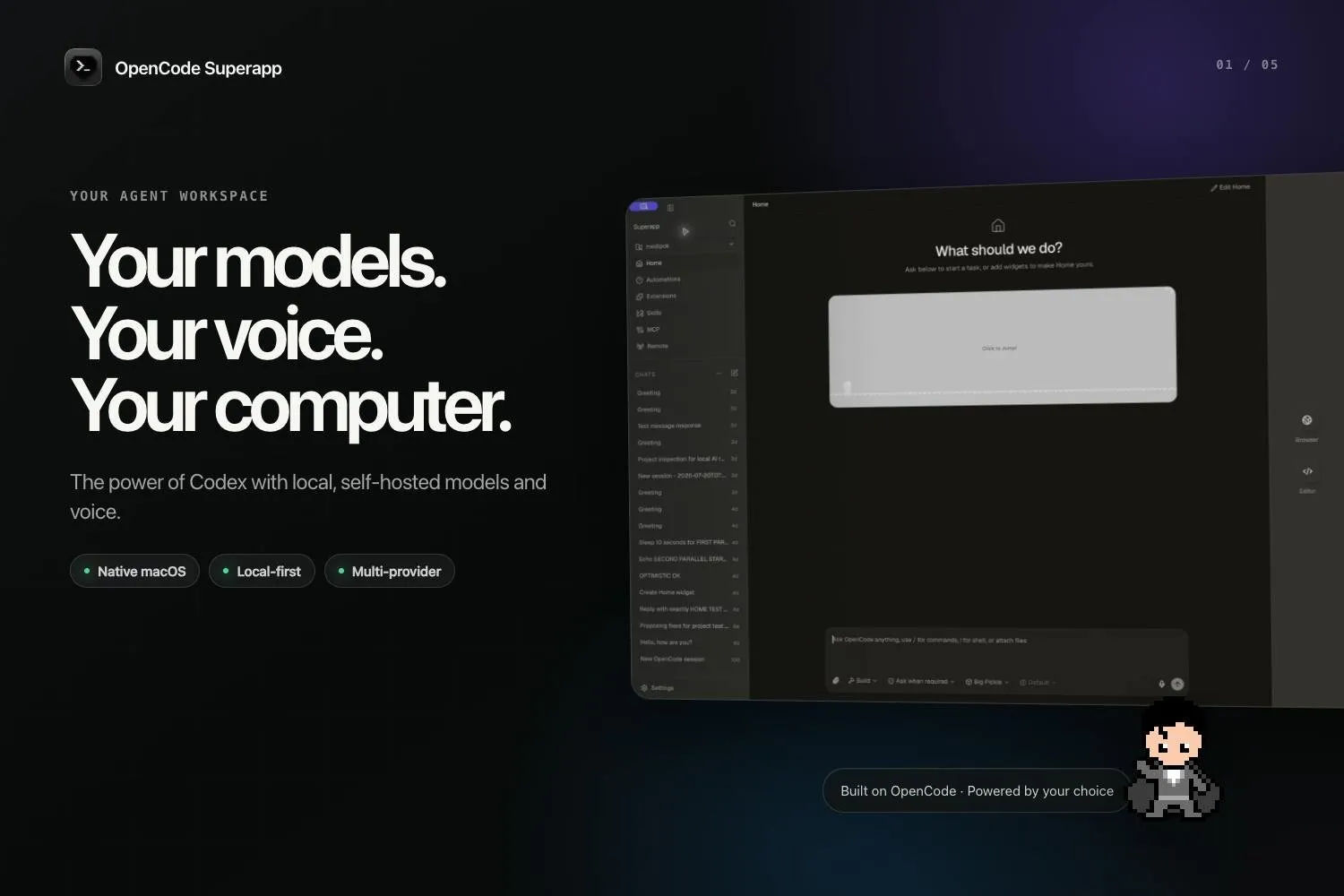
Codex and Claude Code made the desktop coding agent feel normal, but both lean on one model company and a monthly plan. OpenCode Superapp puts the open-source OpenCode agent in a native desktop workspace and lets each task run on a model on your own machine, an endpoint you host, or a cloud provider you already pay. This piece covers what it does, what the one paid unlock is, and where a free open-source rival fits better.
OneTimePay.app
7 min read
Is there a Codex-like desktop app I can use with my own local models?
Yes. OpenCode Superapp wraps the open-source OpenCode agent in a native desktop workspace and runs local Ollama models, self-hosted endpoints or cloud providers with your own key, chosen per task. Voice, browser automation and Computer Use are free with no account; remote phone access is $49 once.
On this page
Is there a Codex-like desktop app I can use with my own local models?
In short
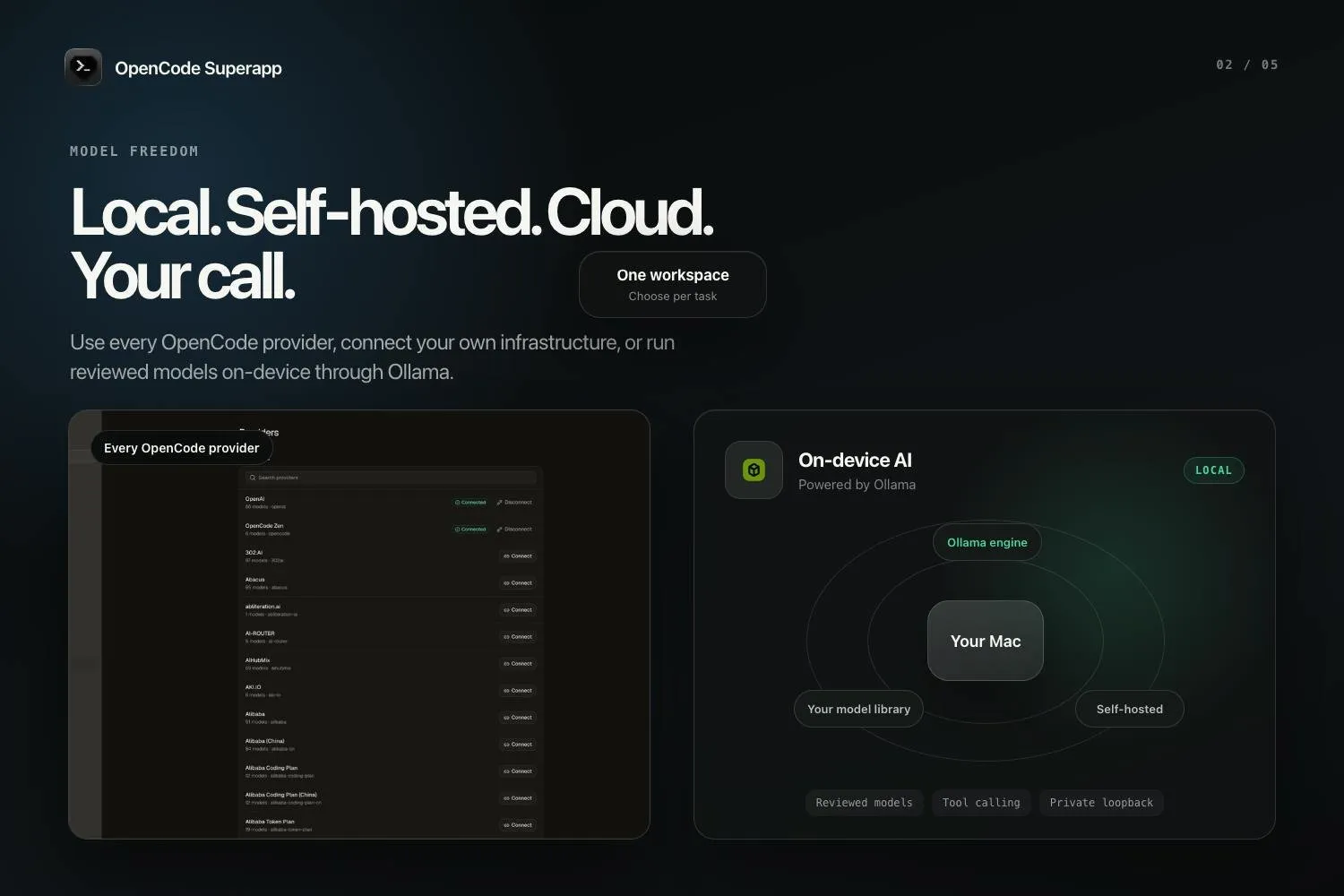
OpenCode Superapp bundles the OpenCode runtime inside a desktop app, so there is no separate server or CLI to install. You open a project, start a session, and pick the model for that task: a local one through Ollama, an OpenAI-compatible endpoint you run, or a cloud provider such as OpenAI, Anthropic, Google or xAI with your own credentials.
Local, self-hosted or cloud, per task
Local: the Local AI extension installs an app-managed Ollama engine on a private loopback endpoint and finds the models already in your library. Removing the engine keeps your models.
Self-hosted: point OpenCode at an OpenAI-compatible endpoint you operate, for example a GPU box on your network.
Cloud: any provider OpenCode supports, billed by that provider. The credentials stay in your local OpenCode configuration.
The workspace around the agent
Projects, parallel sessions, a file editor, Git, worktrees, terminals and search sit in one window, which is the Codex-style part. A Compact Chat mode keeps a small prompt window on screen. Nothing needs a Superapp account; the vendor says it has no profiles, no behavioral analytics and no cookie tracking, and that model traffic goes straight to the provider you chose.
Core app
Free
Remote, once
$49
Account
None
Version
0.3.7
Mac
Apple silicon
Also on
Windows, Ubuntu
Voice, browser automation and Computer Use
In short
Four extras the vendor calls Local Superpowers are part of the free app. Supe is a realtime voice agent that controls the app and opens OpenCode tasks. Dictation runs on your computer. The agent can drive an in-app browser and, through guarded tools, native desktop apps.
Supe Realtime Voice: talk to create, message, monitor and open durable OpenCode tasks. It uses your own OpenAI or xAI voice key; a hosted trial gives five minutes across two sessions.
Local Dictation: multilingual speech-to-text through a pinned Whisper model of about 548 MiB, downloaded once, then offline.
Browser Automation: the agent inspects and operates pages in the app's own browser, which does not share your Chrome tabs or logins.
Computer Use: supervised control of native apps. On a Mac it needs macOS 15 or newer and a configured operator model.
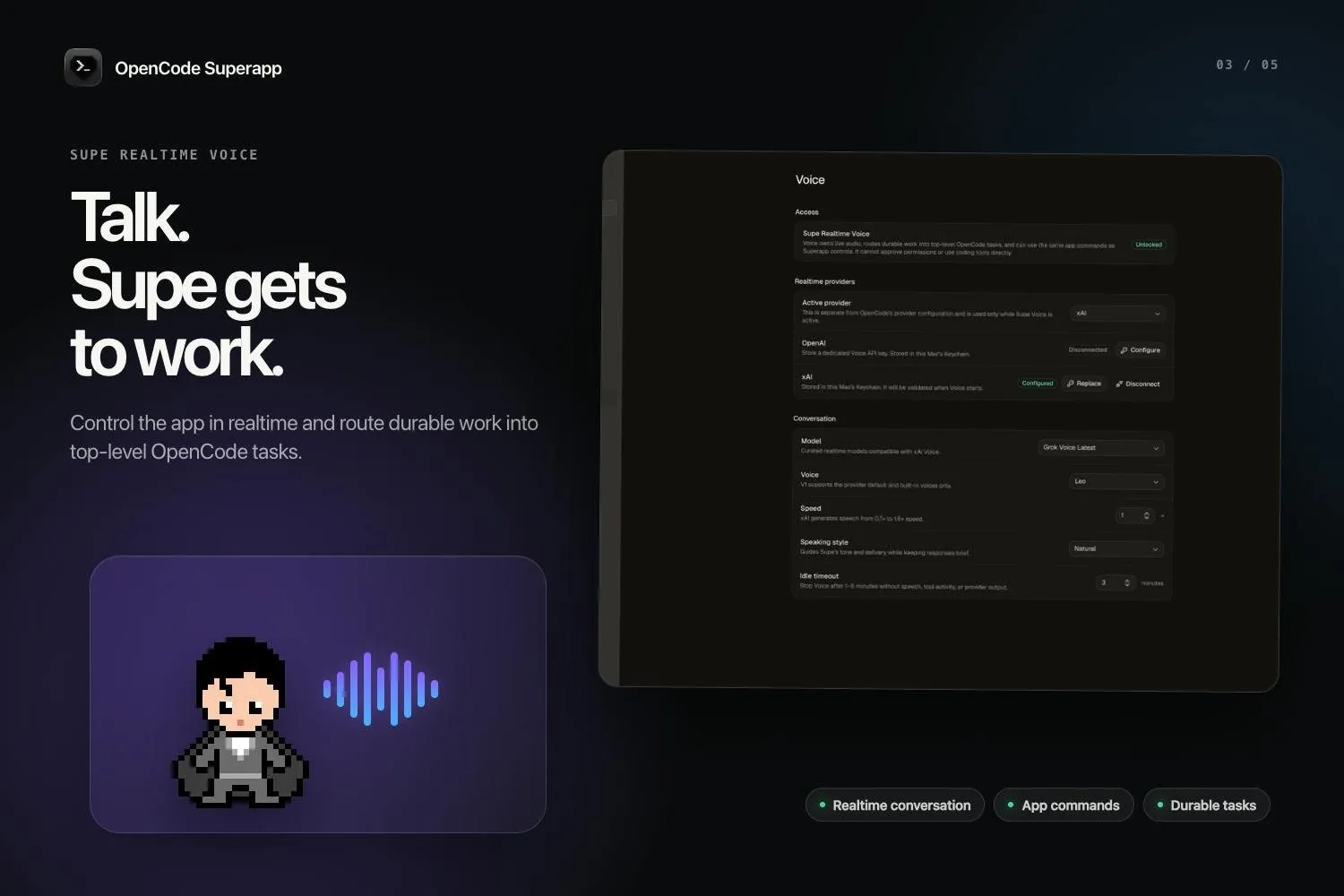
Local models handle the coding, but voice is not fully local: Supe's conversation goes to the realtime provider you configure, and Computer Use needs an operator model that can work with screenshots. If keeping everything on your machine is the point, plan on dictation plus a local coding model, and skip realtime voice. For dictation everywhere on a Mac, not only in one app, see our Yap spotlight.
Extensions, Skills, MCP and Home widgets
In short
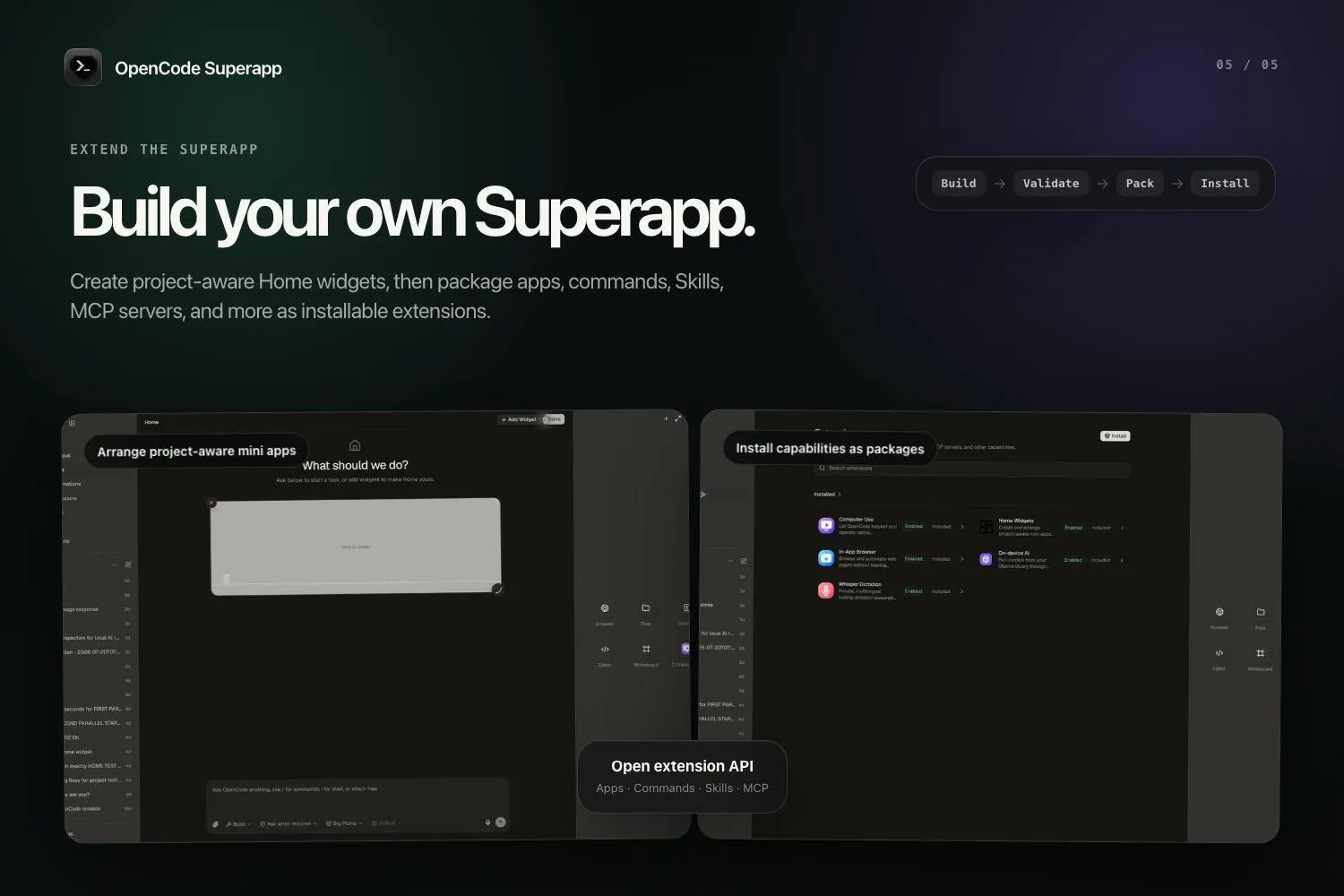
Extensions add commands, right-panel apps, Skills, MCP services and local resources. They install from a folder or an .ocx package; there is no marketplace yet. You can also ask the agent to build a project-aware Home widget, test it in a live preview and keep it.
The rest is personality: 21 app icons and a pixel-art Supe avatar you can dress up. It does not change what the agent can do, but it is part of why the app feels less like a terminal in a window.
OpenCode Superapp vs OpenCode Desktop, Goose, Codex and Claude Code
In short
The official OpenCode desktop app and Goose are free, open source and work with local models. Codex comes with ChatGPT plans from a limited free tier to $100 or more a month, and can use Ollama models through Ollama's integration. Claude Code needs Claude Pro at $20 a month. Superapp is free, with voice and Computer Use built in and a $49 one-time Remote unlock.
| App | Price | Models | Built-in extras | Platforms |
|---|---|---|---|---|
OpenCode Superapp this one this article | Free; Remote $49 once (5 desktops) | Any OpenCode provider, app-managed Ollama, self-hosted | Realtime voice, local dictation, browser automation, Computer Use, widgets | macOS (Apple silicon), Windows, Ubuntu |
OpenCode Desktop official, MIT | Free | Any OpenCode provider, local models | Sessions, tabs, diffs, built-in browser, extensions | macOS, Windows, Linux |
Goose Apache-2.0 | Free | 85+ providers, local models | MCP extensions, desktop app and CLI | macOS, Windows, Linux |
Codex app OpenAI | ChatGPT Free (limited), Go $8/mo, Plus $20/mo, Pro from $100/mo, or API key | OpenAI models; Ollama models via Ollama integration | Computer Use, cloud tasks, code review | macOS, Windows, Linux (in the ChatGPT app) |
Claude Code Anthropic | Claude Pro $20/mo ($17/mo yearly), Max from $100/mo | Claude models | Terminal, IDE and desktop app | macOS, Windows, Linux |
AI coding agent no subscription: who fits which app
If you want free and open source, the official OpenCode desktop app or Goose costs nothing and runs local models, so Superapp does not win on price or openness. If you already pay for ChatGPT, Codex now reaches Ollama models too. Superapp fits if you want the extras in one box without wiring them up: an Ollama engine the app manages, realtime voice, offline dictation, browser automation and Computer Use, and a phone companion for a one-time fee instead of another plan. If your interest is local models more than coding, our Osaurus spotlight covers a free native runtime for local AI agents on a Mac.
Who OpenCode Superapp suits, and who should skip it
In short
It suits developers on an Apple-silicon Mac, Windows or Ubuntu who want one GUI for local and cloud models with voice and Computer Use, and who are fine with early-release software. Skip it on an Intel Mac, if you need a fully open-source app, or if you want a mature tool with a long review history.
Good fit: anyone running Qwen or another coding model in Ollama who wants a Codex-style window around it, and people whose clients rule out cloud models.
Early release: the download page offers version 0.3.7 for all three desktop systems, while the docs' known-limitations page still says Windows and Linux packages are unreleased. Expect rough edges, especially off the Mac.
Local model quality: a local model is only as good as your hardware allows. Tool calling, which an agent depends on, is weaker on small models.
Who makes it: MedHue Labs LLC, not OpenAI and not the OpenCode team. The OpenCode runtime is MIT-licensed; the Superapp does not claim an open-source license.
Remote is paid once, but it is an online service
The $49 Remote unlock has no local expiry, but it renews a signed 30-day grant from the developer and routes through a hosted relay. The terms let the developer change or discontinue that hosted service; the free local features would stay. Refunds are available within 14 days. If phone access is your reason to buy, weigh that before you pay.
Running several agents on one codebase at once? Our spotlight on parallel AI coding agents in one free app covers that workflow.
Frequently asked questions
Is OpenCode Superapp free, and what does the $49 Remote unlock add?
The core app is free with no account and no expiry, and that includes local models, browser automation, Computer Use, local dictation and voice with your own provider key. The only paid part is Remote: $49 once for up to five desktop installations. It lets a phone or browser companion continue the session running on your desktop. Remote is a hosted service that renews a signed 30-day grant online, so it needs the vendor’s relay to keep running; the free local features do not.
Does OpenCode Superapp send my code to its own servers?
Not according to the developer. There is no Superapp account, projects and sessions stay on your computer, and model requests go straight to the provider you pick in OpenCode, or stay on your machine with a local Ollama model. The app has no behavioral analytics or diagnostic upload. Remote routes through a Cloudflare relay with end-to-end encryption. These are the vendor’s own statements; we have not audited them.
Do I need to install OpenCode or Ollama separately?
No. The OpenCode runtime is bundled and version-matched to the app, so there is no separate server, Node.js or CLI to set up. For local models, the Local AI extension installs an app-managed Ollama engine and discovers models already in your library. Removing the engine keeps your model files.
Is OpenCode Superapp made by OpenAI or the OpenCode team?
Neither. It is an independent product by MedHue Labs LLC, described as Codex-inspired and built on the open-source OpenCode runtime. It is not affiliated with or endorsed by OpenAI. The OpenCode runtime is MIT-licensed, but the Superapp itself does not claim an open-source license.
Does OpenCode Superapp run on an Intel Mac?
No. The Mac build needs Apple silicon and macOS 13 or newer, and Computer Use needs macOS 15 or newer. There are also installers for Windows 10/11 x64 and Ubuntu Desktop 22.04/24.04 x64, plus an iPhone and iPad companion in public TestFlight beta.
Is OpenCode Superapp the only free Codex alternative for local models?
No, and it does not need to be. The official OpenCode desktop app and Block’s Goose are both free, open source and work with local models. Codex itself can use Ollama models through Ollama’s integration. Superapp’s case is the bundle: an app-managed Ollama engine, realtime voice, local dictation, browser automation and Computer Use in one workspace with no account.
Sources
- 1
The official site: free core with no account, the provider list, Local Superpowers, Remote at $49 once for five desktops, the hosted voice trial limits and the FAQ. Read on 25 November 2026.
- 2
OpenCode Superapp download page
Version 0.3.7: macOS (Apple silicon, macOS 13 or newer), Windows 10/11 x64, Ubuntu 22.04/24.04 x64, and an iPhone and iPad companion in public TestFlight beta. OpenCode is bundled.
- 3
OpenCode Superapp terms of use
Remote uses a renewable 30-day entitlement grant; the developer may change, suspend or discontinue hosted Remote infrastructure without removing the free local capabilities.
- 4
OpenCode Superapp docs: system requirements
Desktop targets, the 548 MiB local Whisper weight for dictation, and macOS 15 or newer for Computer Use.
- 5
OpenCode Superapp docs: known limitations
Early release; Windows and Linux production packages described as unreleased; extensions install from folders or .ocx packages with no marketplace; the in-app browser does not share Chrome state.
- 6
OpenCode Superapp docs: local-first design
Where projects, sessions, credentials and license tokens live; no diagnostic upload or behavioral analytics; model requests go to the selected provider.
- 7
The official OpenCode desktop app for macOS, Windows and Linux: "100% free to use", source on GitHub under the MIT License.
- 8
Apache-2.0, desktop app and CLI for macOS, Linux and Windows, over 85 providers and local models; part of the Agentic AI Foundation at the Linux Foundation.
- 9
Codex is included in ChatGPT Free (quick tasks), Go $8 a month, Plus $20 a month and Pro from $100 a month, or billed by API key.
- 10
Ollama v0.34.0 or newer can route Codex mode in the ChatGPT desktop app to Ollama models.
- 11
Claude Code is not included in the Free plan; Pro is $20 a month ($17 a month billed annually) and Max starts at $100 a month.
OpenCode Superapp
The power of Codex with local, self-hosted models and voice
once
macOS · Windows · Linux
More apps worth a look: browse the desktop