
InsomniaZ: Keep MacBook Awake With the Lid Closed
Close a MacBook and it sleeps: the download stops, the music cuts out, the remote session drops. InsomniaZ is a small menu-bar app that keeps the Mac running with the lid shut, on battery or power, with or without a monitor, in one click. This piece covers how it works, its timed sessions and display modes, and how it compares with the free tools that do the same job.

OneTimePay.app
6 min read
How do I close my MacBook lid without it going to sleep?
On its own, macOS only keeps a closed MacBook running with a charger, an external display and a keyboard or mouse attached. To close the lid on battery or without a monitor you need an app. InsomniaZ ($14.99 once) does it in one click from the menu bar, for a timed session or indefinitely, and can let the screen sleep while the Mac keeps working.
On this page
How do I close my MacBook lid without it going to sleep?
In short
Apple's supported route is clamshell mode: the MacBook stays on with the lid shut only while it is plugged in, connected to an external display and paired with a keyboard or mouse. Remove any of the three and it sleeps. InsomniaZ removes that requirement: turn it on in the menu bar, close the lid, and the Mac keeps running.
Clamshell mode on battery
The App Store listing says InsomniaZ prevents lid-close sleep with or without an external display, plugged in or on battery. It keeps holding when you plug in or pull the charger while the lid is shut, which is where a plain clamshell setup usually falls asleep. If macOS forces a sleep anyway, the app re-applies its hold once the Mac wakes. The developer says it uses several sleep-prevention methods at once so one failing does not end the session. The listing does not say how lid-closed mode works under the hood or whether it ever asks for an administrator password.
What keeps running: downloads, music, AirPlay, remote sessions
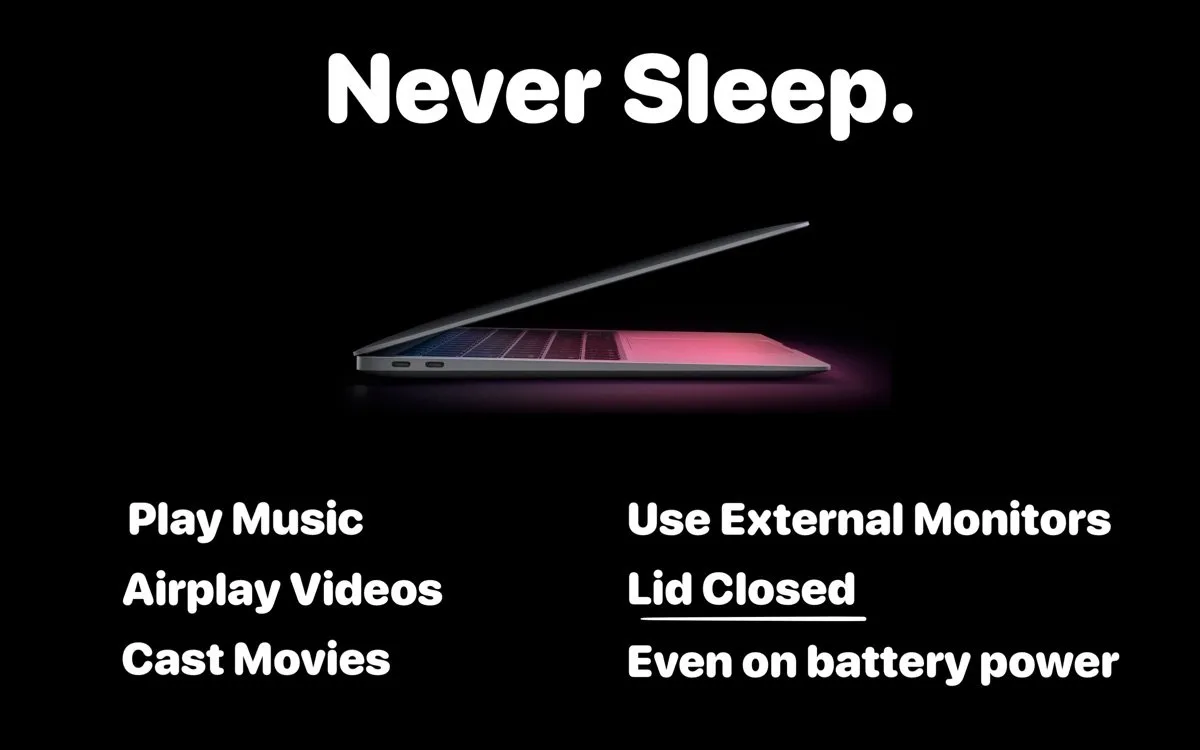
Downloads: start a large file, close the lid, carry the Mac to the next room or the next meeting.
Audio and video: keep music playing to AirPods or a speaker, or keep an AirPlay or cast stream going with the laptop shut.
Desk setups: use an external monitor with the lid closed, and keep going if the charger comes out.
Remote work: keep a remote desktop, SSH session or render alive while the Mac sits closed.
Price
$14.99 once
Requires
macOS 14+
Download
921 KB
Latest version
5.3 (Apr 2026)
Timed sessions, Display Auto and the global shortcut
In short
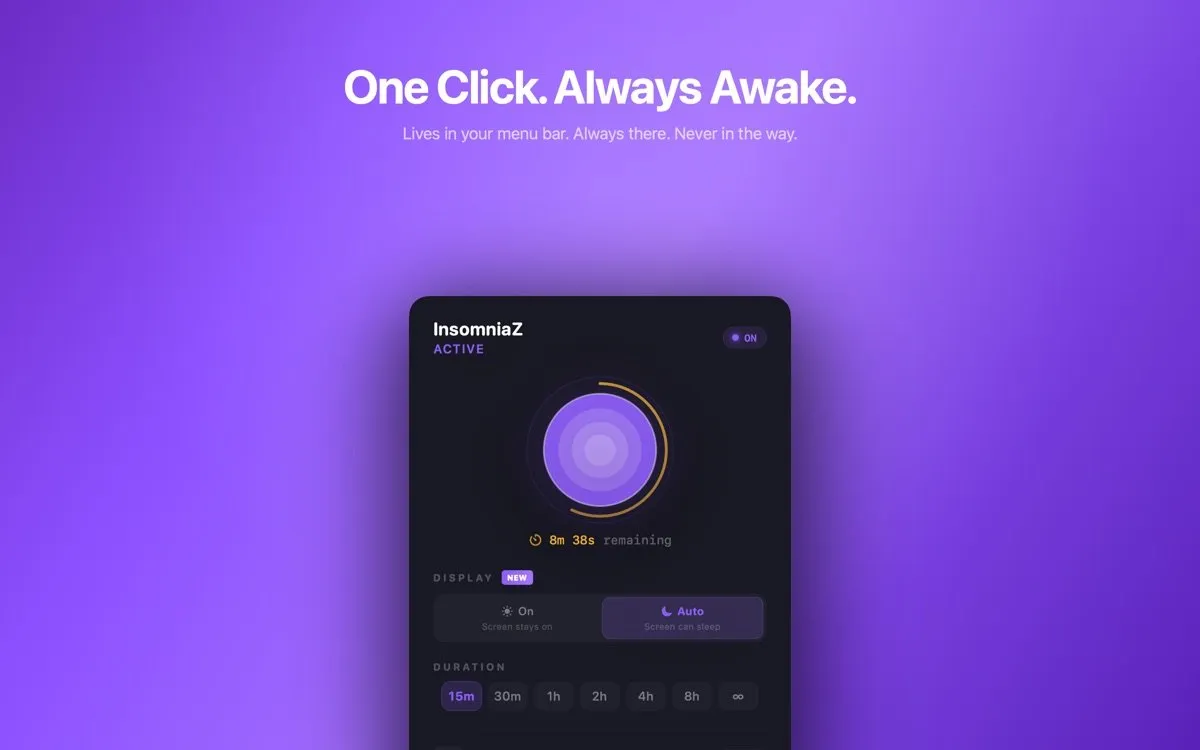
Click the concentric-circles icon and pick a length: 15 minutes, 30 minutes, 1, 2, 4 or 8 hours, or infinity for all night. A ring counts down the time left, and at zero InsomniaZ turns itself off, so the Mac goes back to sleeping normally without you remembering to stop it.
Prevent Mac sleep timer
The timer is the safety net for lid-closed use: an 8-hour cap ends an overnight download even if you forget the Mac in a bag. A global keyboard shortcut starts or stops a session from any app. The icon is coloured while active and greyed out when off, and the app has no Dock icon or windows to manage.
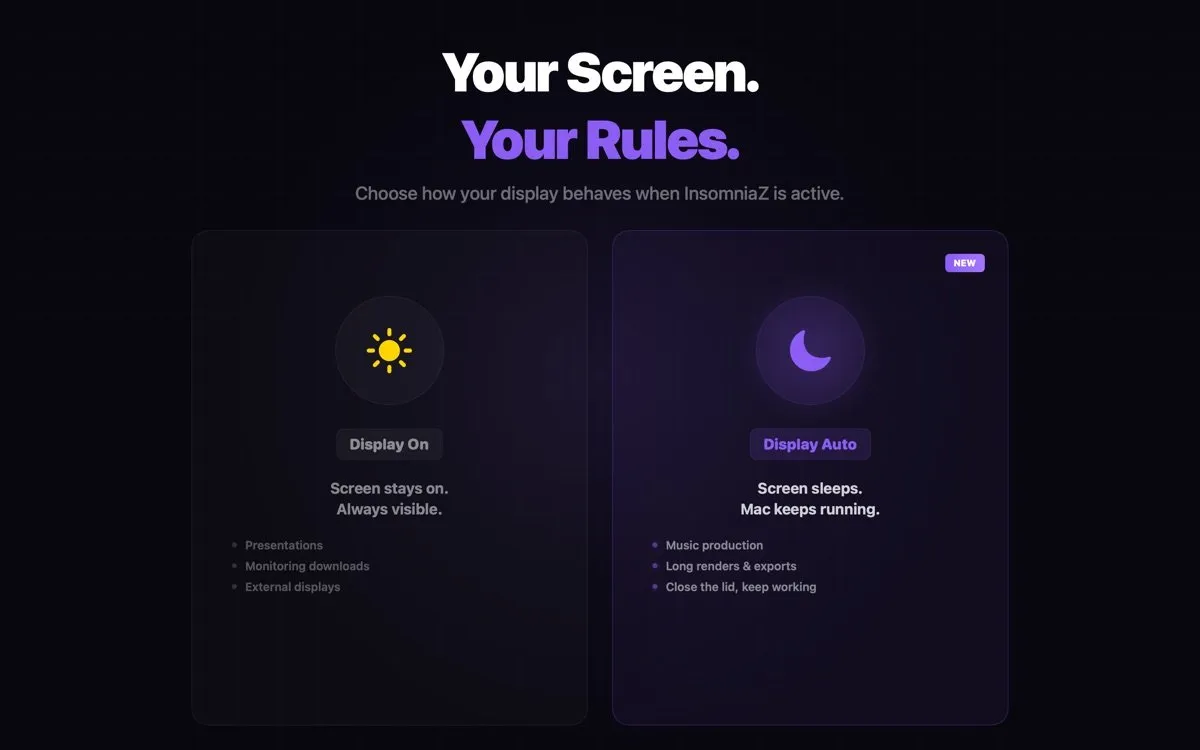
The Display switch decides what the screen does during a session. On keeps it lit, for presentations or watching a download. Auto lets the screen sleep while the Mac keeps working, for music production, long exports or a closed lid. Version 5.3, released on 24 April 2026, fixed Auto so the screen really turns off with the lid closed instead of staying lit.
Advanced mode is a separate switch
An optional advanced mode keeps productivity apps from detecting you as idle, the developer's example being Teams marking you Away. It is not needed to stop the Mac sleeping, and your employer may have a view on it.
Amphetamine alternative? Every lid-closed option, compared
In short
InsomniaZ is the most expensive tool here, and it is not the only one that handles a closed lid. Amphetamine is free and does it, Keepresso is free and open source, Insomniacs costs $1.99 and Coca is free. KeepingYouAwake, Lungo and the built-in caffeinate command cannot keep a closed lid awake at all.
| App | Price | Lid closed | On battery, lid closed | Automatic triggers | Get it |
|---|---|---|---|---|---|
InsomniaZ this one this article | $14.99 once | Mac App Store | |||
Amphetamine last update Nov 2023 | Free | Many | Mac App Store | ||
Keepresso GPL-3.0, macOS 14+ | Free | Many | DMG or Homebrew | ||
Insomniacs version 2.0 | $1.99 | Not stated | Shortcuts | Mac App Store | |
Coca optional support purchases | Free | Not stated | Mac App Store | ||
KeepingYouAwake MIT | Free | Basic | GitHub or Homebrew | ||
Lungo macOS 26+ | $4 | Mac App Store | |||
caffeinate built into macOS | Free | Scripts only | Terminal |
Price will not decide this, because the free options are strong. Amphetamine has the most settings: untick “Allow system sleep when display is closed” and it holds a closed lid, with triggers and an auto-end on low battery, though it has not been updated since November 2023. If you want sessions that start and stop on their own, our Keepresso spotlight covers the free, open-source option. InsomniaZ's case is the opposite: one popover, nothing to configure, an app updated in 2026, sold once on the App Store.
Stop Mac sleeping when lid closed with Terminal
caffeinate keeps an open Mac awake but does not override lid-close sleep, and its -s flag only works on AC power. Guides also suggest sudo pmset -a disablesleep 1, which disables sleep until you set it back to 0, so it is easy to forget and leave on. An app with a timer is the safer choice for most people.
What you pay
InsomniaZ
$14.99
once
Lungo
$4
once, no lid-closed
Insomniacs
$1.99
once
Amphetamine
$0
free
Keepresso
$0
free
US prices on 22 October 2026. None of these charges a subscription.
Who InsomniaZ suits, and who should skip it
In short
It suits MacBook owners who want lid-closed sessions with one click and nothing to learn, and who prefer to pay once through the Mac App Store. Skip it if you want triggers or automation, if your Mac runs macOS 13 or older, or if a free tool already does the job for you.
InsomniaZ comes from solo developer Pawan Dixit and has been on the App Store since December 2018. Its privacy label reads Data Not Collected, and the developer says it makes no network calls and answers support email within 24 hours. The US store does not yet show enough ratings for an average, so judge it by the feature list and Apple's refund policy rather than by stars.
Before you close the lid
A download or music stream is light work for a closed Mac; a render is not. Use a hard, ventilated surface, pick a timed session over infinity, and check the battery before a long run. Everything here was verified on 22 October 2026.
Frequently asked questions
Can a MacBook stay awake with the lid closed on battery power?
Not with macOS settings alone: built-in clamshell mode needs a charger, an external display and a keyboard or mouse. With a keep-awake app such as InsomniaZ, Amphetamine or Keepresso, yes. Put the Mac on a hard, ventilated surface, use a timed session, and keep an eye on the battery, because a Mac held awake drains it far faster than a sleeping one.
Why pay for InsomniaZ when Amphetamine is free?
You may not need to. Amphetamine is free and also keeps a closed MacBook awake, with triggers and a low-battery cut-off, though its last update was in November 2023. InsomniaZ costs $14.99 once and offers fewer options: one popover with timed or indefinite sessions, Display On or Auto, and a global shortcut. You pay for that simplicity and for an app that was updated in April 2026.
Does InsomniaZ collect any data?
Its Mac App Store privacy label says Data Not Collected, and the developer states it makes no analytics, tracking or network calls. It runs from the menu bar with no Dock icon.
Does caffeinate keep a Mac awake with the lid closed?
No. The built-in caffeinate command can hold idle, display and system sleep while the lid is open, but closing the lid still sleeps the Mac unless it is in clamshell mode with power and an external display. Its -s flag also only works on AC power.
Will my MacBook overheat with the lid closed?
It can under sustained load, because the closed lid covers part of the surface that sheds heat. A download or music stream is light work; a render is not. Keep the Mac on a hard surface, avoid running heavy jobs inside a bag, and prefer a timed session so it does not stay awake longer than needed.
What does Display Auto do in InsomniaZ?
Display Auto lets the screen go to sleep while the Mac itself stays awake, so a lid-closed or overnight session does not keep the display lit. Display On keeps the screen visible, which suits presentations or watching a download. Version 5.3, released in April 2026, fixed Display Auto so the screen truly sleeps with the lid closed.
Sources
- 1
InsomniaZ on the Mac App Store
$14.99, no in-app purchases listed. Version 5.3 on 24 April 2026, macOS 14 or later, 921 KB, first released December 2018. App Privacy: Data Not Collected. Lid-closed with or without a display, on battery or power; timed and indefinite sessions; global shortcut; advanced idle mode.
- 2
InsomniaZ on the developer site
Pawan Dixit. Prevents sleep even with the lid closed, with external displays, on battery or plugged in. Links to the App Store listing.
- 3
Amphetamine on the Mac App Store
Free. Version 5.3.2 dated 10 November 2023. Option to prevent system sleep when the built-in display is closed, triggers, auto-end on low battery.
- 4
Insomniacs on the Mac App Store
$1.99, version 2.0.0. Timed sessions, a lid-closed mode with a ventilation reminder, Shortcuts actions.
- 5
$4.00, requires macOS 26. Its developer notes it will not prevent sleep when the lid is closed.
- 6
MIT license. Prevents sleep on desktop Macs and on portable Macs with the lid open only.
- 7
Free, open source (GPL-3.0). Closed-display mode on battery with no external display; smart triggers.
- 8
9to5Mac: keep your Mac awake, even with the lid closed
Coverage of KeepingYouAwake, Amphetamine and Coca; Coca is free with optional support purchases and has closed-lid support.
- 9
Macworld: how to use a MacBook with the lid closed
Clamshell mode needs power, an external display and input devices; Terminal and app workarounds.

InsomniaZ - Never Sleep
Keep your Mac awake, even with the lid closed
once
macOS
More apps you buy once: browse the desktop