
A Trip Planner App Your Friends Can Edit With No Account
You send the itinerary link and half the group stalls at the sign-up screen. Trovelo takes that step away: the trip lives on one board, a column per day, and the people you invite edit it without creating any account with the app. This piece covers how that works, what stays private, how it compares with Wanderlog, TripIt and the other planners, and the one limit that rules it out for many groups.

OneTimePay.app
7 min read
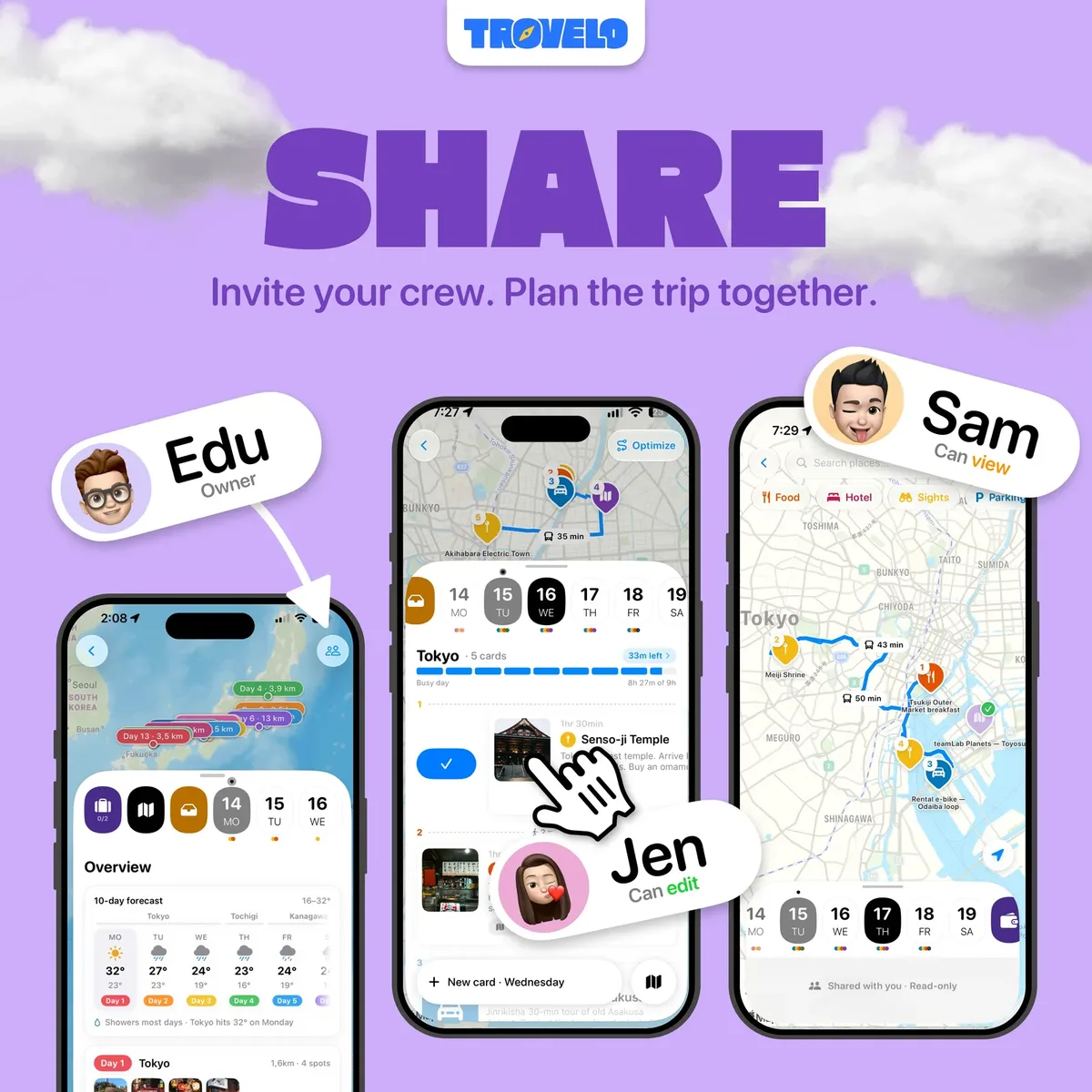
Is there a trip planner app where my friends don't have to make an account to edit it?
Yes, if everyone uses Apple devices. Trovelo for iPhone, iPad and Mac has no account of its own. You invite friends by their iCloud email or phone and choose can edit or can view, and the trip syncs through each person's own iCloud. It is free for 2 trips; Pro is $9.99 once. Android friends cannot join.
On this page
Is there a trip planner app where my friends don't have to make an account to edit it?
In short
Yes. Trovelo never asks anyone to sign up, log in or create a profile. The trip owner adds people by the address they use for iCloud, picks can edit or can view, and sends the invite. Each friend opens it in Trovelo on an iPhone, iPad or Mac, and from then on everyone sees the same days and cards.
What your friends actually need to join
“No account” means no Trovelo account. Each person still needs an Apple Account, the Trovelo app, and a device on iOS, iPadOS or macOS 26. There is no Android app and no web page a friend can open in a browser. For a group of iPhone owners that is invisible, since they are already signed in to iCloud. For a group with one Android phone, it is a dead end.
Price
Free, Pro $9.99 once
Account
None (iCloud)
Runs on
iPhone, iPad, Mac
Last update
8 Oct 2026
How Trovelo syncs a shared itinerary through iCloud
In short
Trovelo runs no servers. Trips are stored on your devices and sync through Apple's CloudKit inside your own private iCloud account, and a shared trip is also available to the people you invite. The developer cannot read, access or recover any of it, according to the privacy policy.
Shared itinerary app with iCloud: what is shared and what stays yours
The board is shared: days, cards, times, places and notes. Your packing list, travel documents and expenses are not. That split is the useful detail for couples and friend groups, because you can scan a passport into the trip or log what you spent without the rest of the group seeing it.
What does leave your device
A private itinerary app still needs the internet for some jobs, and the privacy policy lists each one. By default, the title you type on a card plus the trip destination is sent to Pexels to find a photo (“dinner with Marta Tokyo” is the policy's own example). You can switch that off with Find Photos Automatically. Weather sends each day's places and dates to Apple WeatherKit, and maps and place search go through Apple Maps. The App Store label lists “User Content” as data not linked to you, which is the developer's own declaration.
Planning a trip day by day on one board
In short
Each trip is a board with one column per day. Flights, stays, trains, tickets, food and sights are cards, 46 kinds in all, each in its own colour. Each day says whether it is easy, busy or too full, and how you get between stops on foot, by car or by transit.
Type it the way you would text it
Write “ramen at Ichiran 7pm ¥1200” and Trovelo makes a food card with the time and price filled in. Paste a list, a Maps link or a whole itinerary from an email and it spreads the stops across your days. Places with no day yet wait in the trip's Ideas bucket. For a group that collects suggestions in a chat first, pasting is the fast path.
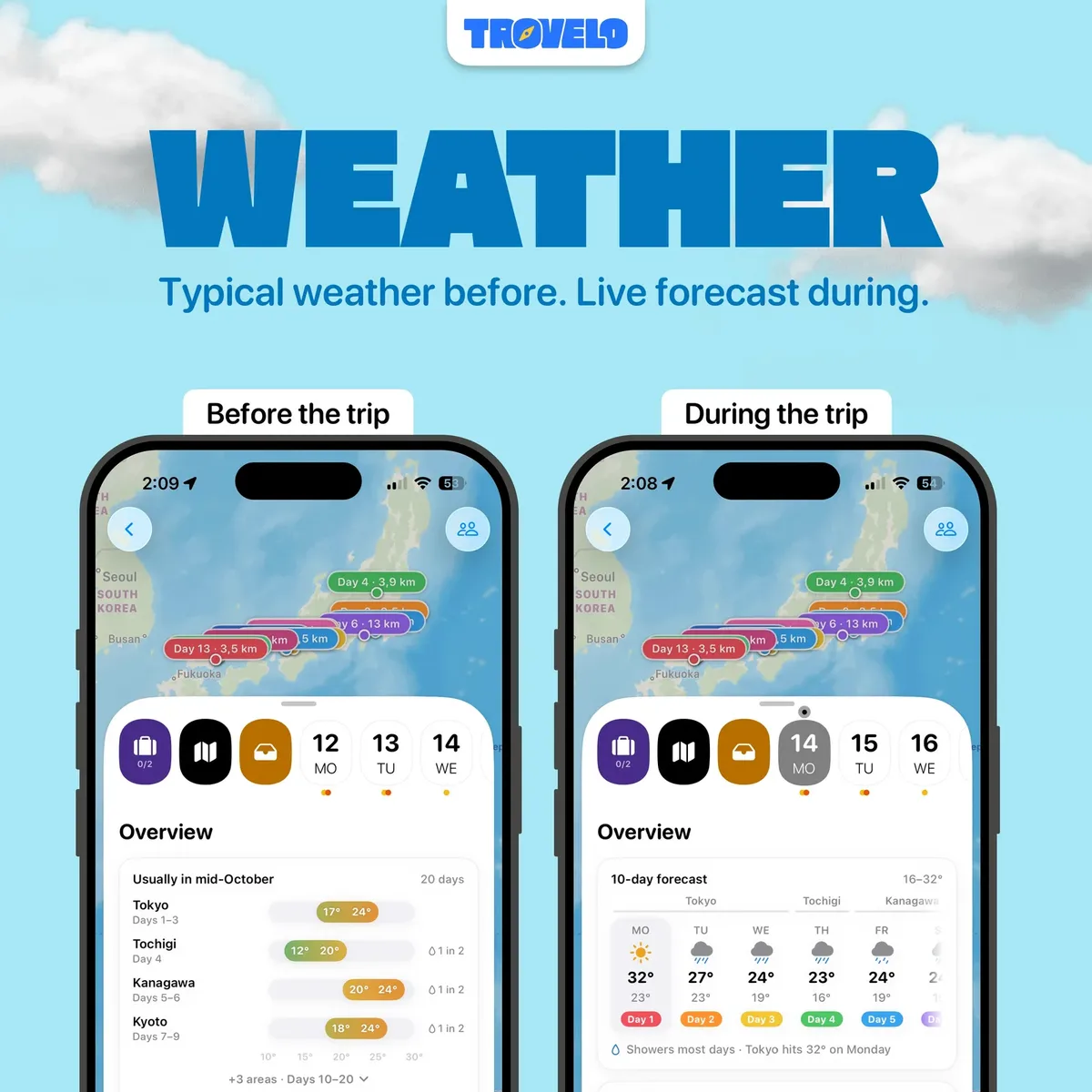
Weather, packing and expenses next to the plan
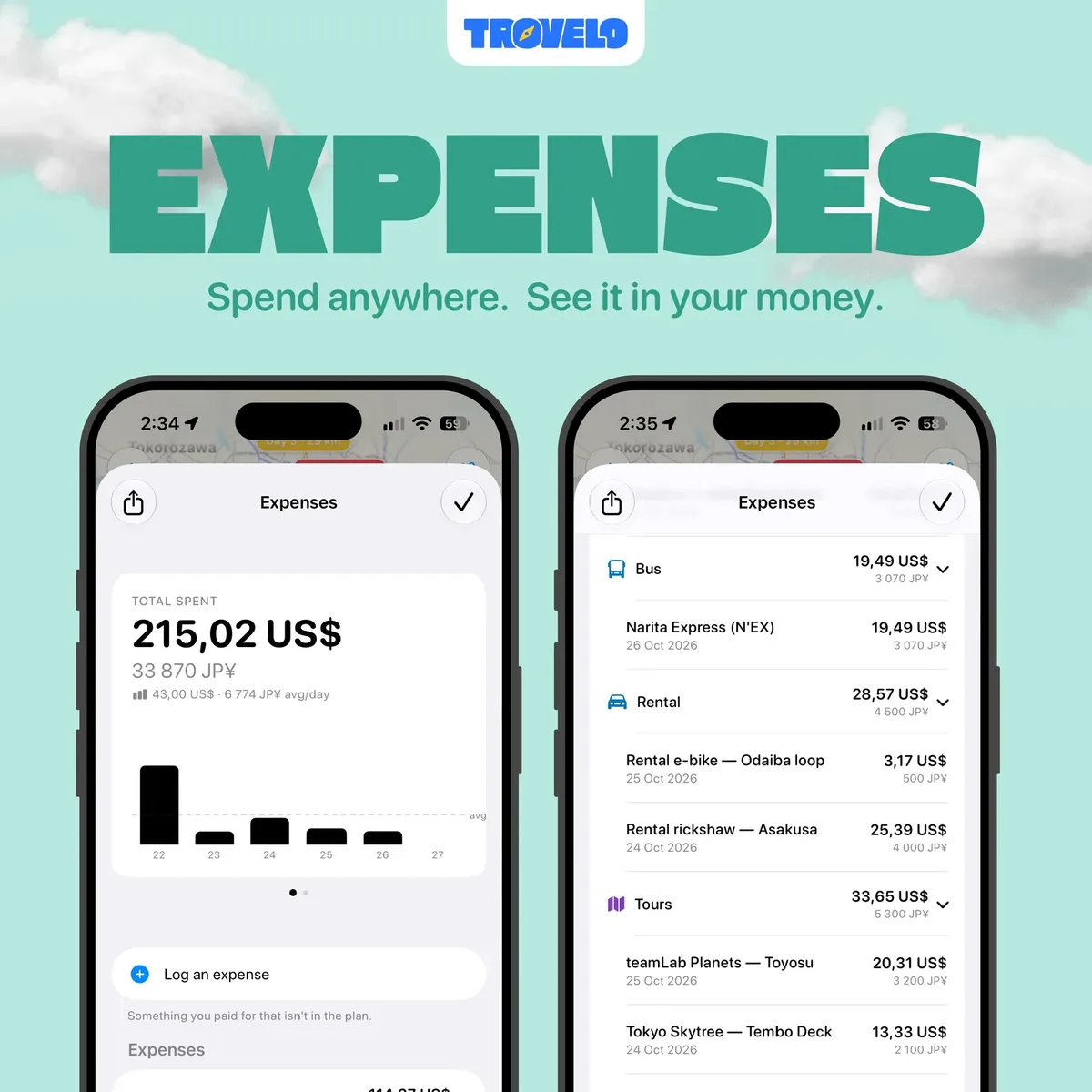
The packing list opens with the weather you are packing for and the plugs you will need. Expenses take any currency and show the total in your home currency as you go, with a spreadsheet export. On the road, a Live Activity puts the next stop and the hotel door code on the Lock Screen.
Trovelo vs Wanderlog, TripIt, Tripsy, Stippl and ITNRY
In short
Wanderlog, TripIt, Tripsy and Stippl keep trips in their own cloud and sell their paid tiers mainly by subscription. Tripsy also has a $299 lifetime plan. ITNRY works like Trovelo, with no account and iCloud sharing, for $2.99 once, but it needs an iPhone 15 Pro or later. Trovelo costs $9.99 once and goes deeper.
| App | Paid tier | Own account | Trips stored | Android or web |
|---|---|---|---|---|
Trovelo this one this article | Pro $9.99 once | None | Your iCloud | |
ITNRY iPhone 15 Pro or later | $2.99 once | None | Your iCloud | |
Wanderlog free + Pro | $31.99–$59.99/yr | Yes | Wanderlog | |
TripIt free + Pro | $48.99/yr | Required | TripIt | |
Tripsy free + Pro | $59/yr or $299 lifetime | For sync and invites | Tripsy | Web link |
Stippl free + Pro | €4.99/mo | Yes | Stippl |
A Wanderlog alternative for groups that are all on Apple
Wanderlog is the default for group trips for good reasons: real-time co-editing, and it runs on iPhone, Android and the web, so nobody is left out. Trovelo only wins when the whole group is on Apple devices and you would rather not hand your trips to another company's cloud. If one friend carries an Android phone, Wanderlog is still the better pick.
A one-time purchase travel app vs three years of subscriptions
Three years of TripIt Pro at $48.99 a year is $146.97. Three years of Wanderlog Pro at its common $39.99 annual plan is $119.97. Trovelo Pro is $9.99 once, and ITNRY is $2.99. The subscriptions do things Trovelo does not, such as TripIt's flight alerts, so compare features before you compare totals.
ITNRY
$2.99
once
Trovelo Pro
$9.99
once
Wanderlog Pro
$39.99
per year
TripIt Pro
$48.99
per year
Tripsy Pro
$59
per year
What the first year costs for each paid tier, checked on 10 October 2026. Every app here also has a free tier.
What the free tier covers and what Pro adds
In short
Free Trovelo allows up to 2 trips with up to 50 cards each, which is enough to plan one real trip and decide. Pro is a one-time App Store purchase that adds unlimited trips and cards, the Pro guides and AI trip planning on the Mac. It is not a subscription.

AI planning on the Mac, off by default
With Pro on a Mac you can connect Claude, Codex, Cursor or another app that speaks MCP and ask for a trip in plain words; it lands on the board and then on your iPhone. The connection stays on your own machine, but whatever the assistant reads goes to that assistant's provider, as Trovelo itself warns. On iPhone and iPad you plan by typing, pasting or picking from the 56 built-in guides.
Who Trovelo suits, and who should skip it
In short
Trovelo suits couples and friend groups who all use iPhones or Macs, want to edit one day-by-day plan together, and would rather keep trips in their own iCloud than in a travel company's cloud. Skip it if anyone travels with Android, if a device is older than version 26, or if you mainly need booking alerts.
It is also young. The first release was in March 2026, it is made by one indie developer in Portugal, and it has 19 ratings on the US App Store, averaging 4.8. It updates often, with version 7.2 on 8 October 2026, but a short history is still a short history. Your trips sit in your own iCloud either way, and Trovelo can export a full backup.
Check before you rely on it
Trovelo is free for 2 trips of up to 50 cards; Pro is $9.99 once on the US App Store. Everyone in a shared trip needs an Apple device on iOS, iPadOS or macOS 26 and an Apple Account. Its privacy label is self-reported. Everything here was verified on 10 October 2026.
Frequently asked questions
Which trip planner apps keep my itinerary in my own iCloud instead of their servers?
Trovelo and ITNRY both keep trips in your own iCloud and share them through it, with no account of their own. Trovelo runs no servers at all: trips sit on your devices and sync through Apple’s CloudKit. Wanderlog, TripIt and Tripsy keep trips in their own cloud, tied to an account with them. A shared note in Apple Notes also lives in iCloud, but it is a page of text, not an itinerary.
Is there a Wanderlog alternative for iPhone and Mac I can buy once instead of subscribing?
Yes. Trovelo is free for 2 trips, and Trovelo Pro is a one-time purchase, $9.99 on the US App Store, with a native Mac app included. ITNRY is cheaper at $2.99 once but needs an iPhone 15 Pro or later. Tripsy sells a $299 lifetime plan next to its subscription. Wanderlog Pro and TripIt Pro are subscriptions only.
Can friends on Android edit a Trovelo trip?
No. Trovelo has no Android app and no web version. Everyone you invite needs Trovelo on an iPhone, iPad or Mac running version 26 of Apple’s software, and an Apple Account. If even one person in the group is on Android, pick a cross-platform planner such as Wanderlog instead.
Will my travel companions see my expenses and documents in a shared trip?
No. In a shared Trovelo trip everyone sees the same days and cards, but your packing list, documents and expenses stay yours. You can still log what you spend in any currency and see the total in your home currency.
Does Trovelo send any of my trip data to other companies?
Some, and its privacy policy lists it. By default the title you type on a card plus the trip destination goes to Pexels to find a photo; you can switch that off in Settings. Weather sends the places and dates of each day to Apple WeatherKit, and maps run through Apple Maps. Nothing goes to a Trovelo server, because there is none.
Do I need the AI features to use Trovelo?
No. AI trip planning is a Pro feature on the Mac only, and it is off until you turn it on under Settings, AI Assistants. You then connect Claude or another assistant that speaks MCP, and whatever that assistant reads goes to its provider. Everything else works by typing, pasting or picking places yourself.
Sources
- 1
Trovelo: Private Trip Planner on the App Store
Source for the free download, the Trovelo Pro in-app purchases ($9.99, plus a $6.99 entry), invites by iCloud address with edit or view rights, packing, documents and expenses staying private in a shared trip, 46 card kinds, 56 guides and 4,300+ places, 13 languages, iOS, iPadOS and macOS 26 or later, version 7.2 on 8 October 2026, the 4.8 average from 19 US ratings, and the developer-reported privacy label (Data Not Linked to You: User Content) that Apple says it has not verified.
- 2
The developer’s page: free for up to 2 trips with up to 50 cards each, Pro as a one-time purchase that adds unlimited trips and cards, the Pro guides and AI planning on the Mac, and AI planning off until turned on under Settings, AI Assistants.
- 3
Last updated 26 September 2026. No Trovelo servers or accounts; trips stored on the device and in the user’s private iCloud through CloudKit; card title text plus destination sent to Pexels for photo searches unless Find Photos Automatically is off; places and dates sent to Apple WeatherKit; place searches through Apple Maps.
- 4
Source for one column per day, the Ideas bucket for unscheduled cards, and iCloud sync with nothing to configure.
- 5
Free, with Wanderlog Pro sold as a subscription: annual plans listed between $31.99 and $59.99 and monthly plans from $5.99. Real-time collaboration; iPhone, iPad, Android and web.
- 6
TripIt Pro at $49 a year on the web ($48.99 a year on the US App Store) with a sign-up required; TripIt organises bookings rather than building a day plan.
- 7
Tripsy Pro at $59 a year or $299 lifetime. Its help centre says syncing and accepting a trip invite need a free Tripsy account.
- 8
Stippl Pro at €4.99 a month; unlimited co-planners on the free tier.
- 9
No account, on-device storage with iCloud sharing, a single $2.99 in-app purchase, iOS 26 and an iPhone 15 Pro or later required, one US rating.

More apps you buy once: browse the desktop