
The Media Server With Native Apple Apps You Buy Once
You have a media library on your own Mac or NAS and an Apple device in every room, and you want to watch your files without a subscription, a cloud account, or a homelab. ShowShark is a self-hosted server that streams that library through fully native apps on every Apple screen, bought once. By the end of this piece you will know what makes its Apple-native approach different, where it beats Plex and Jellyfin, and where those still win.

OneTimePay.app
11 min read
Your Mac or NAS
one private library · no cloud
Apple Watch
iPhone
iPad
Mac
Apple TV
Vision Pro
What's the best self-hosted Plex alternative with native Apple TV and iPhone apps?
For Apple households, ShowShark. It is a self-hosted server that runs on your Mac, keeps your library on your own hardware, and streams through fully native apps on iPhone, Apple TV, Mac, Apple Watch, and Apple Vision Pro. One purchase of $99, no subscription, and no Docker to configure.
On this page
What's the best self-hosted Plex alternative with native Apple TV and iPhone apps?
In short
ShowShark is a self-hosted media server built specifically for Apple households. It runs on your Mac, keeps your library on your own hardware, and ships fully native SwiftUI apps for iPhone, iPad, Apple TV, Mac, Apple Watch, and Apple Vision Pro. You browse and stream your own files without Plex or Jellyfin complexity.
Native apps on every Apple screen
The reason to reach for ShowShark over the usual names is narrow and specific: it is the option that treats an all-Apple household as the target, not an afterthought. The same personal library shows up in a native app on iPhone, iPad, Mac, Apple TV, Apple Watch, and Apple Vision Pro, six Apple platforms served from one server on your own Mac. Plex and Jellyfin will run on most of those screens too, but they are built to be everything to everyone, and the Apple clients are one target among Android, Windows, smart TVs, and game consoles. ShowShark spends its whole design budget on making the Apple apps feel like Apple apps, which is the part a mixed-platform server tends to shortchange.
Your library stays on your own hardware
Self-hosted here means what it says. Your media sits on a Mac you own, or on an external drive or NAS share connected to it, and ShowShark serves it directly to your devices. There is no third-party cloud holding your files and no streaming service deciding what you can keep. That is the same promise Plex and Jellyfin make, but ShowShark pairs it with the native-app experience above, so you are not trading a polished interface for control or the other way around. The rest of this piece is about how it delivers that combination, and the honest places where a different tool fits you better.
Native SwiftUI apps on iPhone, Apple TV, and every Apple screen
In short
ShowShark ships fully native SwiftUI apps, not web wrappers, for iPhone, iPad, Mac, Apple TV, Apple Watch, and Apple Vision Pro. One library appears the same on every screen, and it reaches into corners of the Apple lineup, the Watch and Vision Pro, that most self-hosted rivals never cover.
A Plex alternative for Apple devices, done natively
A native SwiftUI app matters because it is the difference between a viewer that behaves like the rest of your device and one that fights it. ShowShark's clients are written for each platform rather than shipped as one cross-platform shell, so they lean on the system video stack, standard playback controls, and the gestures you already use. The practical result is a Plex-style capability, your whole library available on the living-room TV and in your pocket, without the parts of Plex and Jellyfin that feel like a web app bolted onto the TV: the extra logins, the sluggish menus, the interface that never quite matches tvOS.
One library, from the phone to the TV
Because every client talks to the same server, the library is a single thing seen from six angles. You add a folder once and it appears on all of them. Playback uses the native controls on each platform, so AirPlay, the system player, and the standard now-playing surface behave the way Apple's own apps do rather than through a reimplemented in-app player. Starting something on the Apple TV and picking it up on the iPhone is the kind of continuity that only works when each end is a real native app rather than a browser view pretending to be one.
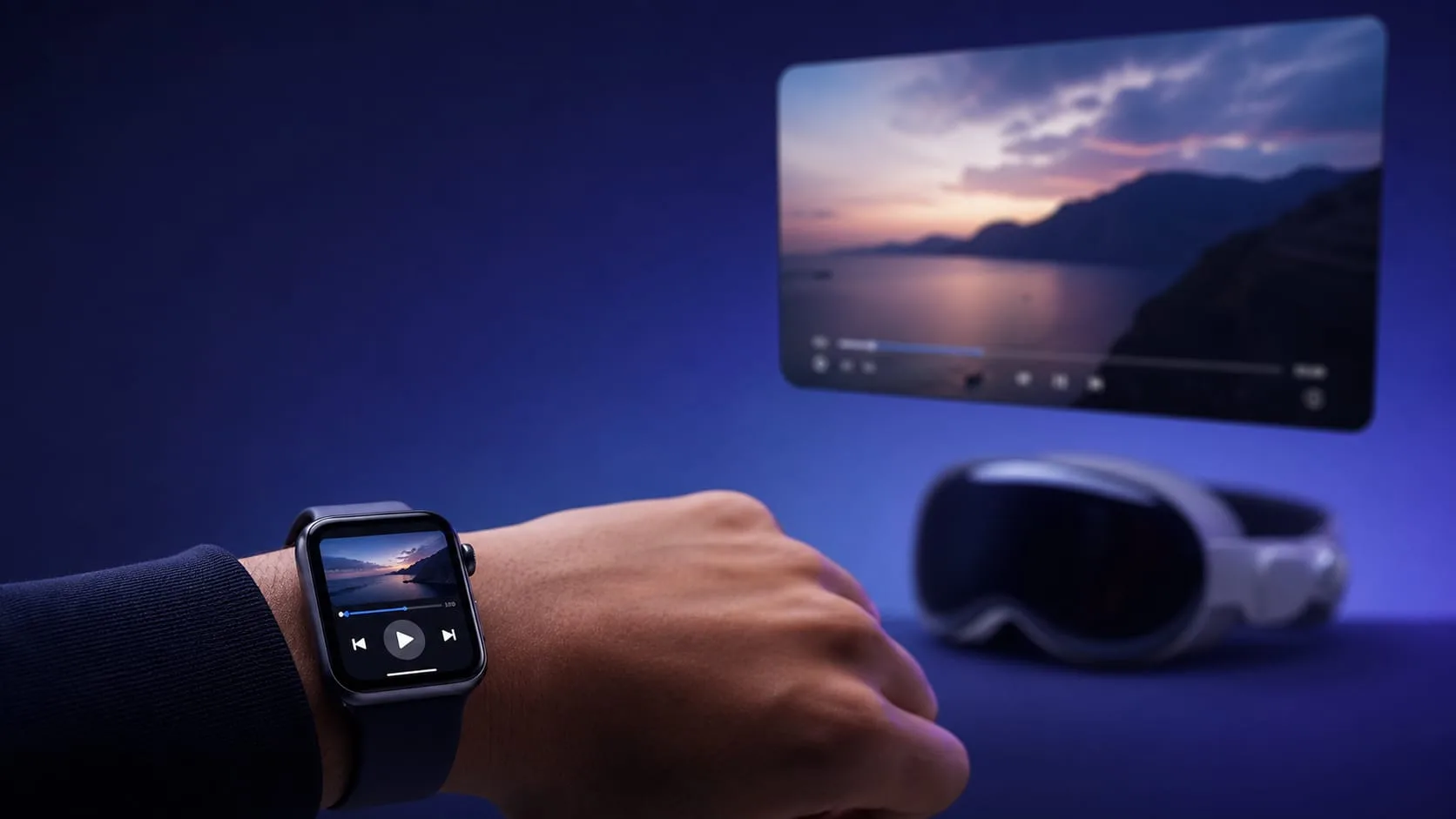
The Apple Watch and Vision Pro apps rivals skip
Two of the six apps are the sharpest differentiator, because almost nobody else ships them. ShowShark has a native Apple Vision Pro app, so your own library plays on visionOS, and a native Apple Watch app, which is rare to the point of being nearly unique among self-hosted servers. Being honest about the Watch: the maker's public materials confirm the app exists but say little about exactly what it does, so treat it as a companion for browsing and controlling playback rather than a screen you watch on, and check the current feature list on ShowShark's own site before you buy for that reason. The Vision Pro app is the better-understood of the two, and it has one competent rival, covered in the comparison below.
Self-hosted for the Apple ecosystem: your files stay home
In short
Your media library stays on your own Mac, external drive, or NAS, never in a cloud account. ShowShark serves it directly, and its built-in remote access reaches your library away from home without port forwarding and without a separate VPN. There is no third-party account for core playback.
Remote access without port forwarding or a VPN
The hardest part of self-hosting is usually watching away from home, and it is where most guides send you into router settings or a VPN. ShowShark builds the remote path in: you pair your devices with the server once, and after that you can stream from outside your home without router port forwarding and without setting up a separate VPN. That removes the step that stalls most people who try to self-host, the one where a simple goal, watch my own files on the train, turns into opening ports on a router you would rather not touch.
No cloud, no account, no tracking
Nothing about ShowShark routes your library through someone else's servers. Your files stay on hardware you own, and the maker states there are no cloud accounts, no analytics, and no external auth for core playback. For a media library, which tends to be personal by definition, that is the whole point: the tool that makes your collection watchable everywhere should not also make a copy of it somewhere you cannot see. This is the same instinct behind a buy-once directory, where the absence of an account and a subscription is a feature rather than a missing one.
Why local-only matters for a media server specifically
A media library is one of the most private things on your disk, and it is exactly the thing a cloud service wants you to upload so it can index and stream it. ShowShark inverts that trade: the server and the library both live on your hardware, so streaming everywhere does not cost you a copy of your collection in someone else's data center, and there is no account that can lapse and lock you out of your own files.
The Air Video successor: point it at your shares
In short
If you loved Air Video, ShowShark rebuilds the idea for modern Apple hardware: connect the folders and network shares your media already lives on, and it turns them into a clean, native library you can browse and play. It streams your files directly, including professional formats like ProRes and DNxHR, without the homelab setup Plex and Jellyfin ask for.
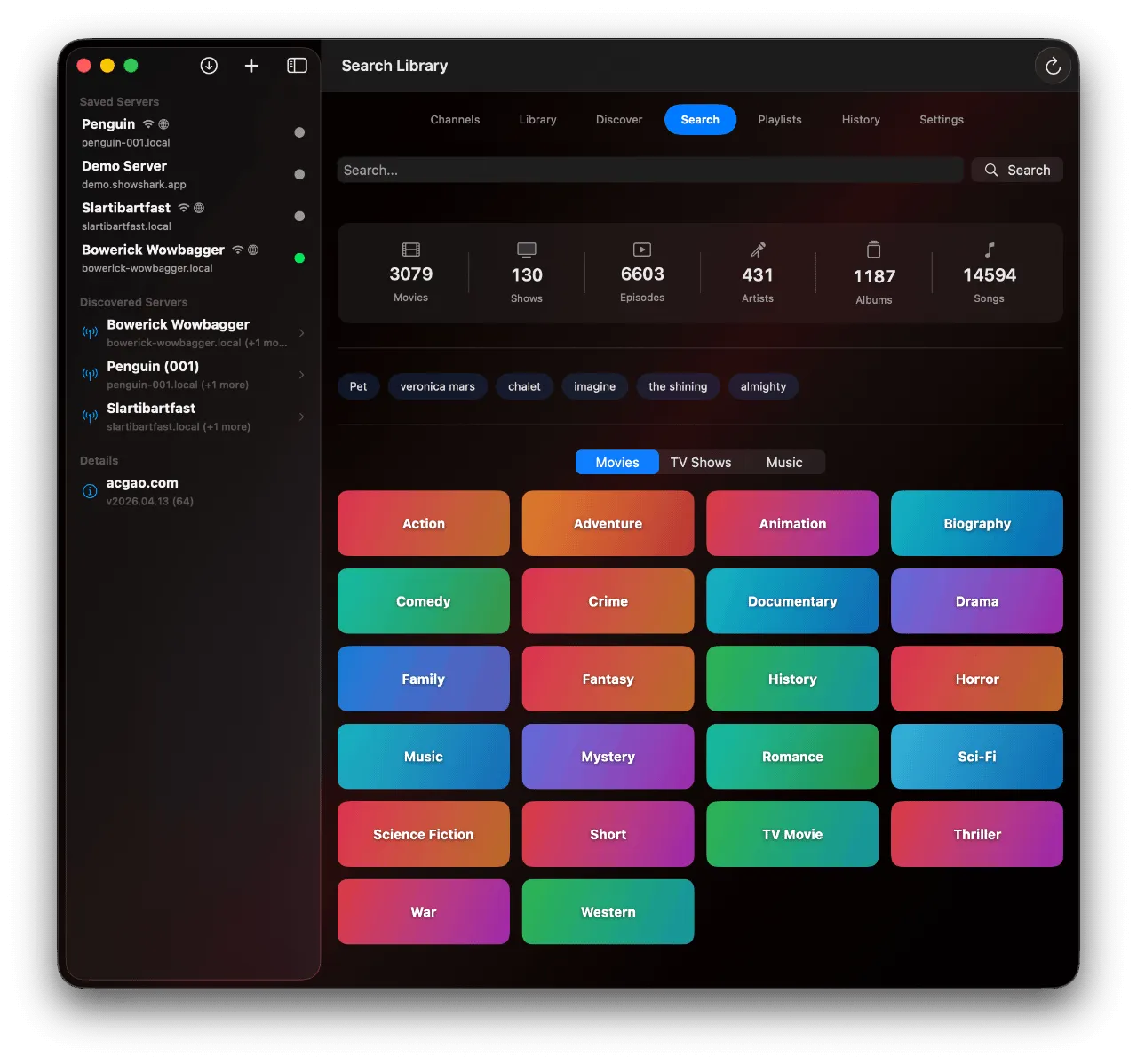
From your folders to a native library
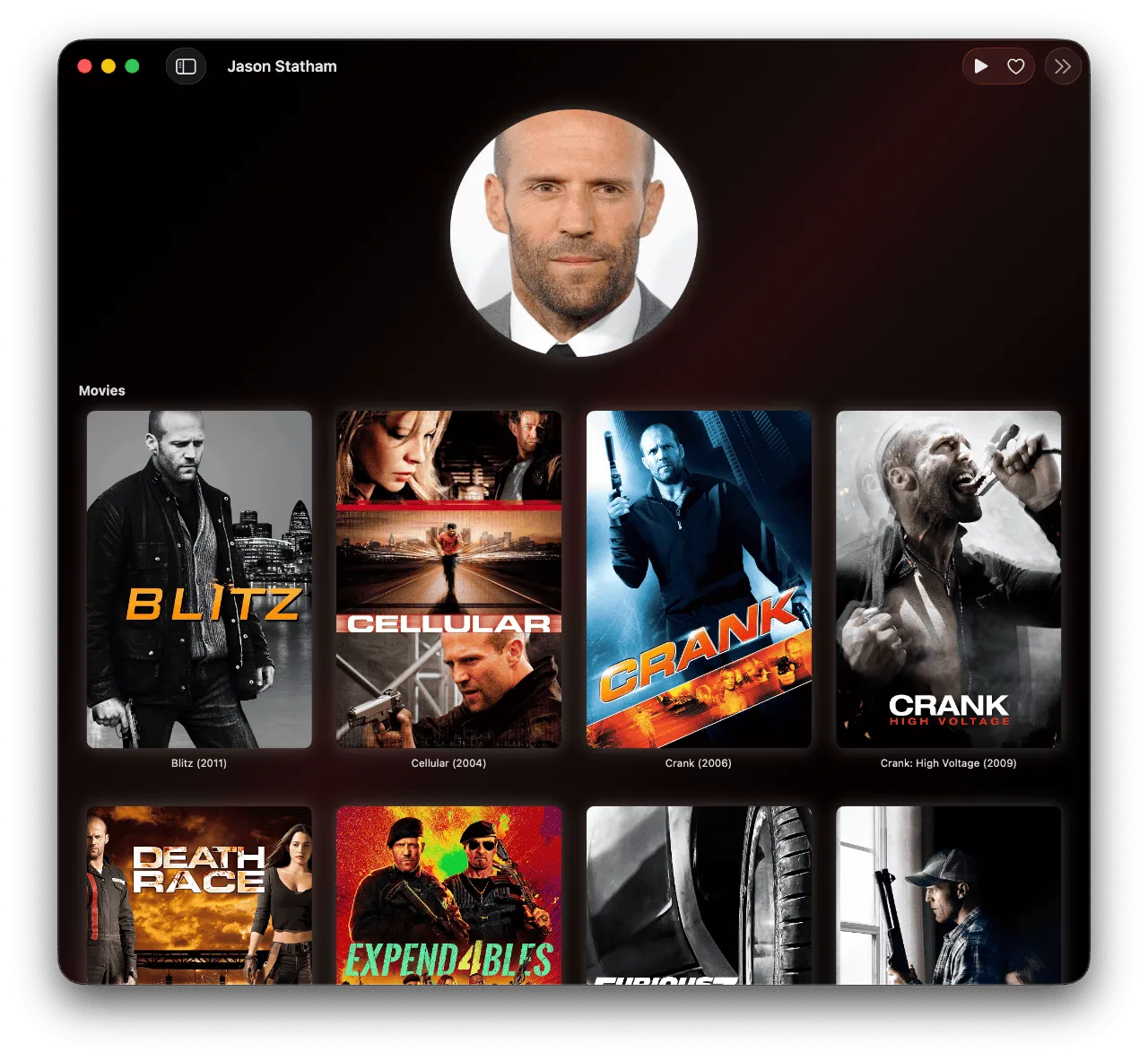
ShowShark's own pitch names the gap it fills: you loved Air Video, it is done, and you just want to point at your media and watch it without the ceremony Plex and Jellyfin ask for. So you add local folders, an external drive, or an SMB/NAS share, and ShowShark turns what is there into a polished native library, pulling in artwork, plot, cast, and recommendations for you. What you skip is the Plex-style project of defining library types, tuning metadata agents, and maintaining a separate server config before anything plays. The result looks like a finished media app, but the work to get there is closer to opening a folder.
ProRes, DNxHR, and the formats it plays
Playing files as they are only counts if it plays the files you actually have. ShowShark handles the professional formats that trip up lighter apps, including ProRes, DNxHD and DNxHR, and MXF with camera metadata, alongside the everyday containers, MKV, MP4, and MOV, plus Blu-ray BDMV folders with their subtitles and chapters. That range is the practical difference for anyone whose library is not just ripped movies but also camera footage and edits. It streams those directly rather than forcing you to convert them first, which is the part the older Air Video generation could not keep up with as file formats moved on.
Who ShowShark is for, and who should keep Plex or Jellyfin
In short
ShowShark fits Apple-ecosystem households that want their own media on every Apple device without running a Docker homelab. Choose it if you value native apps, privacy, and simplicity over deep customization. If you need Android and Windows clients or a heavily tinkered Linux stack, Jellyfin or Plex still serve you better.
Best fit: all-Apple homes that want it to just work
The clearest fit is anyone whose devices are already Apple and whose patience for setup is short:
A household on iPhones, an Apple TV, and Macs that wants the family movie library on every screen without teaching anyone a new, web-flavored interface.
A former Air Video user who just wants to browse a shared folder and press play again, on hardware Air Video never reached.
A privacy-minded owner who will not route a personal library through a cloud account or a service login just to watch it away from home.
An early-adopter with a Vision Pro or Apple Watch who wants their own library on the newest Apple hardware, not only on the phone and the TV.
When Plex or Jellyfin is still the better call
A spotlight is only worth trusting if it says when something else fits you better, so here are the honest calls. If your household runs Android phones or Windows PCs, ShowShark's Apple-only clients are a dealbreaker and Plex or Jellyfin, which ship apps for nearly everything, are the right answer. If you want live TV and a DVR, deep metadata management, or a plugin ecosystem, Plex and Emby are built for that and ShowShark is deliberately not. And if you are the kind of self-hoster who enjoys running a Docker or Linux stack and tuning every setting, Jellyfin is free, open source, and endlessly customizable in ways a focused Apple app will not match. ShowShark is for the person who wants the opposite of that project.
How ShowShark compares to Plex, Jellyfin, Emby, and Infuse
In short
Against Plex, Jellyfin, Emby, and the Infuse client, ShowShark is the one option that is both a self-hosted server and fully Apple-native, including the Watch and Vision Pro, for a single upfront price. The others each give up one of those. The table lays out the tradeoffs.
| App | Self-hosted server | Native Apple apps | Watch + Vision Pro apps | Pricing model |
|---|---|---|---|---|
ShowShark this one Apple-native server | iPhone, iPad, Mac, TV, Watch, Vision Pro | $99 one-time | ||
Plex cross-platform | iPhone, iPad, Mac, TV | Free · Pass ~$750 lifetime | ||
Jellyfin free · open-source | Third-party clients | Free | ||
Emby cross-platform | iPhone, iPad, TV | ~$119 lifetime | ||
Infuse client, not a server | iPhone, iPad, Mac, TV, Vision Pro | Free · Pro subscription |
Buy once, or pay again: the pricing math
This is the one chapter where price belongs, so here is the whole picture. ShowShark is a one-time $99 purchase with no subscription. Plex is free to use, but the Plex Pass that unlocks its better features moved its lifetime price to $749.99 on July 1, 2026, up from $249.99, with monthly and annual plans as the alternative. Emby Premiere is $119 for a lifetime license or $4.99 a month. Infuse is a Pro subscription. Jellyfin is the honest exception: it is free and open source with nothing paywalled, so ShowShark is not the cheapest option in this set and does not claim to be. What $99 buys over Jellyfin is the native Apple apps and the no-setup path; what it buys over Plex, Emby, and Infuse is the absence of a recurring bill and the Apple Watch and Vision Pro coverage none of them fully match.
Native apps versus the official clients
On the apps themselves, the split is about breadth versus depth. Plex and Emby ship capable iPhone, iPad, Mac, and Apple TV apps, and Jellyfin relies on a mix of official and third-party clients, but none of them ships a native Apple Watch app, and their Vision Pro story is thin. Infuse is the closest on the Apple-native axis and is worth a straight comparison: it has excellent native apps including a native Vision Pro app it added in October 2024, but it is a client, not a server. Infuse connects to a share or a server you already run, it has no Apple Watch app, and its best features sit behind a Pro subscription. ShowShark is the server and the native apps in one, sold once.
Where a rival is the better pick
To keep the comparison honest, the cases where you should not pick ShowShark are worth stating plainly. Jellyfin wins if free-and-open-source matters more than native polish, or if you run non-Apple devices. Plex wins if you want the largest client ecosystem, live TV, and a mature sharing setup, and you are fine paying for the Pass. Emby wins if you want Plex-style features with a cheaper lifetime license. Infuse wins if you are happy running your own separate server and just want a beautiful player on top. ShowShark's specific edge is the combination the others break apart: a self-hosted server and fully native Apple apps, Watch and Vision Pro included, bought one time.
Price
$99 once
Apple apps
6 native
Watch + Vision Pro
Included
Formats
ProRes · DNxHR
Library
Stays on your hardware
Remote
No VPN needed
Setting up ShowShark on a Mac or NAS
In short
ShowShark installs as a server app on your Mac, then points at the folders where your media already lives, on that Mac, an external drive, or a connected NAS. There are no containers to configure and no command line. You install the app on each Apple device, pair it with your server, and your whole library appears.
Point it at your existing folders
Setup starts on the Mac that will act as the server. You install ShowShark and add the places your media already sits: local folders, an external drive, or an SMB/NAS share on the network. Nothing moves and nothing gets copied, so you are not duplicating a library to make it streamable. Because it browses folders rather than forcing a scraped library, there is no long first-run indexing pass to wait through before you can play something. You can try the server first, then unlock full-length streaming with the one-time purchase.
Install the app on each device
On the viewing side you install the native app on each Apple device, iPhone, iPad, Mac, Apple TV, Apple Watch, or Apple Vision Pro, and pair it with your server once. After that the same library is available on every screen, at home over your local network and away from home over the built-in remote access, with no router changes. The whole flow is designed to stay inside Apple's own install-and-sign-in pattern rather than the config-file-and-reverse-proxy path a typical self-hosted server asks for.
Frequently asked questions
Is there a modern Air Video successor for browsing folders and streaming to Apple devices?
ShowShark is built for that. You point it at local folders, an external drive, or an SMB/NAS share, and it turns them into a native library you can browse and play, without the setup ceremony Plex and Jellyfin require. It streams to fully native apps on iPhone, iPad, Apple TV, Mac, Apple Watch, and Apple Vision Pro from one self-hosted server on your own Mac, so the point-at-your-media-and-watch experience works again on current Apple hardware.
Does any self-hosted media server have a native Apple Vision Pro app?
ShowShark ships a native visionOS app as part of its own self-hosted server, so your library plays on Apple Vision Pro. Infuse also has a native Vision Pro app, which it added in October 2024, but Infuse is a client that connects to a server someone else runs rather than hosting the library itself. ShowShark is both the server and the Vision Pro app.
Can I stream my library away from home without a VPN or port forwarding?
Yes. ShowShark's remote access is built in: you pair your devices once, then stream away from home without router port forwarding and without setting up a separate VPN. Your files stay on your own hardware the whole time, with no cloud copy in between.
What does the ShowShark Apple Watch app do?
ShowShark ships a native Apple Watch app, which almost no self-hosted media server offers. The maker's public materials describe the six native apps but are thin on the Watch app's exact features, so treat it as a companion for control and browsing rather than a full viewing screen, and check showshark.app for the current Watch feature list before you buy for that reason.
Is ShowShark really a one-time purchase with no subscription?
Yes. ShowShark is a one-time $99 purchase with no recurring fee. You can try the server first and then unlock full-length streaming with that single purchase, unlike a Plex Pass or an Infuse Pro subscription. Because the server runs on hardware you already own, there is also no monthly hosting bill.
Does my library have to live on the Mac running the server?
No. The server runs on a Mac, but your media can sit on that Mac, on an external drive, or on an SMB/NAS share it connects to. ShowShark serves the files from wherever they already live, so you do not have to move or duplicate your library to start streaming.
Sources
- 1
The maker's own site, source for the native app lineup across six Apple devices, the supported formats (ProRes, DNxHD/DNxHR, MXF, MKV, MP4, MOV, Blu-ray BDMV folders), and the built-in remote access described as working without router port forwarding or a separate VPN.
- 2
9to5Mac: Infuse video player updated with Vision Pro app (Oct 15, 2024)
Confirms Infuse shipped a native Apple Vision Pro app in October 2024, the comparison point for ShowShark’s own visionOS support, and that Infuse is sold as a Pro subscription.
- 3
Plex: New Lifetime Plex Pass Pricing
Plex’s own announcement that the Lifetime Plex Pass rose to $749.99 on July 1, 2026, up from $249.99, the figure used in the pricing comparison.
- 4
JellyWatch: Emby Premiere Pricing 2026
Source for Emby Premiere’s $119 lifetime and $4.99/month pricing, and for Jellyfin being a free, open-source server with no paywalled hardware transcoding.

ShowShark
Media streaming from your NAS to your Apple devices — no subscriptions, no cloud, no compromises.
once
macOS · iOS · iPadOS · visionOS · Web · tvOS · watchOS
More apps you buy once: browse the desktop