
AI Metadata Remover for the AI Info Label: MetaClean
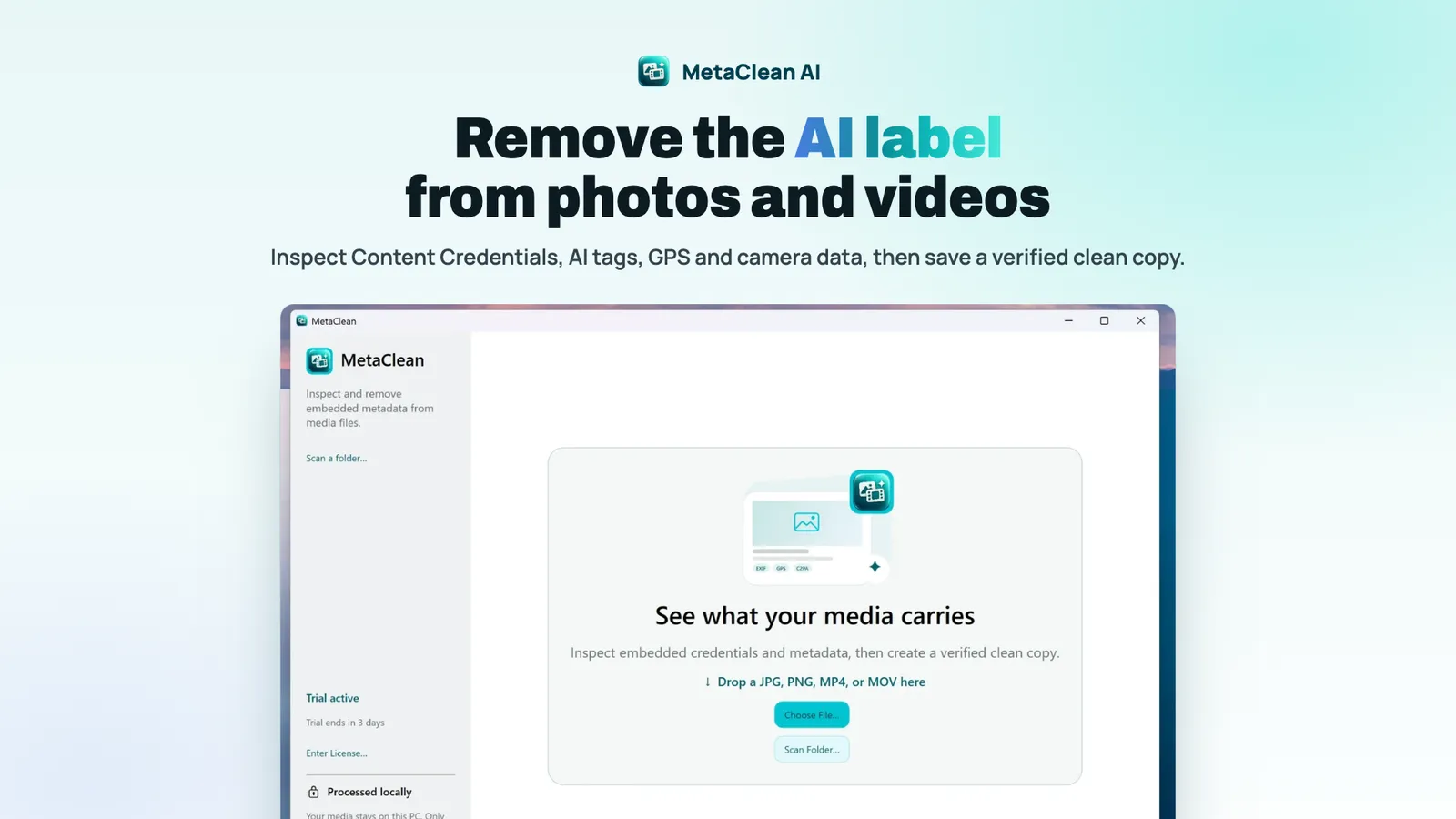
You removed a stray hair with Generative Remove, posted the photo, and Instagram called it “AI info”. The label came from a note the editor wrote inside the file. MetaClean is a small Mac and Windows app that shows that note, and everything else the file carries, and removes what you choose from a verified copy without uploading anything. This piece covers how it works, where it stops, and which free tools do part of the job.

OneTimePay.app
6 min read
How do I remove the AI info label Instagram put on a photo I barely edited?
You cannot strip it from a live post. Instagram reads a note in the file (Content Credentials or an IPTC AI tag) that Photoshop, Lightroom or a phone editor wrote. Delete the post, remove that note from a copy of the original with an AI metadata remover such as MetaClean ($5 once, Mac and Windows, offline), and post the clean copy.
On this page
How do I remove the AI info label Instagram put on a photo I barely edited?
In short
The label comes from the file, not from a person reviewing your post. Delete the post, clean the original and upload the copy. MetaClean lists every Content Credential, AI source tag and privacy field in plain words, removes what you pick from a copy, and inspects that copy again before it saves it. Your original is never changed.
What MetaClean finds in a file
AI provenance: C2PA Content Credentials and the IPTC “digital source type” tag that marks a file as made or edited with AI.
Privacy fields: GPS location, camera, lens and serial number, edit history and dates.
Three cleaning levels: Credentials only, Privacy clean, or All removable. Pick the first to drop the AI note and keep your camera data.
Documents too: author, company, last saved by, comments and the photo metadata inside PDF, Word, Excel, PowerPoint and OpenDocument files. You can change the author instead of deleting it.
Photos
JPG, PNG
Video
MP4, MOV
Runs on
Mac + Windows
Uploads
None
Price
$5 once
Trial
3 days
Why one AI touch-up gets a real photo labelled
In short
Photoshop Generative Fill, Lightroom Generative Remove, Premiere Pro Generative Extend and phone editors such as Google Magic Editor and Galaxy AI write Content Credentials or an IPTC AI tag into the export, even for a tiny fix. Meta adds “AI info” when it detects these industry signals, or when the uploader discloses AI.
The label replaced “Made with AI” in 2024 after photographers complained, and Meta later moved it into the post menu for content it detects as AI-edited rather than AI-generated. It still appears, and Instagram, Facebook and Threads all read the same note. A screenshot drops it too, but lowers the resolution, can shift colours and does nothing for a Reel.
Clean mislabels, disclose real AI
Removing the note is for a real photo that a small edit mislabelled, or for stripping GPS before you share. If an image or video was generated by AI, say so: Meta asks for disclosure on photorealistic AI video and audio.
Clean a whole folder, or every new export
In short
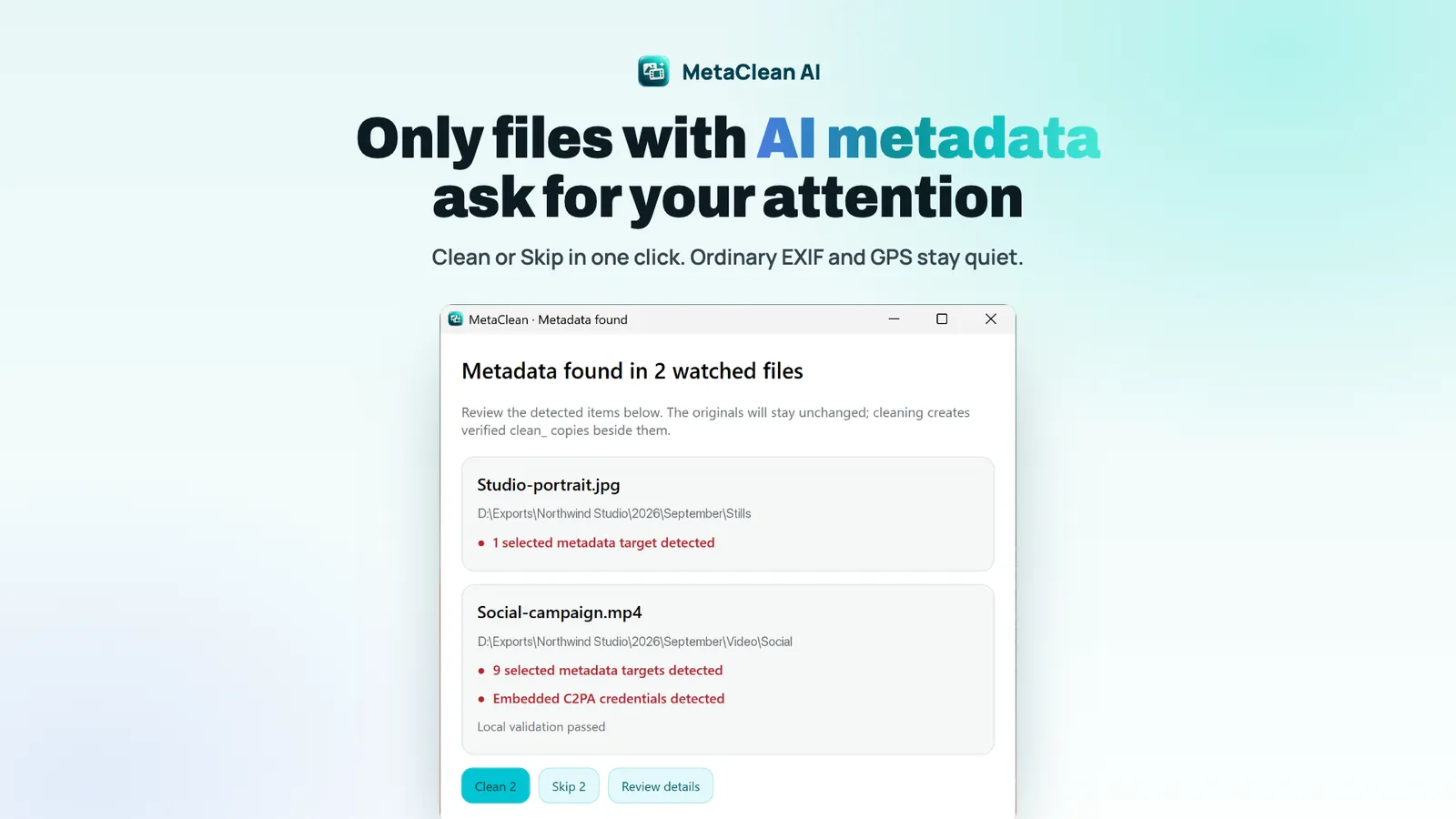
Batch folder cleans a folder and its subfolders and saves each result next to the original with a clean_ prefix. Watch Folders keeps an eye on the folders Premiere Pro, Photoshop or Lightroom export into and asks Clean or Skip only when a new file carries credentials or metadata you selected.
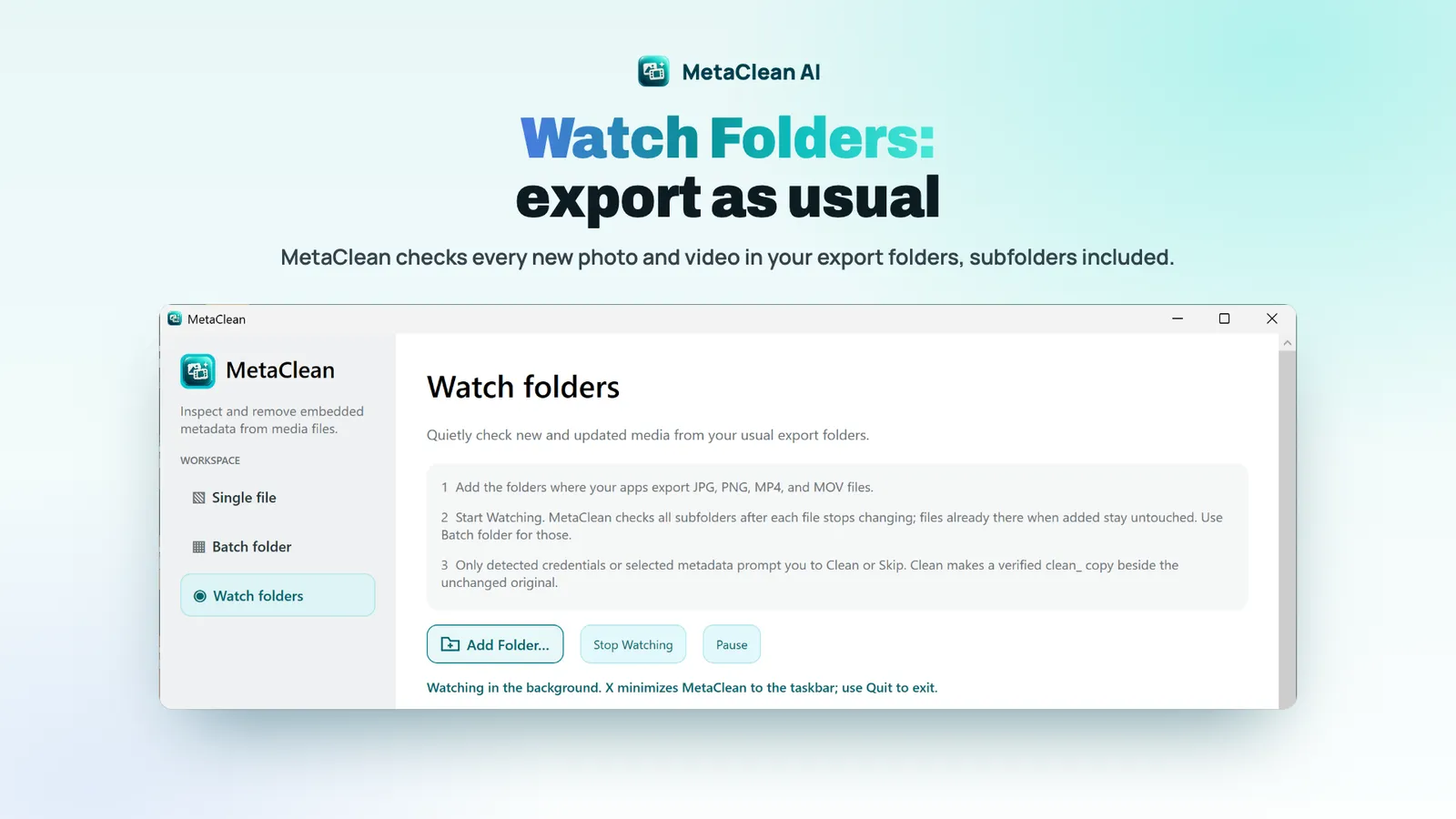
Prompts only when needed: ordinary EXIF and GPS stay quiet unless you selected them. No plugin is involved, so it works with any app that saves JPG, PNG, MP4 or MOV.
Runs in the background: closing the window minimizes MetaClean and watching continues; Quit stops it.
Your call each time: nothing is cleaned automatically, and the original always stays beside the clean copy.
Remove metadata from video without re-encoding
MetaClean removes metadata, not pixels. It does not re-encode, and it checks that image pixels and the video and audio streams are unchanged after cleaning, so a 4K Reel comes out at the same quality it went in with. There is no file size limit, and nothing is uploaded: the only network calls are a licence check and an update check.
MetaClean vs ExifCleaner, ExifTool, Remove AI Meta and other AI metadata removers
In short
ExifCleaner and ExifTool are free; IPVoid's browser remover is free for images. Remove AI Meta is $9.99 once for still images, PrivyClean $9.99 once on iPhone and iPad, and BatchPurifier starts at $19 on Windows. MetaClean is $5 once and covers photos, videos and documents on Mac and Windows.
| App | Price | Runs on | Files | C2PA + GPS in one pass |
|---|---|---|---|---|
MetaClean this one this article | $5 once, 3-day trial | Mac (Apple Silicon, macOS 14+), Windows 10/11 | JPG, PNG, MP4, MOV, PDF, Office | Yes, plus Watch Folders |
ExifCleaner open source | Free | Mac, Windows, Linux | Images, videos, PDFs | GPS yes; C2PA not claimed |
ExifTool command line | Free | Mac, Windows, Linux | Almost every format | Reads C2PA; removal takes per-format flags |
Remove AI Meta browser | 1 image free; $9.99 once | Browser | Still images only | Yes, with a re-scan |
IPVoid remover browser | Free | Browser | PNG, JPEG, WebP | C2PA only; keeps EXIF and GPS |
PrivyClean mobile | Free download; $9.99 lifetime | iPhone, iPad | Photos, videos, documents | Yes |
BatchPurifier Digital Confidence | From $19 per computer | Windows | Many file types | Yes |
Which one to pick
For the odd JPEG, IPVoid in a browser is free and enough, as long as you do not also need GPS gone. If you are comfortable in a terminal, ExifTool does everything at no cost. If your work is on a phone, PrivyClean fits better. MetaClean fits the desktop editor who exports photos and video from Adobe apps, wants C2PA and GPS cleaned together, and wants a verified copy without touching a command line.
What MetaClean does not do
In short
It cannot change a label on a post that is already up, and it does not edit pixels, so an invisible watermark in the image survives. Metadata is one signal Meta reads, not the only one. HEIC and WebP are not on the format list, and the Mac build needs Apple Silicon.
No in-place fix: save the caption and hashtags, delete the post, and upload the clean copy as a new one. Likes and comments on the old post are lost.
Your disclosure still counts: if you tick Instagram's own AI label toggle when posting, the label appears regardless of the file.
Young app: version 1.3.5 at the time of writing, sold by a Romanian company, SC LEX GLOBAL IT SRL. The 3-day trial and 14-day refund lower the risk.
Who should skip it
Anyone who posts straight from a phone, or who only needs GPS removed from the odd photo. Phone share sheets and the free tools above cover that without a licence.
Frequently asked questions
How do I remove C2PA Content Credentials from a photo or video?
Remove the C2PA block from a copy of the file. In MetaClean you drop a JPG, PNG, MP4 or MOV (or a folder), pick Credentials only, Privacy clean or All removable, and save the copy, which is checked again before it is written. Free routes exist too: ExifTool on the command line, or a browser tool for images only. Removing Content Credentials does not change the pixels or the video stream.
Is there a metadata remover I can buy once that also cleans videos?
Yes. MetaClean costs $5 once for Mac and Windows and cleans MP4 and MOV as well as photos and documents, with a 3-day free trial and up to 3 computers per licence. ExifCleaner is free and also handles video, but does not claim C2PA removal. PrivyClean does both for $9.99 once, on iPhone and iPad only.
Will cleaning the metadata stop every AI label?
No tool can promise that. Meta labels content when it detects industry AI indicators such as C2PA and IPTC metadata, or when the uploader discloses AI. Removing the metadata removes those file signals. It does not touch an invisible watermark in the pixels, and it cannot change a label on a post that is already up: delete it and post the clean copy.
Does the screenshot trick work instead?
It drops the metadata, but a screenshot lowers the resolution, can shift colours, adds your screen size and does not work for video. A clean copy keeps the original pixels and works for Reels.
Is MetaClean a subscription?
No. It is a $5 one-time licence bought through Stripe, with free updates, a 3-day trial of every feature and a 14-day full refund. It is also on the Microsoft Store.
Sources
- 1
The official site: formats, what it removes, Watch Folders, $5 one-time price, 3-day trial, 14-day refund, 3 computers per licence, macOS 14+ on Apple Silicon and Windows 10/11. Read on 12 November 2026.
- 2
MetaClean: how to remove "AI info" on Instagram
The developer's guide: delete the post, clean the original, post the clean copy; why the screenshot trick costs quality.
- 3
Meta: Our approach to labeling AI-generated content and manipulated media
Meta adds "AI info" when it detects industry standard AI image indicators or self-disclosure, and moved the label for AI-edited content into the post menu.
- 4
ExifTool: JPEG 2000 and C2PA JUMBF tags
How C2PA Content Credentials are stored (JUMBF boxes) and the command-line flags to read them.
- 5
Free, open-source (MIT) desktop app for images, videos and PDFs; no C2PA claim.
- 6
Browser tool for still images; one free image per browser, Pro $9.99 one-time; no video or PDF.
- 7
IPVoid C2PA AI metadata remover
Free browser tool for PNG, JPEG and WebP; keeps EXIF and the colour profile, so GPS stays.
- 8
iPhone and iPad; free download with a Lifetime $9.99 in-app purchase.
- 9
BatchPurifier: remove C2PA from multiple files
Offline Windows app; pricing starts at $19 per computer.

MetaClean
Remove AI labels, location and camera details from photos and videos, offline
once
macOS · Windows
More apps worth a look: browse the desktop