
Claude Sessions Pro: Multiple Claude Accounts on One Mac
A company Team account, a personal Pro plan, one account per client: plenty of people pay for more than one Claude login. Claude Desktop holds one of them at a time, so every switch means signing out and back in. Claude Sessions Pro turns each account into its own Mac app, all signed in at once. This piece covers how it works, what stays with each account, the Claude Code side, and how it compares with the free fixes and two rival apps.

OneTimePay.app
7 min read
How do I use two Claude accounts at the same time on my Mac?
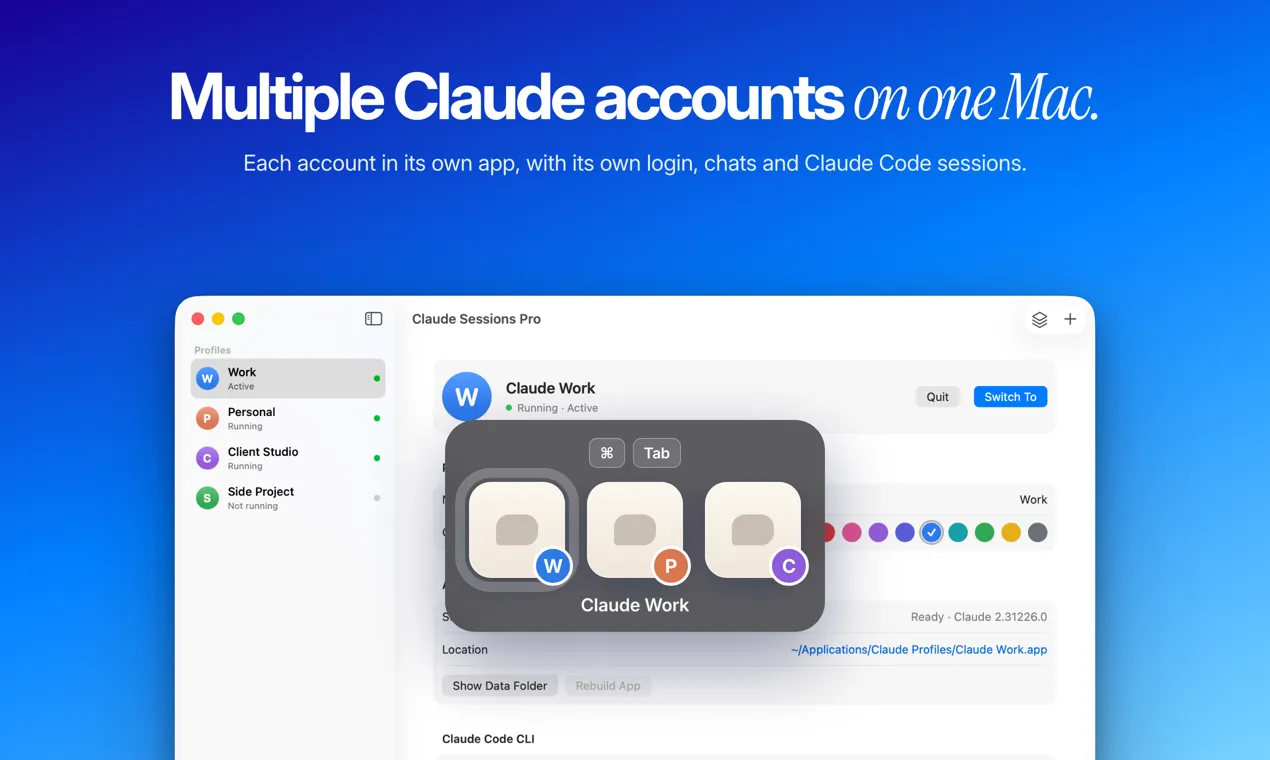
Give each account its own copy of Claude Desktop with its own data folder, because one copy holds one login. Claude Sessions Pro sets that up without Terminal: each account becomes its own Mac app with its own Dock icon, chats and Claude Code sessions, all open at once. It costs $15 once.
On this page
How do I use two Claude accounts at the same time on my Mac?
In short
Claude Desktop keeps everything for the signed-in account in one folder, ~/Library/Application Support/Claude. One folder means one login, so a second account needs a second copy of the app pointed at a second folder. Claude Sessions Pro builds those copies for you and gives each one its own name and icon.
Claude Desktop multi-account support today
There is one built-in exception. If your personal account and your company's Team or Enterprise account use the same email, Claude lets you keep both and switch from the account menu, with a blue checkmark on the active one. Accounts on different emails get no switcher: you sign out, sign in, and lose your place in whatever the other account was doing.
Set up in three steps
Create a profile per account. Name it (Work, Personal, a client) and pick a color. It becomes its own app, for example “Claude Work”, in ~/Applications/Claude Profiles.
Sign in once. Google or email. Google sign-in opens Apple's secure sign-in window and returns to the profile that asked for it, which is the step where hand-made copies often land in the wrong window.
Keep them all open. Switch with ⌘Tab or the menu bar. Your original Claude app keeps working as it was.
One-time price
$15
Macs per license
2
Refund window
14 days
Needs
macOS 14+
What stays with each account
In short
Each profile keeps its own login, chats and projects, Claude Code sessions, pinned sessions, settings, connectors and MCP servers. Signing in to one never signs you out of another, and work connectors stay out of your personal account.
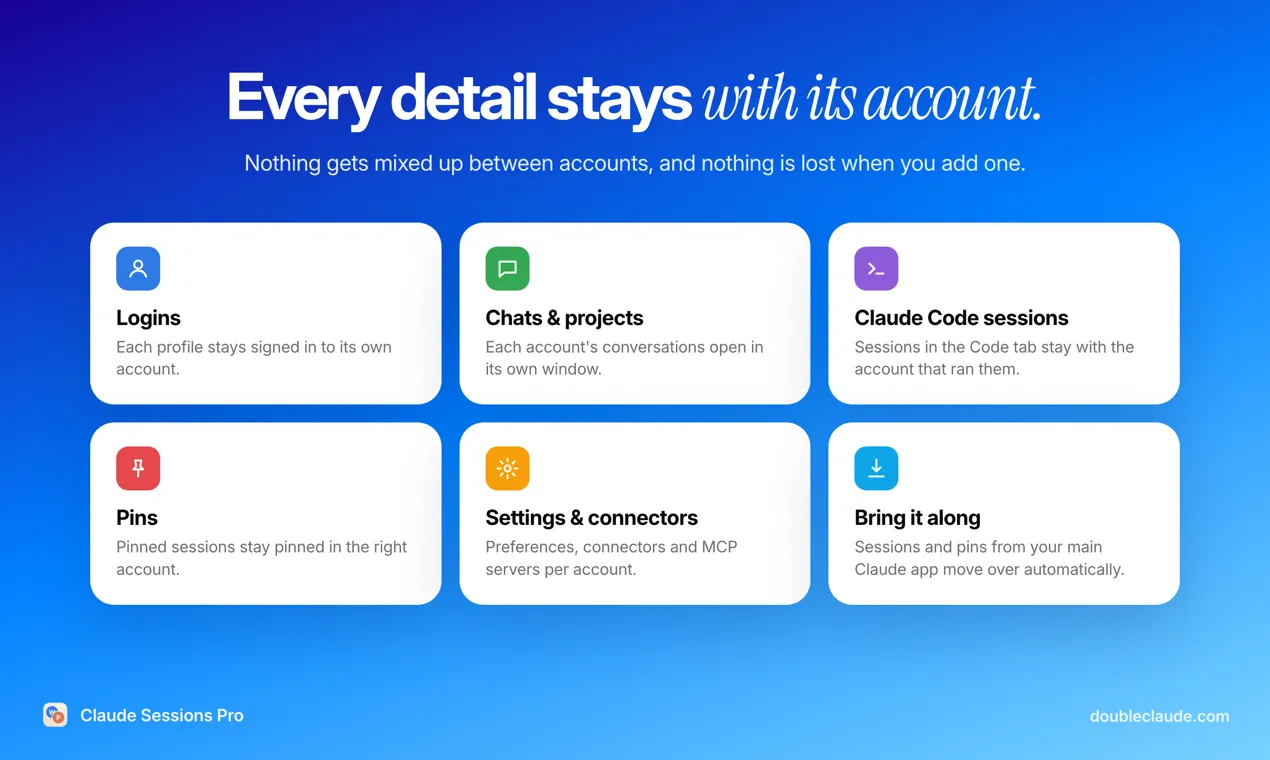
If you already used an account in your main Claude app, its Claude Code sessions and pins are copied into the matching profile when you sign in, and the main app keeps its copies. When Claude Desktop updates, the profile apps are rebuilt from the new version the next time they are not running, with logins and data kept. Hand-made copies do not do this: a duplicated app stops updating on its own.
Switch Claude accounts without logging out
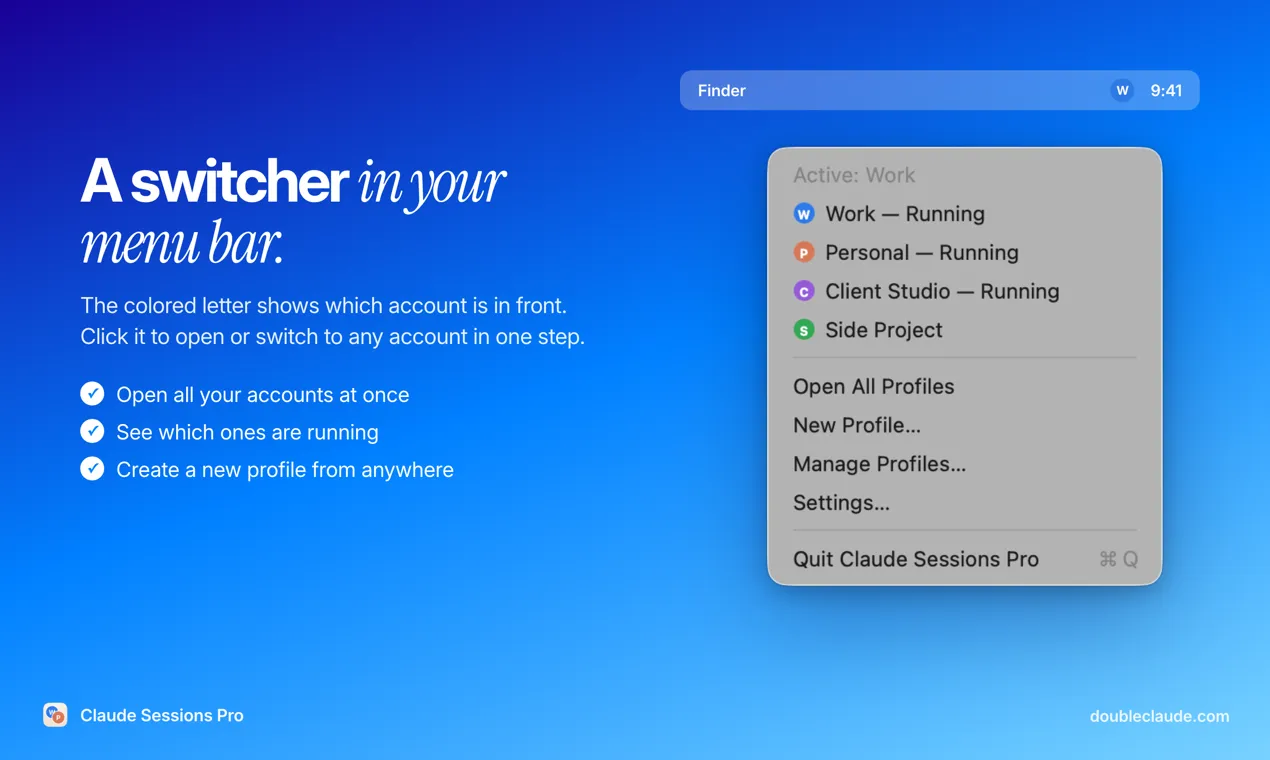
Every profile has a colored letter on its Dock icon and its own entry in ⌘Tab and Spotlight. The menu bar shows the letter of the account in front, so you can check which plan you are about to spend before you type. Its menu lists which profiles are running and opens all of them at once.
Multiple Claude Code accounts and CLAUDE_CONFIG_DIR
In short
The Claude Code CLI keeps its login in one config folder, ~/.claude by default, and reads another one from the CLAUDE_CONFIG_DIR environment variable. Claude Sessions Pro gives every profile its own folder and a button that opens claude in Terminal with it, so the CLI is signed in to the same account as the app.
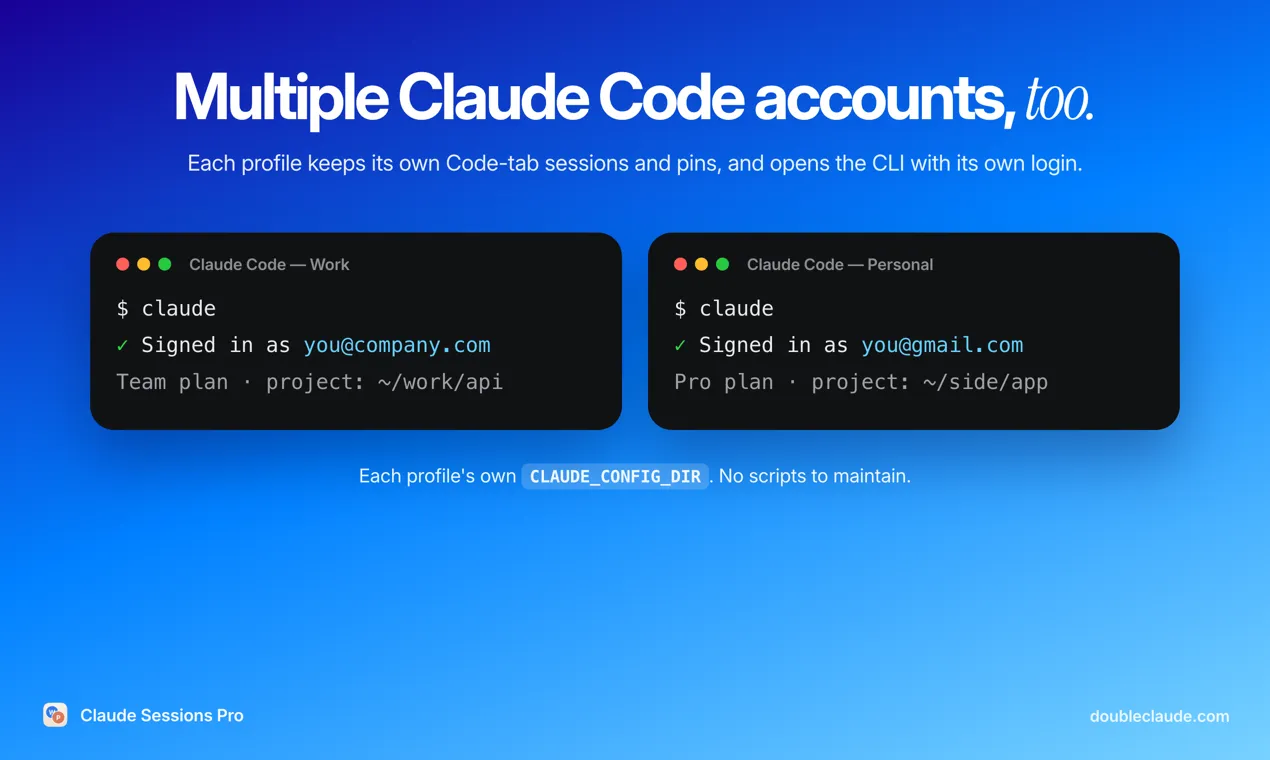
You can do the CLI half yourself for free: run CLAUDE_CONFIG_DIR=~/.claude-work claude for the second account and wrap it in an alias. What that does not cover is the desktop app's Code tab, where sessions and pins are listed per account. That is the part a desktop profile keeps apart, so work sessions run on the work plan and side projects on yours.
Every way to run two Claude accounts, compared
In short
Claude Sessions Pro is not the only fix and not the cheapest. Signing out, a browser profile, a second macOS user and the Terminal flag cost nothing. Parall is $9.99. Multi-Claude, the closest rival, is $20 but covers 5 Macs to Claude Sessions Pro's 2 and gives 30 days for a refund instead of 14.
| App | Price | Both open at once | Own Dock icon | No Terminal | Claude Code per account |
|---|---|---|---|---|---|
Claude Sessions Pro this one this article, Claude-only app | $15 once, 2 Macs | Code tab + CLI | |||
Multi-Claude Claude-only app | $20 once, 5 Macs | Not mentioned | |||
Parall launcher for many apps | $9.99, Mac App Store | Not mentioned | |||
claude-fix open-source script | Free | Not mentioned | |||
Terminal --user-data-dir second copy by hand | Free | Manual | |||
Browser profile or 2nd macOS user claude.ai or Fast User Switching | Free | Browser only | Web: no; 2nd user: yes |
Multiple Claude accounts without Terminal
The free route is one command: open -n -a Claude --args --user-data-dir="$HOME/Library/Application Support/Claude-Work". It works, but both copies share one icon and name, so ⌘Tab cannot tell them apart, you start it by hand each time, and Google sign-in can return to the wrong window. claude-fix wraps that command in launcher apps, and Parall and Multi-Claude add real icons. Claude Sessions Pro adds the Claude Code side and the rebuild on every Claude update.
What you pay
DIY methods
$0
free
Parall
$9.99
once
Claude Sessions Pro
$15
once
Multi-Claude
$20
once
US prices on 14 October 2026, before tax. None of the three apps charges a subscription.
Who Claude Sessions Pro suits, and who should skip it
In short
It suits Mac users who switch between two or more Claude accounts on different emails several times a day, especially developers who also want Claude Code split by account. Skip it if you switch once a week, if both accounts share one email, or if you need it on Windows.
It needs macOS 14 Sonoma or later, on Apple silicon or Intel, and Claude Desktop already installed: it runs Anthropic's own app for every profile rather than a wrapper. The app contacts its own server only to check your license, so your chats and logins stay between your Mac and Claude. It is made by LEX GLOBAL IT S.R.L. and is not affiliated with Anthropic. Anthropic's terms still apply to each account, and extra accounts made to get around usage limits can be suspended.
Test it with your real accounts
Set up one profile per account you actually use and run them side by side for a day. If it does not fit, the developer refunds in full within 14 days. Everything here was verified on 14 October 2026.
Frequently asked questions
Can Claude Desktop and Claude Code each stay logged into separate accounts on one Mac?
Yes, if each account gets its own data folder. Claude Desktop keeps one login per data folder, and the Claude Code CLI keeps one per config folder, which you can set with CLAUDE_CONFIG_DIR. Claude Sessions Pro sets up both per profile: each profile app keeps its own Code-tab sessions and pins, and its Terminal button opens claude with that profile’s own config folder.
Is there a way to run two Claude accounts on a Mac without using Terminal?
Yes. Apps such as Claude Sessions Pro, Multi-Claude and Parall create a separate Mac app per account with its own icon, so you never type a command. A second browser profile on claude.ai or a second macOS user also needs no Terminal, but each gives up desktop features or the ability to see both accounts at once.
Does Claude Desktop support multiple accounts natively?
Only in one case. A personal account and a Team or Enterprise account on the same email can both be kept and switched from the account menu. Accounts on different emails cannot: Claude Desktop holds one login at a time, so switching means signing out and back in.
Is it allowed to use more than one Claude account?
Keeping a company Team account and a personal account, or one per client, is common. Every method here runs the official Claude app and does not change how Claude works, but Anthropic’s terms still apply to each account, and making extra accounts to get around usage limits can get them suspended.
Is Claude Sessions Pro the cheapest way to run two Claude accounts?
No. Signing out and back in, a second browser profile, a second macOS user, starting a second copy with --user-data-dir and the open-source claude-fix script are all free, and Parall costs $9.99. Claude Sessions Pro costs $15 once for what the free routes skip: Dock icons per account, Google sign-in that returns to the right profile, Claude Code per account and rebuilds when Claude updates.
Does Claude Sessions Pro work on Windows?
No. It is a Mac app and needs macOS 14 Sonoma or later on Apple silicon or Intel, with Claude Desktop installed. One license covers up to 2 Macs.
Sources
- 1
$15 one-time, lifetime license for up to 2 Macs, 14-day full refund. macOS 14 Sonoma or later, Apple silicon and Intel, Claude Desktop required. Per account: login, chats and projects, Claude Code sessions, pins, settings and connectors. Google sign-in through Apple’s secure sign-in window. Profiles rebuilt when Claude Desktop updates. Made by LEX GLOBAL IT S.R.L., not affiliated with Anthropic.
- 2
Claude Sessions Pro: How to run multiple Claude accounts on one Mac
The vendor’s own guide (updated 10 October 2026): Claude Desktop keeps its login in ~/Library/Application Support/Claude; the --user-data-dir command for a second copy; CLAUDE_CONFIG_DIR for the CLI. Written by the maker, so read its comparison as such.
- 3
Claude Help Center: personal and organization accounts
A personal account and an organization account on the same email can both be kept and switched from the account menu; a blue checkmark shows the active one.
- 4
$20, no subscription, 30-day refund, one license on up to 5 Macs, macOS 12 or later. Each profile is its own Mac app with a colored letter in the menu bar. Its FAQ suggests a private browser window when a second sign-in lands in the wrong profile.
- 5
General launcher for running multiple instances of an app, Claude listed as verified. $9.99 on the US Mac App Store (iTunes lookup, version 2.4.6). Says to close all other instances of the app while signing in.
- 6
MIT-licensed script that generates launcher apps, each opening Claude.app with its own --user-data-dir. Notes that isolation depends on Claude Desktop honoring the flag. No Claude Code support mentioned.
- 7
Codeminer42: running two Claude Code accounts
Claude Code keeps its account in ~/.claude by default and respects CLAUDE_CONFIG_DIR, so one alias per config folder runs two accounts side by side.

Claude Sessions Pro
Run multiple Claude accounts side by side, each in its own app
once
macOS · Windows
More apps you buy once: browse the desktop