
Mac Command Bar With AI You Already Pay For: Slashbar
Pretty-printing JSON, decoding a JWT or rewriting an email often means a trip to a website or a chat tab. Slashbar puts those jobs behind one shortcut: paste the text, and the action that fits it is already at the top. Its AI actions run on the Claude, ChatGPT or Gemini plan you already pay for. This piece covers how that works, what it does not do yet, and when another tool fits better.

OneTimePay.app
6 min read
Can I use my Claude or ChatGPT subscription for quick text actions on my Mac?
Yes. Slashbar is a free Mac command bar that runs its AI actions through the claude, codex or gemini command-line tool you are already signed into, or through Apple Intelligence or a local Ollama model, so there is no API key and no extra bill. It also carries about 250 actions that need no AI at all.
On this page
Can I use my Claude or ChatGPT subscription for quick text actions on my Mac?
In short
Yes, through Slashbar. It ships no AI model of its own. Install the claude, codex or gemini command-line tool, sign in once in Terminal, and Slashbar detects it and sends the text you act on straight to that provider. The cost is whatever plan you already have, and its usage limits apply.
Use Claude subscription without API key: the setup
A CLI you already use: Claude (claude), ChatGPT (codex) or Gemini (gemini). Switch providers from the chip in the panel footer or in Settings.
Apple Intelligence: answers on the Mac with nothing to install, on Apple Silicon with macOS 26 or later only.
Ollama: detected at localhost:11434 with every model you have pulled. Fully offline, and it works on Intel Macs.
Manual browser: with none of the above, Slashbar builds the prompt, copies it and opens the chat site you pick.
What the AI actions do
The Writing group holds 35 actions: summarize, fix grammar, shorten, expand, to bullet points, meeting notes, extract to-dos, and rewrites in tones from Professional to Gen Z. Developer actions add Explain Code, Refactor Code, Generate Unit Tests and Fix Shell Error. Translate actions fall back to Google Translate when no AI is set up.
Price
Free
Actions
252
Shortcut
⌘⇧Space
Needs
macOS 14+
Macs
Apple Silicon, Intel
Version
0.4.1
252 actions, ranked by what you paste
In short
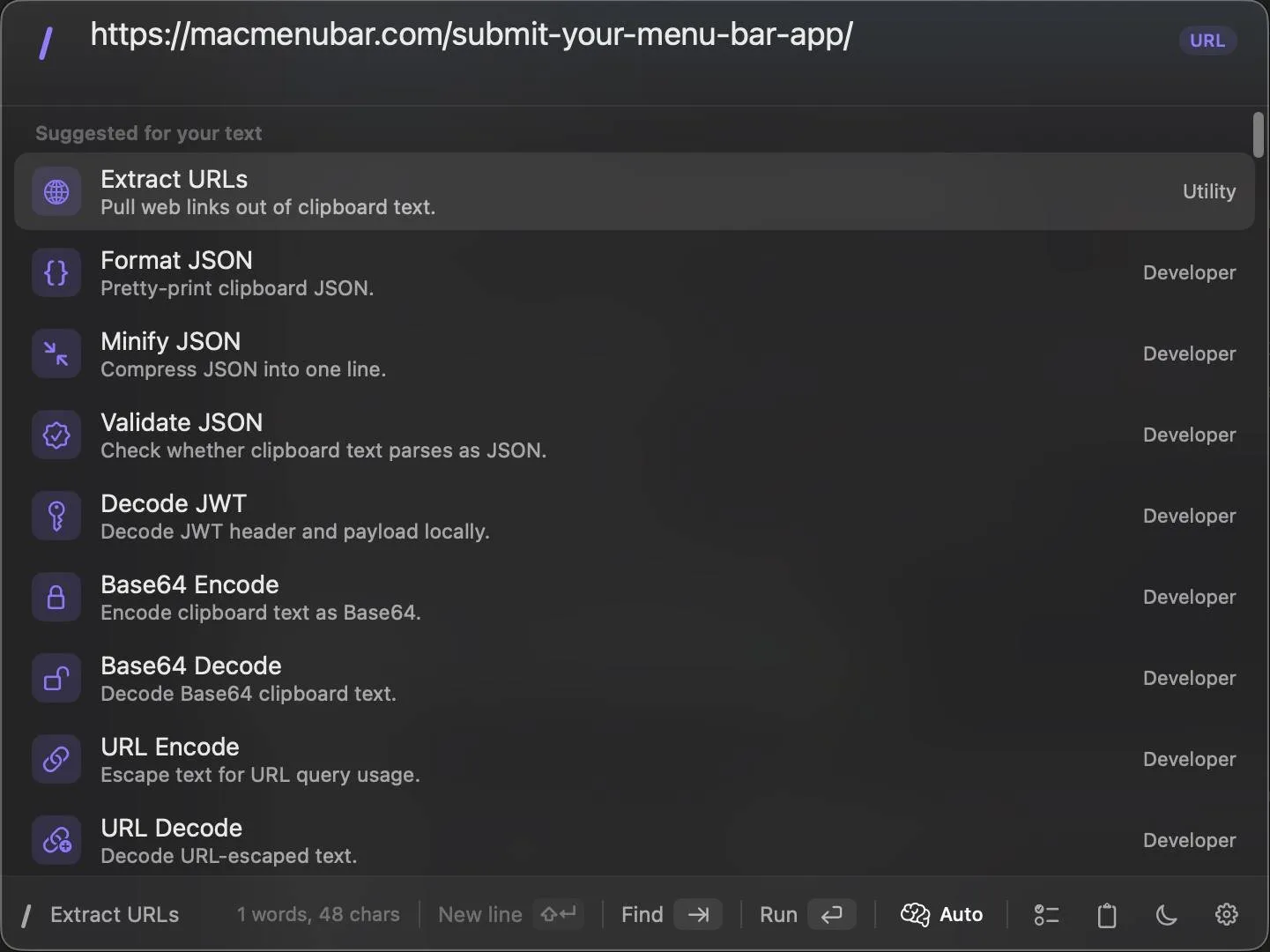
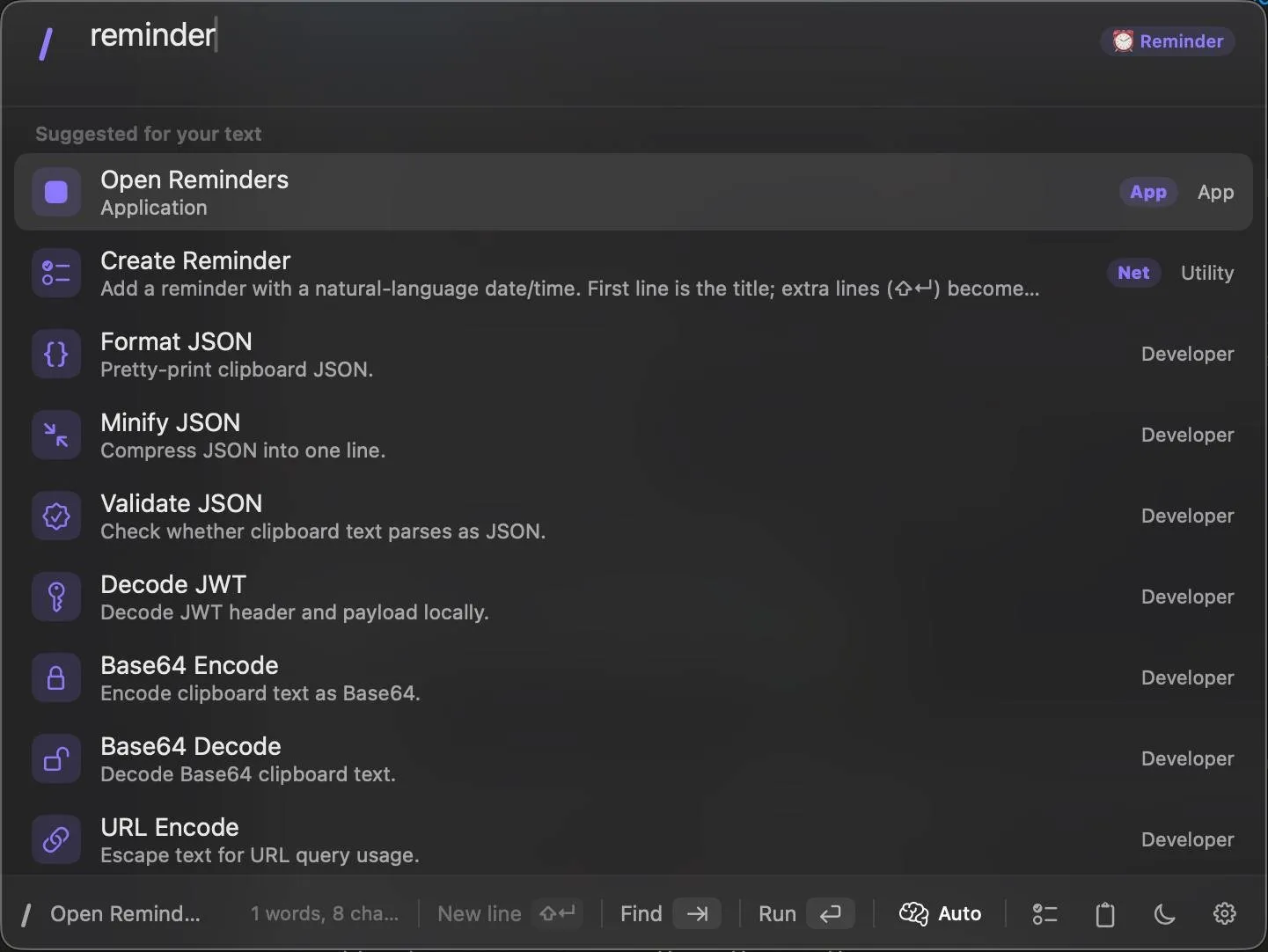
Press ⌘⇧Space, paste or type, and Slashbar reads the input and puts matching actions first: a URL surfaces Extract URLs, and the word “reminder” surfaces Open Reminders and Create Reminder. Press Tab to search every action by name. The /actions page listed 252 on 7 November 2026.
Format JSON shortcut on Mac, and other developer transforms
The Developer group (54 actions) covers Format, Minify and Validate JSON, Decode JWT, Base64, URL and HTML encoding, MD5 and SHA-256 hashes, case conversion, Unix timestamps, a regex tester, cron explainer and text diff. Git actions run status, pull, commit and push, and integrations file issues in GitHub, GitLab, Jira and Linear.
Windows, system and app actions
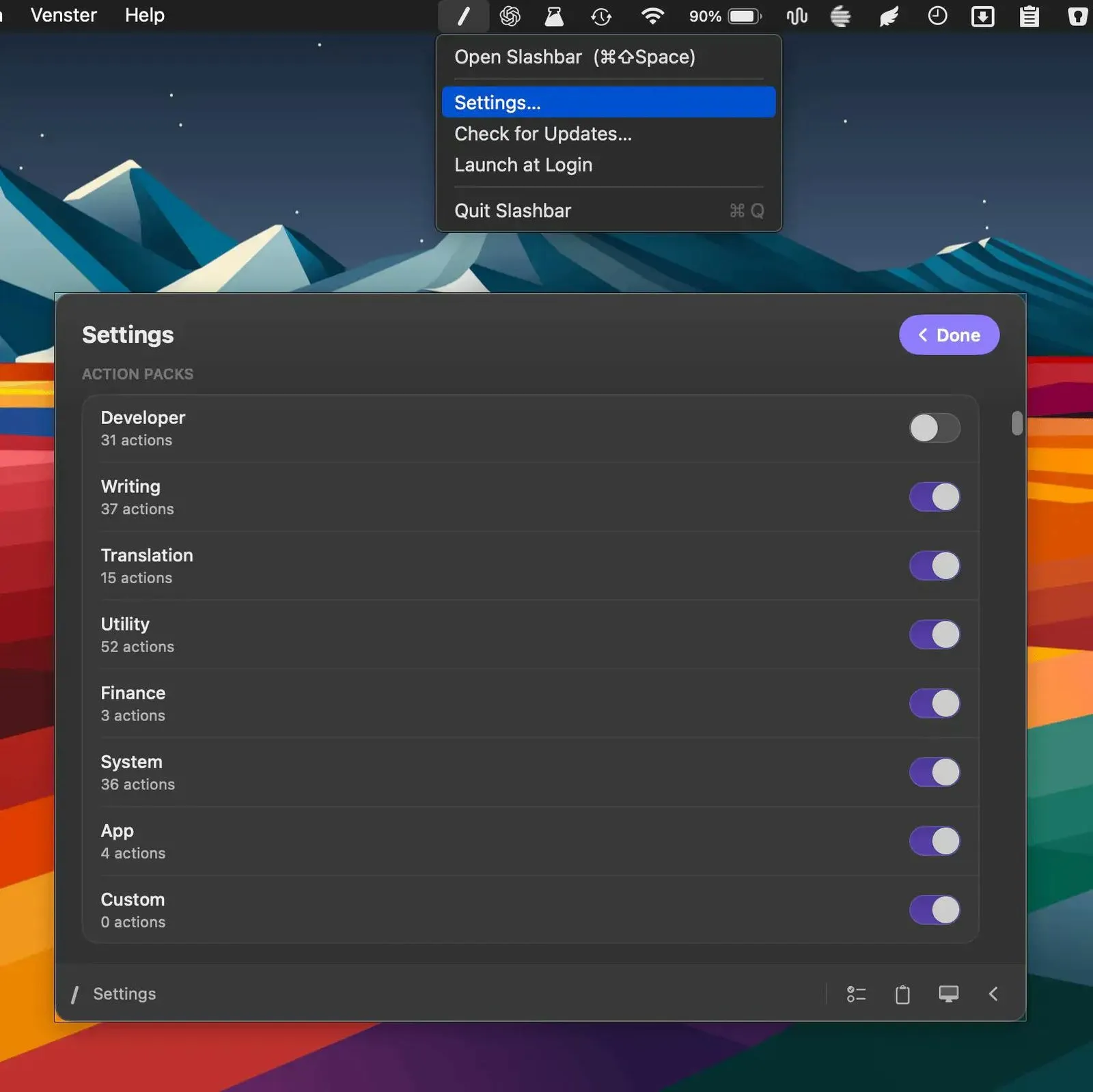
The System group (74 actions) tiles windows into halves, thirds and quarters, opens any System Settings pane, locks or sleeps the Mac, and searches clipboard history and menu bar items. Utility actions add a calculator, unit conversion, OCR on a clipboard image, QR codes and sends to Slack, Telegram, Teams and iMessage.
Plugins
Community action packs install from an open registry, and a plugin is one JSON file of prompts, links and commands, so you can add your own without writing Swift.
What it does not do yet
In short
Slashbar is version 0.4.1, released on 10 October 2026, closed source, and free under a licence the developer can revoke. It is not on the Mac App Store, and its action count has moved fast: the listing says 185+, the homepage 247, the action list 252.
Telemetry: the app sends anonymous launch counts, app and OS version and device class to TelemetryDeck. It does not send your text, per the privacy policy.
AI quality is your provider's: answers, speed and rate limits come from the CLI or model you pick, and a CLI must be installed and signed in first.
Thin track record: 11 points and no reviews on Product Hunt, and 3 stars on the GitHub repo, which holds only the website and releases.
Slashbar vs Raycast, Alfred, PopClip and Spotlight
In short
Slashbar is not the only free command bar, and it is not the deepest. Raycast's free tier is broader but has no AI; Raycast AI starts with Pro at $10 a month. Alfred's Powerpack is a one-time £34. PopClip acts on selected text for a one-time licence. Spotlight in macOS Tahoe now runs app actions for free.
| App | Price | AI | Text transforms | Install |
|---|---|---|---|---|
Slashbar this one this article | Free | Your Claude, Codex or Gemini CLI, Apple Intelligence or Ollama | JSON, JWT, Base64, hashes, case, diff, built in | Direct download or Homebrew; macOS 14+ |
Raycast Free / Pro | Free; Pro $10 a month or $96 a year | Pro only, 500 AI credits a month; bring your own key on Pro | Through store extensions | Direct download |
Alfred Powerpack | Core free; Powerpack £34 once, £59 with lifetime upgrades | None built in | Through workflows (Powerpack) | Direct download |
PopClip Pilotmoon | One-time Standard or Lifetime licence, regional price; or Setapp $14.99 a month | Through extensions | Through extensions, on selected text | Direct download or Setapp |
Spotlight macOS Tahoe 26 | Free, built in | None in Spotlight itself; runs app actions and Shortcuts | None built in | Ships with macOS |
Raycast AI alternative or PopClip alternative?
If what you want from Raycast Pro is AI on your text, Slashbar gets you there on a plan you already pay for, but Raycast still wins on extension count, cloud sync and polish. If you like PopClip's act-on-selection flow, Slashbar works on pasted or typed text from a panel instead of a pop-up over your selection.
Who it suits, and who should skip it
In short
It suits Mac users who already pay for Claude, ChatGPT or Gemini, or run Ollama, and keep pasting text into a chat tab or a converter site to reshape it. Skip it if you need a mature launcher with a large extension store, a Mac App Store install, or open source.
Developers: JSON, JWT, Base64, hashes and Git in one panel, plus Explain Error and Fix Shell Error on your own model.
Writers and support staff: rewrites, summaries, replies and 11 translation targets on a selection.
Privacy-minded users: Ollama or Apple Intelligence keep AI text on the Mac; only anonymous launch counts leave it.
A quick first test
Since it is free and 5.2 MB, install it, copy a minified JSON blob and a JWT, and press ⌘⇧Space for each. If Format JSON and Decode JWT rank first, the ranking works for your text. Facts were verified on 7 November 2026.
Frequently asked questions
Is Slashbar really free?
Yes. The terms say Slashbar is free and provided as-is, and there is no paid tier or in-app purchase. Two caveats: the app is licensed, not sold, under a licence the developer can revoke, and it is version 0.4.1, so features can still change. AI actions use your own provider, so any cost there is your existing plan.
Does Slashbar send my text to its own servers?
No, according to its privacy policy. AI text goes straight from your Mac to the provider you pick, and Apple Intelligence and Ollama never touch the network. Connected service tokens sit in the macOS Keychain. The app does send anonymous launch counts, app and OS version and device class to TelemetryDeck.
Do I need a paid Claude or ChatGPT plan to use the AI actions?
No. Without a CLI you can use Apple Intelligence on an Apple Silicon Mac with macOS 26 or later, a local Ollama model on any supported Mac, or Manual browser mode, which copies the prompt and opens the chat site you choose. Translate actions also fall back to Google Translate on their own.
Can Slashbar replace Raycast or Alfred?
For some people. It covers clipboard history, window tiling, app and file launch, and a calculator. Raycast has thousands of extensions and its AI starts with Pro at $10 a month; Alfred is free with a one-time £34 Powerpack for workflows. Slashbar is free and reuses your AI plan, but it is younger and smaller.
Is Slashbar open source?
No. Its GitHub repository holds the website and release downloads, and the README says the app source is not public. The plugin registry is open: a plugin is one JSON file of prompts, links and commands.
Does Slashbar work on Intel Macs?
Yes. It needs macOS 14 or later and runs on Apple Silicon and Intel. The Apple Intelligence option is the exception: it needs Apple Silicon and macOS 26 or later. On an Intel Mac, use a CLI provider or Ollama for AI.
Sources
- 1
v0.4.1, macOS 14+, Apple Silicon and Intel, 5.2 MB, signed and notarized, free; ⌘⇧Space; AI through claude, codex or gemini CLIs, Apple Intelligence, Ollama or Manual browser mode.
- 2
252 actions on 7 November 2026: Developer 54, Writing 35, Translation 13, Utility 69, Finance 3, System 74, App 4.
- 3
Updated 22 October 2026: no account, tokens in the Keychain, AI text sent directly to the chosen provider, anonymous launch telemetry to TelemetryDeck.
- 4
Updated 30 June 2026: free, as-is, licensed not sold, revocable licence.
- 5
v0.4.1 marked latest on 10 October 2026; the README says the app source is not public.
- 6
Tagline "185+ native Mac actions in one shortcut"; 11 points, no reviews on 7 November 2026.
- 7
Free tier without Raycast AI; Pro $10 a month or $96 a year with 500 AI credits a month and unlimited clipboard history.
- 8
Single licence £34 (v5); Mega Supporter £59 with free lifetime upgrades. The core app is free.
- 9
One-time Standard (2 years of updates) or Lifetime licence for up to 5 Macs, regional pricing; also in Setapp at $14.99 a month.
- 10
macOS Tahoe 26 (Apple Newsroom)
Spotlight gains actions, quick keys and a clipboard history browse view.
Slashbar
A native macOS command bar with 185+ actions
macOS
More apps worth a look: browse the desktop