
Layer Voice Notes on iPhone: Stack Melody Takes
A melody shows up when you are nowhere near a studio, so you hum it into your phone before it slips. The trouble starts with the second idea: a bassline under the hum, a beat over it, a harmony beside it. A plain voice memo cannot stack those, and opening a full recording app to add one layer is more friction than the idea is worth. Tide is built for exactly that gap: a voice-notes app that lets each new take pile onto the last, on any iPhone, for a few dollars paid once. This piece covers how it works and how it compares to the free options.

OneTimePay.app
7 min read
Take 4 of 4
Offline, on device
Record again to stack the next take
How do I stack multiple melody takes on my iPhone without GarageBand?
Use Tide, a one-time-purchase app that records overdub takes on a single track. Hum a pass, then record again to stack the next, and keep going. It runs on any iPhone with iOS 17 or later, works offline, needs no account, and never asks you to open a DAW.
On this page
How do I stack multiple melody takes on my iPhone without GarageBand?
In short
Install Tide, a one-time-purchase iPhone app that records overdub takes on a single track. Hum your first pass, then add another, and another, with each layer stacking on the last. It runs on any iPhone with iOS 17 or later, works offline, and needs no GarageBand and no account.
The whole app is built around one loop: record a take, then record again on top of it. Each pass becomes a new layer on the same recording, so a hummed melody, a tapped rhythm, and a beatbox line all live in one file you can keep and share. There is no project to set up and no track lanes to manage, which is the point. You capture the idea while it is fresh, not after you have wrestled a DAW open.
Overdub a hummed melody with no DAW required
In short
Tide turns a hummed idea into a stacked recording without a full DAW. Record a hum, then overdub a bassline, a beatbox pattern, or a harmony on top. Every pass adds to the last on one track, so you capture a whole arrangement while the melody is still fresh in your head.
A DAW like GarageBand can do this and much more, but the setup cost is the problem: it opens to lanes, plugins, and a mixer when all you wanted was to sing a second part. Tide keeps the overdub hummed melody no daw workflow to two actions, record and record again, so the tool never gets in the way of the idea. What you lose in editing power you get back in speed.
Why one track beats juggling files
The other trap is a voice-memo library with a hundred untitled clips, where the hum and the bassline that belong together sit ten recordings apart. Because every layer stays in one recording, the pieces of an idea never drift apart. You open a single take and the whole sketch is there, in the order you built it.
Layer voice notes on iPhone, one pass at a time
In short
To layer voice notes on iPhone, open Tide, hit record for your first take, then record again to add a new layer over it. There is no track limit forcing you down to two lanes, so you can keep piling hums, claps, and counter-melodies until the idea is complete.
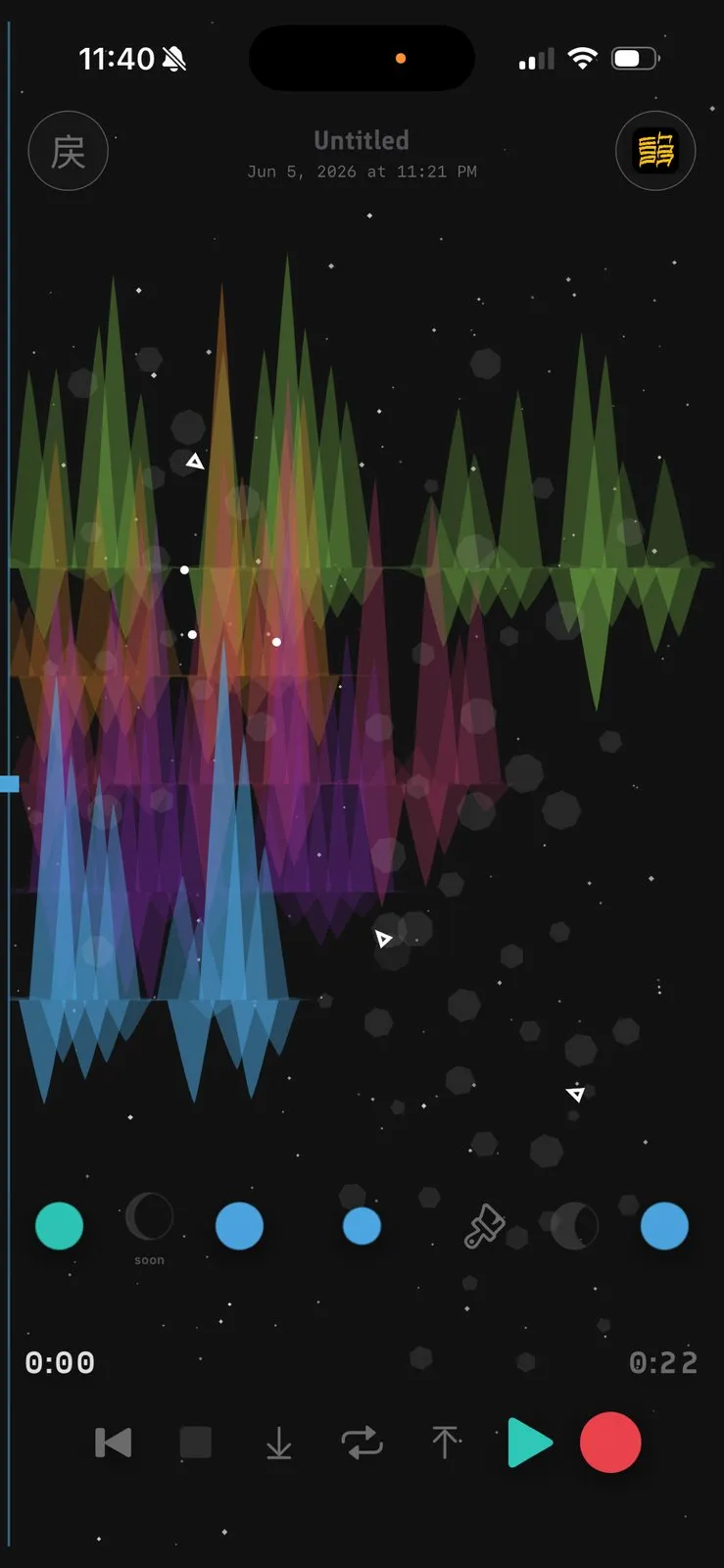
Each layer draws its own animated waveform, so you can see the take building as the parts stack up. That visible history is the difference from a flat recording: you know at a glance how many passes are in a sketch and what each one added. It is a small thing that makes a four-layer idea feel like a piece of music rather than a pile of clips.
Scrub like vinyl, theme, and export your takes
In short
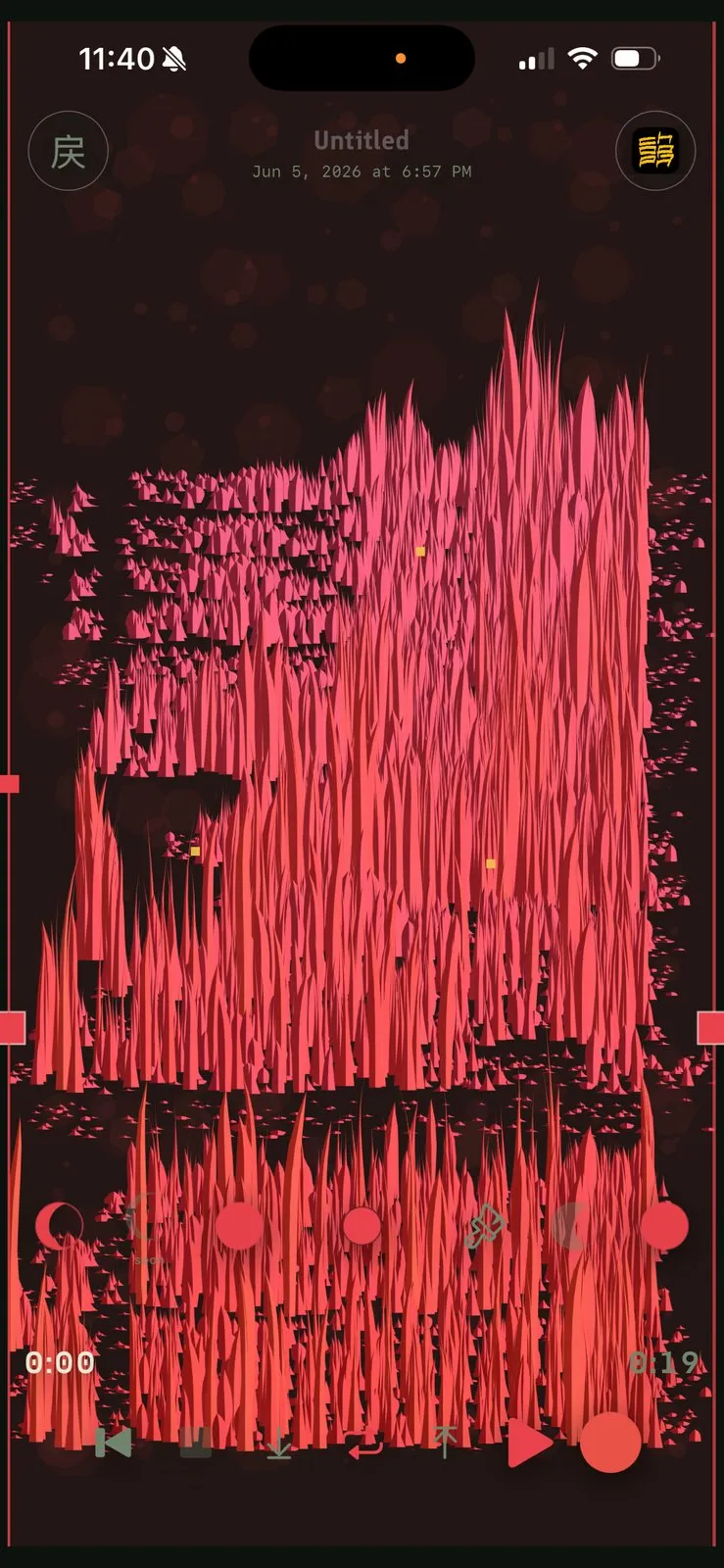
Each layer draws its own animated waveform, and you can scrub the timeline like vinyl, fast or slow, with natural momentum to find a spot. Pick from several visual themes to keep sessions pleasant, then export a finished idea or send it to the companion remix app Choppa for more editing.
Scrubbing works by dragging across the take the way you would nudge a record, so landing on the exact bar you want feels physical rather than fiddly. When an idea is ready to leave the app, you can export it, or hand it to Choppa, Tide's companion remix app, for more involved editing. The themes are cosmetic, but they are part of why the app is pleasant to reach for.
A no subscription voice memo app that works offline
In short
Tide is a one-time purchase, so there is no subscription, no account, and no cloud sync to set up. It works fully offline, which means a plane, a basement studio, or a spot with no signal is fine. Buy it once and every layered idea stays on your device.
For a capture tool, offline is not a nice-to-have, it is the whole job: the moment you have an idea is rarely the moment you have a signal. Because Tide is a no subscription voice memo app with no account, there is nothing to sign into and nothing to sync before you can record. Your takes live on the phone, and the price is paid once rather than every month.
How it compares: Voice Memos, Music Memos alternatives, and the rest
In short
The honest headline: Apple Voice Memos now layers takes too, and it is free, but only on the iPhone 16 Pro and only one overdub. GarageBand is free and does far more, at the cost of being a full DAW. Tide's lane is multiple stacked takes on any iPhone, kept simple and offline.
| App | Price | Purchase model | Multiple layered takes | Any iPhone | No account / offline |
|---|---|---|---|---|---|
Tide this one hum-and-stack notebook | $4.99 | Buy once | |||
Apple Voice Memos built in | Free | Built in | One overdub | 16 Pro only | |
GarageBand full DAW | Free | Built in | |||
Just Press Record record + transcribe | $6.99 | Buy once | |||
Tape It freemium | Free + ~$20/yr | Subscription | |||
Dubnote freemium | Free + ~$25/yr | Subscription |
Tide vs Apple Voice Memos
Voice Memos is the one to be honest about, because it is free and already on the phone. Since iOS 18.2 it can layer a vocal over an instrumental, which is genuinely useful, but with two catches: it works only on the iPhone 16 Pro lineup, and it caps at a single overdub, so two tracks total, with the second in mono. If you have a 16 Pro and one extra layer is all you need, start there. Tide's edge is stacking many takes on any iPhone running iOS 17 or later.
Music Memos alternatives and the paid options
Apple retired Music Memos in 2021, which is why the search for a replacement exists at all. GarageBand is the free heavyweight and can do everything Tide does and more, if you are willing to work in a DAW. Just Press Record is a tidy $6.99 recorder with transcription but no layering. Tape It and Dubnote add musician features, but the useful parts sit behind subscriptions of roughly $20 and $25 a year. Tide is the pick when you want layering specifically, bought once, with nothing to sign into.
Price
$4.99 once
Platform
iOS 17+
Layers
Multiple
Account
None
Works
Offline
Product Hunt
114 upvotes
Confirm the price before you buy
App Store prices vary by region and change over time. At the time of writing in July 2026, Tide is a one-time purchase around $4.99 with no subscription, and the free options (Voice Memos, GarageBand) cost nothing. Check the current App Store price before you buy.
Frequently asked questions
Is there a voice memo app for layering melody ideas with no subscription or account?
Yes. Tide is an iPhone app built for stacking melody ideas, and it is a one-time purchase with no subscription, no account, and no cloud sign-in. You record a take, overdub more layers on top, and everything stays on your device. It works offline and runs on any iPhone with iOS 17 or later.
What can I use instead of Apple Music Memos to layer song ideas?
Apple retired Music Memos in March 2021. For layering song ideas, Tide is a close-in-spirit replacement: hum a take, then overdub bass, beats, or harmonies on one track, with an animated waveform per layer. Unlike the free apps Apple points to, it keeps things to a quick hum-and-stack notebook rather than a full DAW.
Does Apple Voice Memos already do layered recording?
Partly. Voice Memos gained layered recording in iOS 18.2, but it is limited to the iPhone 16 Pro lineup and caps at a single overdub, so two tracks total, with the added layer in mono. Tide layers multiple takes on any iPhone running iOS 17 or later, which is its honest edge over the built-in option.
Is Tide the cheapest option, or should I just use the free one?
Apple Voice Memos and GarageBand are both free, so if a single overdub on an iPhone 16 Pro or a full DAW suits you, start there. Tide earns its one-time price with multiple stacked takes on any iPhone, a scrub-like-vinyl waveform, several visual themes, and offline, no-account simplicity.
Can I use Tide offline and export my layered takes?
Yes. Tide works fully offline with no account, so no signal is needed to record. When an idea is ready you can export it, or send it to the companion remix app Choppa for further editing. Because there is no cloud, your layered takes live on your device from the first tap.
Sources
- 1
The maker’s own listing (developer Elijah Lucian): a one-time purchase with no subscription, layered takes where "every pass adds to the last," a scrub-like-vinyl waveform, offline recording with no account, and iOS 17.0 or later. The source for every Tide fact here.
- 2
Voice Memos update brings layered recording to iPhone 16 Pro (Apple)
Apple’s own announcement of layered recording in Voice Memos, the primary source for the feature being limited to the iPhone 16 Pro lineup and for how the A18 Pro chip separates the tracks.
- 3
How to layer tracks in Voice Memos (MacRumors)
A step-by-step that confirms Voice Memos caps at a single overdub, records the added layer in mono, and requires iOS 18.2 and an iPhone 16 Pro. The basis for the honest comparison against the built-in option.
- 4
Apple officially retires Music Memos (MacRumors)
The record of Apple retiring Music Memos on March 2, 2021, with a final version 1.0.7, pointing users to Voice Memos and GarageBand. The source for why musicians now look for a replacement.
- 5
Tape It, a Music Memos alternative (RouteNote)
Profiles Tape It as a Music Memos alternative that is free to download but puts HD stereo and noise reduction behind a subscription of about $20 a year, and does not layer takes. Used to place the freemium alternatives honestly.

Tide
Layered voice notes for melodies and quick ideas.
once
iOS
More apps you buy once: browse the desktop