
PixyCAD: A CAD App for iPad and Mac That Makes 3D Prints
A broken clip, a missing bracket, a mount that does not exist yet: most home 3D prints start as a quick drawing. PixyCAD is a solid-modelling app for iPad and Mac that turns that drawing into a printable part. You sketch with Apple Pencil, extrude, push faces around, and export a file for your slicer. This piece covers how it works, what the free tier and the lifetime unlock include, and how it stacks up against Shapr3D, Plasticity and Onshape.

OneTimePay.app
7 min read
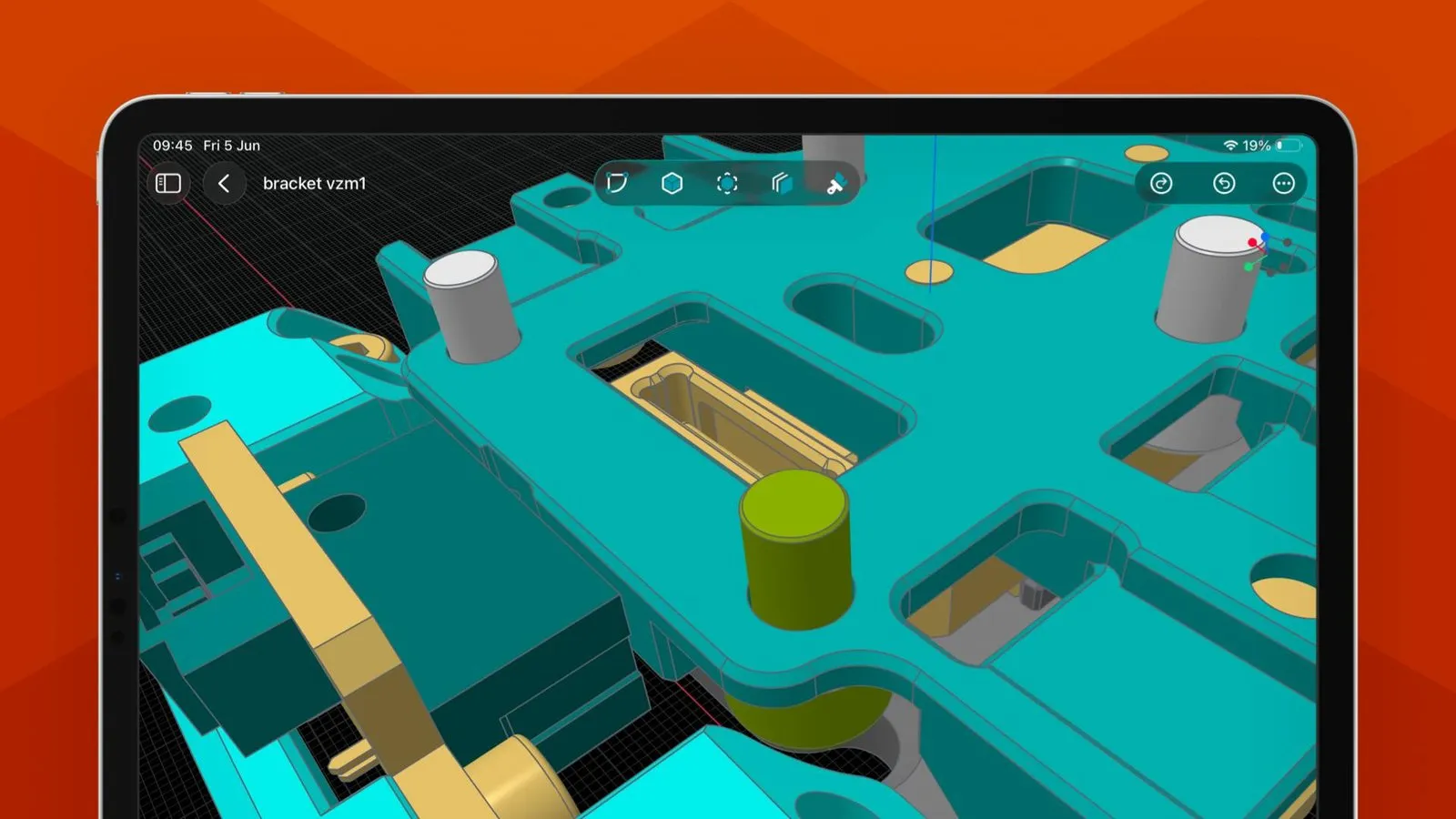
What app can I use to design 3D prints on an iPad?
Use a solid-modelling CAD app, not a sculpting toy. PixyCAD lets you sketch a profile with Apple Pencil, extrude it into a solid, edit faces directly and export STL or 3MF for your slicer. Its free tier holds two projects; the Lifetime Maker Plan is $179 once.
On this page
What app can I use to design 3D prints on an iPad?
In short
You want a CAD app that builds watertight solids with real dimensions and exports STL or 3MF. PixyCAD is one: it runs on the Parasolid geometry kernel, the same family of modelling engine used by professional CAD tools, and it does all the work on the iPad itself, with no cloud round trip while you model.
From sketch to solid in three steps
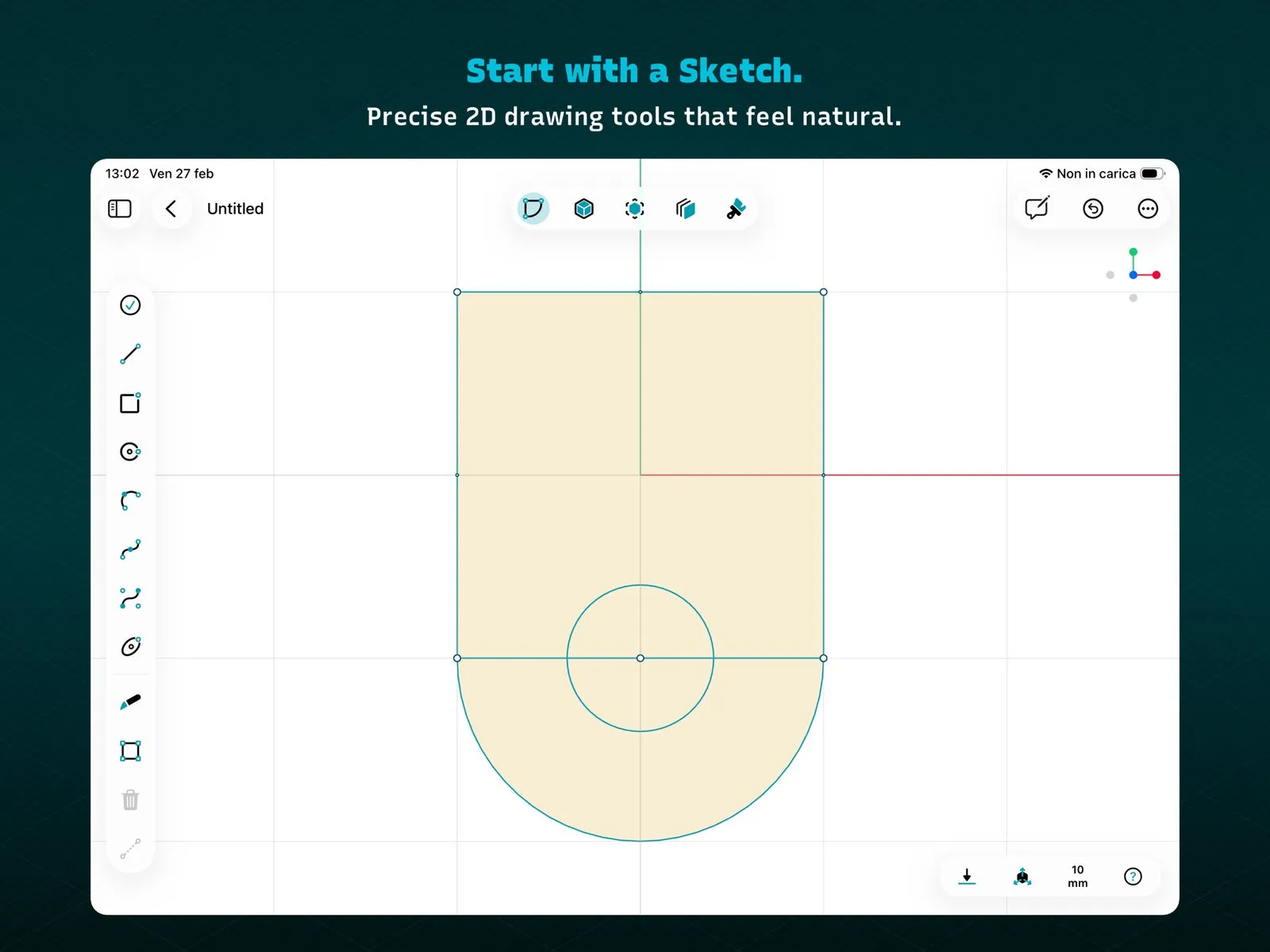
1. Sketch. Draw a 2D profile with lines, rectangles, circles, arcs and splines on a millimetre grid, with Apple Pencil or a finger.
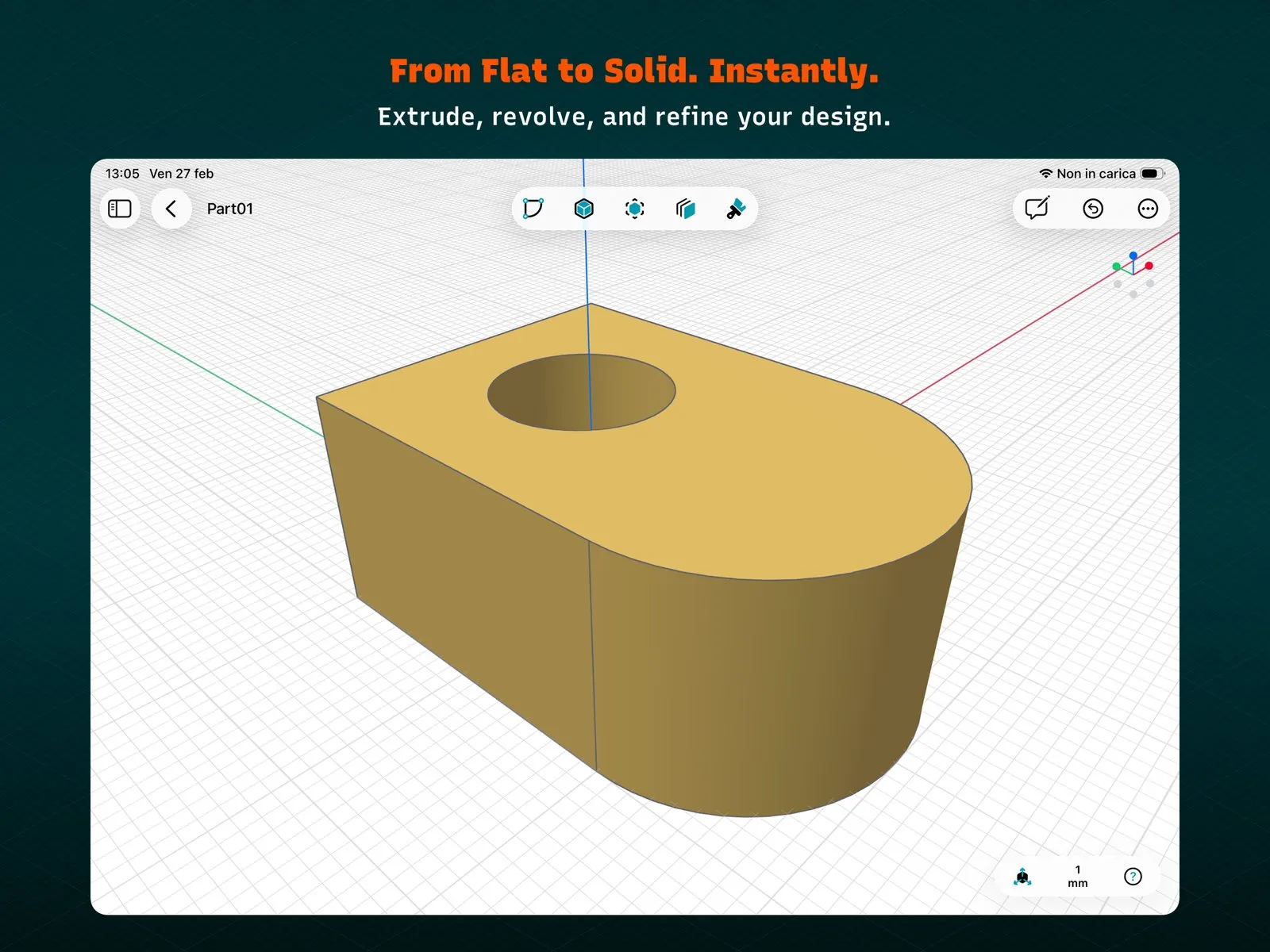
2. Extrude or revolve. Pull the closed profile up into a solid. The circle becomes a hole through the part in one step.
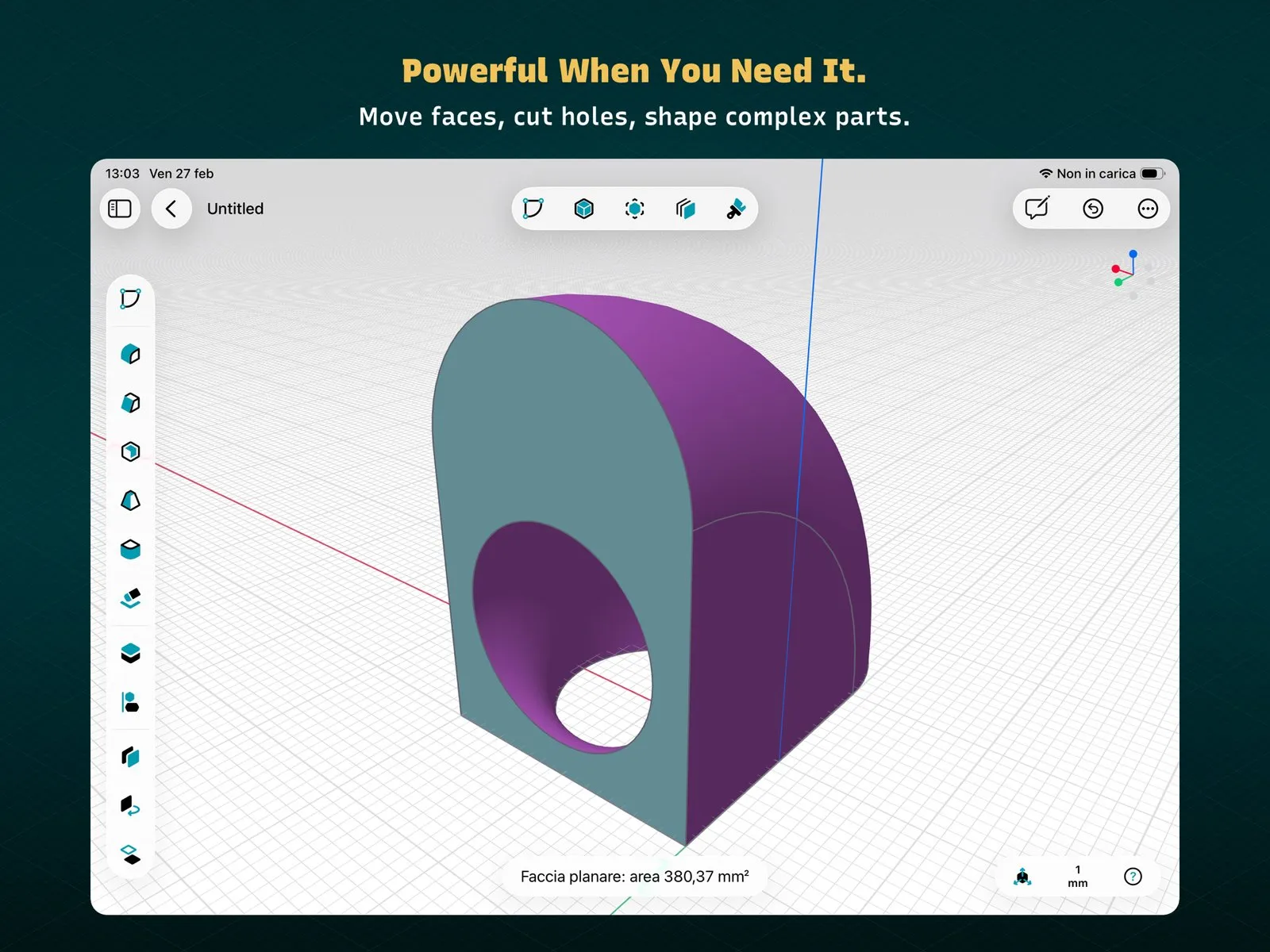
3. Refine. Move faces, cut holes, combine or subtract bodies, and check measurements as you go: tap a face and PixyCAD shows its area in square millimetres. The latest release, version 1.1.11 from 12 October 2026, added thread and knob generation, which matters for printed caps, bolts and adjusters.
Direct editing instead of a history tree
PixyCAD is a direct modeller. In the company's words to DEVELOP3D: “Rather than a traditional history-based system, users work directly with geometry”. That keeps the screen clean and fast for brackets, enclosures, adapters and replacement parts. It also means there is no feature tree where you change an early sketch and watch every later step rebuild. If you design that way, read the comparison below before you pay.
3D printing CAD on iPad, and the same project on a Mac
In short
Projects sync across devices, and that is included even in the free tier. The intended flow is to rough out a part with Pencil on the iPad, then finish dimensions at a desk with a keyboard and mouse on the Mac, where the same toolbar sits over a list of sketches and bodies.
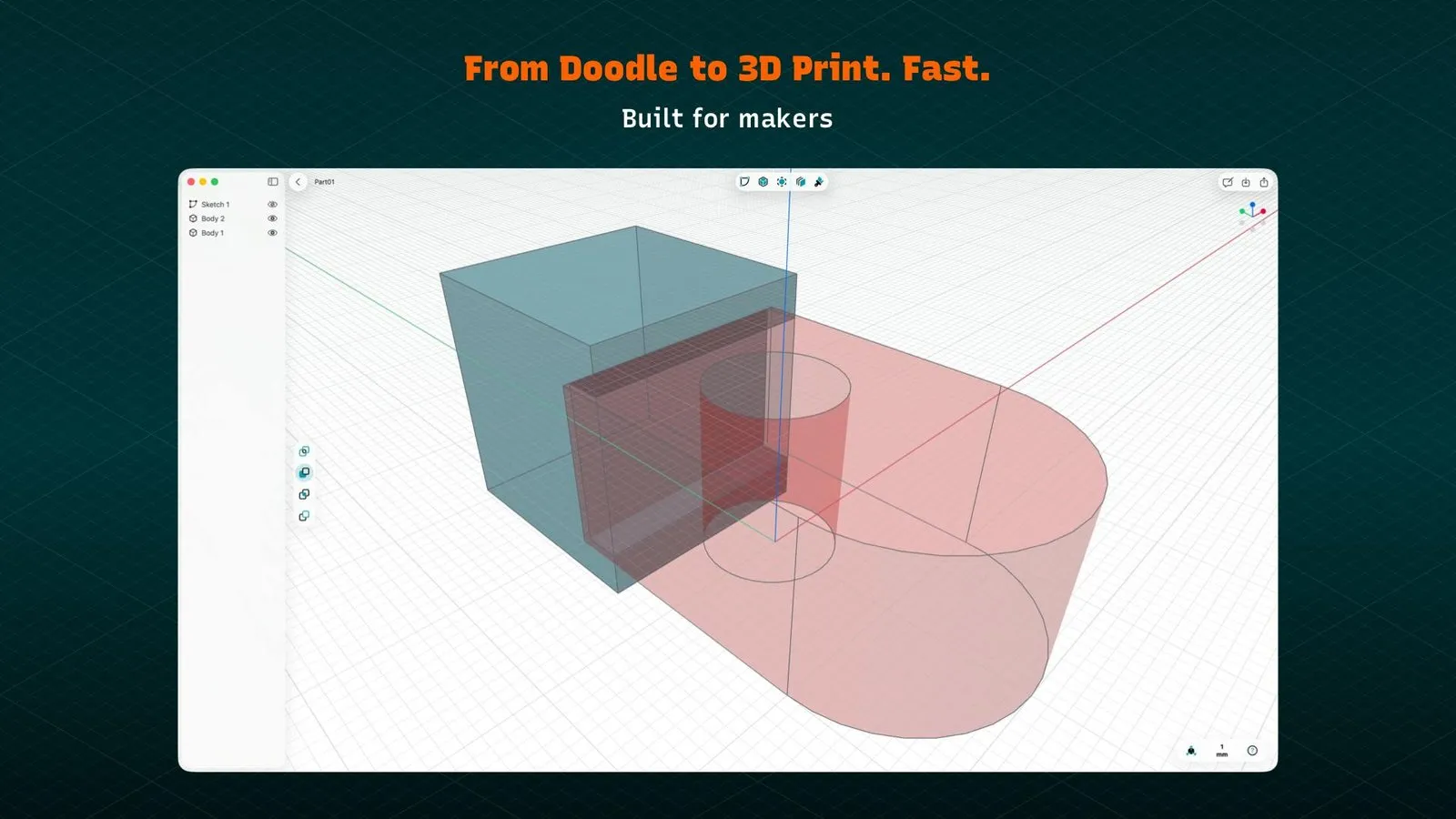
Modelling is Metal-accelerated and runs on the device, so you do not need to be online or signed in to rotate or edit a model. Check the hardware first: the iPad app needs iPadOS 26, and the Mac app needs macOS 15.6 on an M1 or later Mac. Intel Macs and Windows PCs are out.
Lifetime unlock
$179
Free tier
2 projects
Kernel
Parasolid
US ratings
4.3 from 6
What the free tier and Maker unlock include
In short
The free Starter tier has every modelling tool and project sync, but only two projects and low-resolution STL and 3MF export. Maker adds unlimited projects, high-resolution export, STEP and Parasolid X_T import and export, and native PixyCAD files. You can rent Maker or buy it once.
Parasolid CAD app exports: STL, 3MF, STEP, X_T
STL and 3MF go straight into a slicer such as Bambu Studio, PrusaSlicer or Cura. STEP and X_T are for everything else: sending a part to a machine shop, opening it in another CAD tool, or bringing a supplier's STEP model in to design around it. Two projects and low-resolution STL are enough to judge whether the workflow suits you; anyone printing regularly will hit the project limit fast.
On the US App Store, Maker costs $17.99 a month, $124.99 a year, or $179 once as the Lifetime Maker Plan. PixyCAD's own pricing page shows the yearly plan at $179.99, so expect the store checkout to be the figure that counts. DEVELOP3D reports the lifetime plan at €199 including VAT in Europe. The pricing page promises “Pay once and keep PixyCAD forever” but does not say whether future major versions are included.
PixyCAD vs Shapr3D, Plasticity and Onshape
In short
PixyCAD is not the cheapest way to model on an iPad. Onshape's free plan costs nothing if your designs can be public and non-commercial. Plasticity Indie is $175 once, $4 less, but has no iPad app. Shapr3D is the closest match, on iPad and Mac with the same two-project free tier, but its Pro plan is $299 a year with no lifetime option.
| App | Price | Buy-once option | iPad | Free tier | STEP export |
|---|---|---|---|---|---|
PixyCAD this one this article, iPad and Mac | Free, Maker from $17.99/mo | Lifetime $179 | 2 projects | Maker | |
Shapr3D iPad, Mac, Windows, Vision Pro | Free, Pro $299/yr | 2 projects | Pro | ||
Plasticity Windows, Mac, Linux | Indie $175, Studio $299 | Perpetual, 12 mo updates | Indie | ||
Onshape Free browser, iPad, phones | Free | Free | Public, non-commercial | Listed |
Shapr3D alternative without a subscription
Shapr3D is the app most iPad CAD threads recommend, and it does more: Windows and Vision Pro versions, a parametric history, and team features. If you only need to model parts for your own printer on Apple devices, PixyCAD's $179 lifetime plan costs less than one year of Shapr3D Pro and stops there. Plasticity is the other buy-once option, with a strong surfacing toolset, but you would be modelling at a desktop, not on the couch with a Pencil.
What you pay
Onshape Free
$0
public only
Plasticity Indie
$175
once
PixyCAD Lifetime
$179
once
Shapr3D Pro
$299
per year
US prices on 14 October 2026, before tax. Shapr3D Pro renews every year; Plasticity's price includes 12 months of updates.
Who PixyCAD suits, and who should skip it
In short
PixyCAD suits makers who print brackets, mounts, enclosures and fixes, want to design on an iPad and keep the files on a Mac, and would rather pay once than renew a CAD plan. Skip it if you need parametric history, Windows, 2D drawings for a machine shop, or a tool with a long track record.
It is a young app. PixyCAD reached the App Store on 9 March 2026 and has shipped about two dozen updates since, but it has only 6 ratings on the US store (4.3 stars). It is sold by Pixyco SRL and available in English, French, German, Italian, Japanese and Spanish. The privacy label says purchase history, email address and a user ID are linked to you, which fits account-based sync.
Try the free tier first
Starter is free with every modelling tool, so model one real part and print it before you buy. If you then pay, pick the item named Lifetime Maker Plan in the App Store, not the monthly or annual Maker plans. Everything here was verified on 14 October 2026.
Frequently asked questions
Is there a Shapr3D alternative without a subscription?
Yes. PixyCAD sells a Lifetime Maker Plan for $179 once and runs on iPad and Mac, like Shapr3D. Plasticity sells perpetual licenses from $175 (Indie) with 12 months of updates, but it runs on Windows, macOS and Linux only, with no iPad version. Shapr3D itself has a free Basic tier and a Pro plan at $299 a year.
Can I start a CAD model on my iPad and finish it on my Mac?
With PixyCAD, yes. Project sync across devices is included even in the free Starter tier, so you can sketch with Apple Pencil on iPad and finish dimensions with a keyboard and mouse on a Mac. The Mac needs macOS 15.6 and an M1 or later chip; the iPad needs iPadOS 26.
Is PixyCAD parametric?
No. PixyCAD is a direct modeller: you push and pull faces, cut holes and add fillets on the solid itself, and there is no feature history tree to roll back and re-dimension. If your workflow depends on editing an early sketch and having every later feature update, use a history-based tool instead.
Can I export STEP from the free version of PixyCAD?
No. The free Starter tier exports low-resolution STL and 3MF only and holds two projects. STEP and Parasolid X_T import and export, high-resolution STL and 3MF, and unlimited projects come with Maker, either as a subscription or as the $179 Lifetime Maker Plan.
Is PixyCAD the cheapest CAD app for iPad?
No. Onshape’s free plan costs nothing and runs on iPad, as long as your designs can be public and non-commercial, and Shapr3D’s free Basic tier has the same two-project limit as PixyCAD’s Starter. PixyCAD’s case is a one-time $179 for the full feature set instead of a yearly bill.
Sources
- 1
PixyCAD - 3D Solid Modelling on the App Store
Free download by Pixyco SRL with in-app purchases Lifetime Maker Plan $179.00, PixyCAD Maker Monthly $17.99 and PixyCAD Maker Annual $124.99. On the store since 9 March 2026; version 1.1.11 on 12 October 2026 (thread and knob generation). iPadOS 26 or later; macOS 15.6 or later on an M1 or later Mac. 91.8 MB, six languages, 4.3 stars from 6 US ratings. Privacy label: purchase history, email address, user ID and support content linked to you.
- 2
Starter free forever with all modelling tools, project sync, two projects and low-resolution STL and 3MF. Maker adds unlimited projects, high-resolution export, STEP and Parasolid import/export and native file import/export. Maker Lifetime $179.00 one-time ("Pay once and keep PixyCAD forever"); the subscription is shown at $179.99 a year.
- 3
Apple Pencil sketching on iPad, on-device Metal-optimised modelling without logins or cloud delays, STL and 3MF for slicing, STEP and Parasolid X_T for other CAD tools.
- 4
DEVELOP3D: PixyCAD app launches for Parasolid CAD on iPad
Built on Parasolid; direct modelling ("Rather than a traditional history-based system, users work directly with geometry"); aimed at brackets, enclosures, adapters, mounts and replacement parts.
- 5
DEVELOP3D: PixyCAD moves to a one-time purchase
Maker Lifetime at €199 including VAT or $179 plus taxes, depending on location; the free tier remains.
- 6
Basic free with 2 projects and low-resolution STL and 3MF; Pro $299 per editor seat, billed annually. macOS, iPadOS, Windows and visionOS.
- 7
Shapr3D runs the Parasolid kernel natively on iPad.
- 8
Shapr3D: History-Based Parametric Modeling is here
Shapr3D 5.590 shipped history-based parametric modelling, with direct edits recorded as history steps.
- 9
Indie $175 and Studio $299, perpetual licenses with a 12-month maintenance window; Windows, macOS and Linux. Indie includes STEP, STL, OBJ and Parasolid import/export.
- 10
Free for makers and hobbyists; designs must be public and non-commercial. Runs on PC, Mac, Linux, Chrome, iPad, iPhone and Android.
More apps you buy once: browse the desktop