
App Store Screenshot Maker for 7 Stores: Screenshot Studio
Your app is ready to submit, and the store wants screenshots: the right pixel size, ideally with a headline on each one and a background that does not look like a raw simulator grab. Screenshot Studio does exactly that in one browser page, for seven stores, with no account. This piece covers how it works, which sizes it makes, where it falls short, and which free rival does more.

OneTimePay.app
6 min read
How can I make App Store screenshots with a title and background for free?
Open Screenshot Studio in a browser, drop in up to five screenshots, pick the App Store size, type a title and subtitle for each, choose a gradient and frame, then download each image as a PNG at 1242 by 2688. It is free, needs no account and adds no watermark.
On this page
How can I make App Store screenshots with a title and background for free?
In short
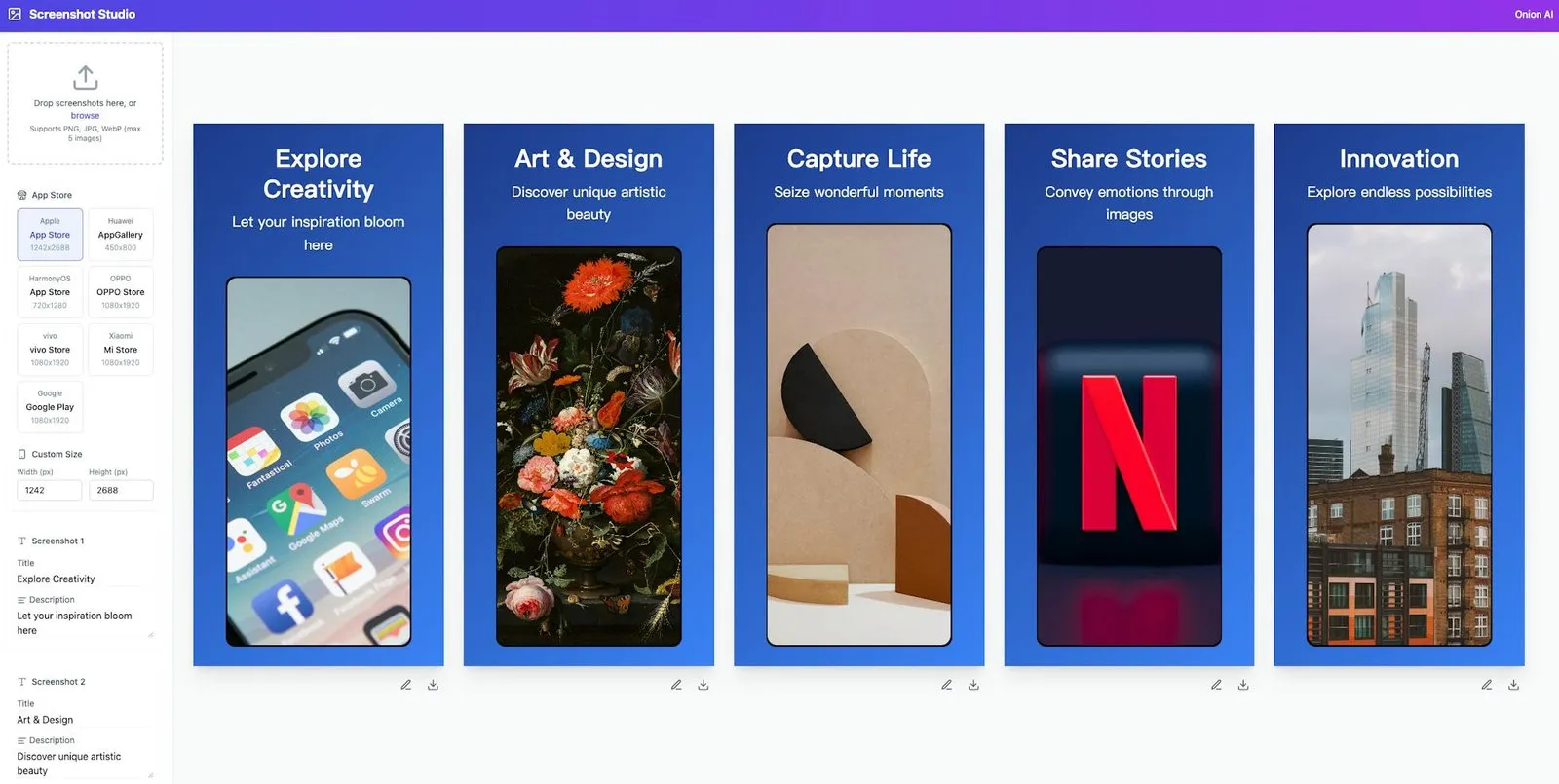
Screenshot Studio is a single web page from Onion AI. The left sidebar holds every setting; the right side shows live previews of the whole set side by side. When you download, the page renders that preview at the store's full pixel size and saves it as a PNG.
Make a screenshot set in five steps
1. Drop in screenshots. PNG, JPG or WebP, up to five per set. A new drop replaces the whole sample set, with empty titles.
2. Pick a store. Choose one of the seven presets, or type your own width and height in pixels.
3. Write the copy. Each screenshot gets a title and a description line that sit above the phone image.
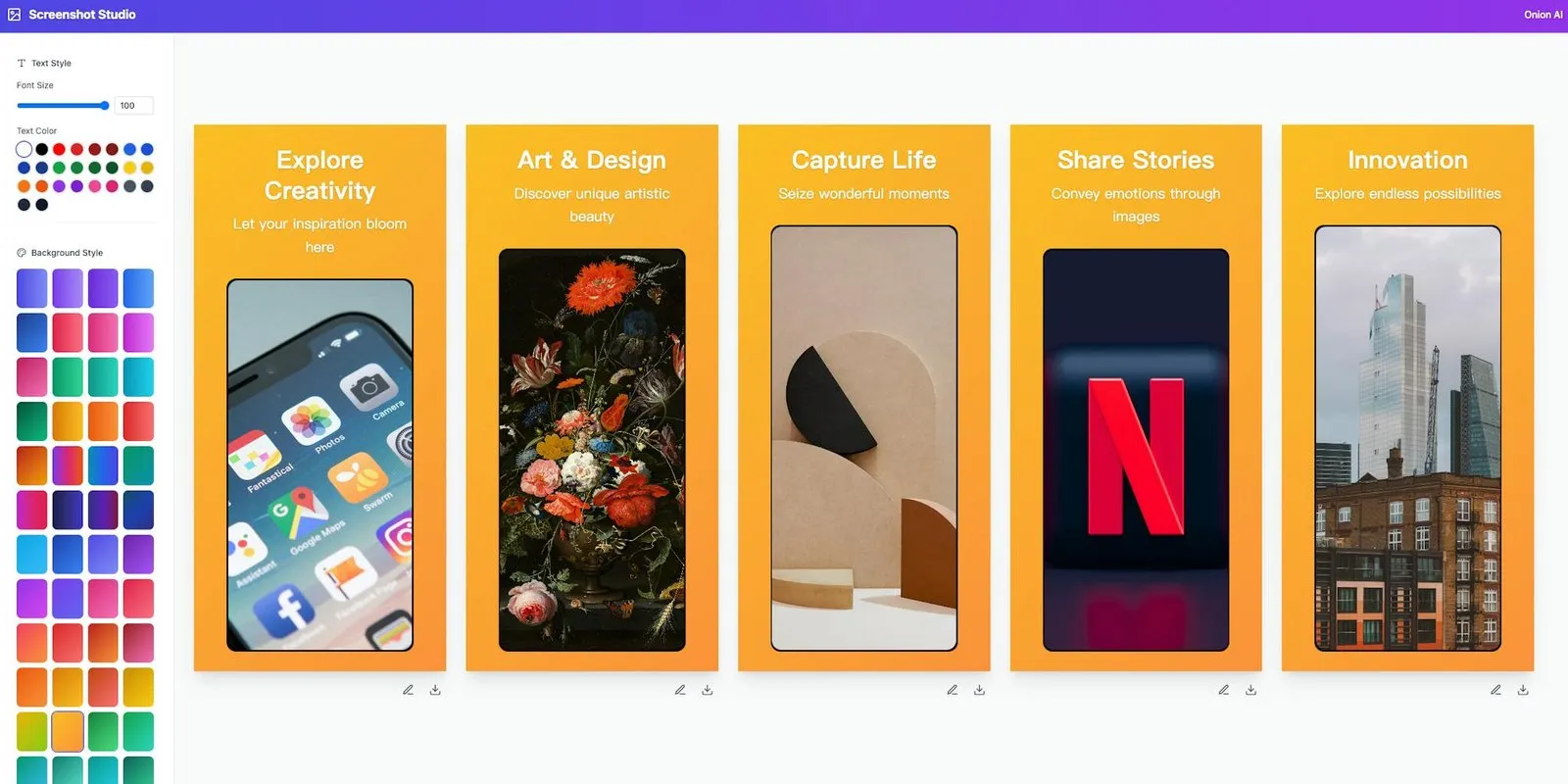
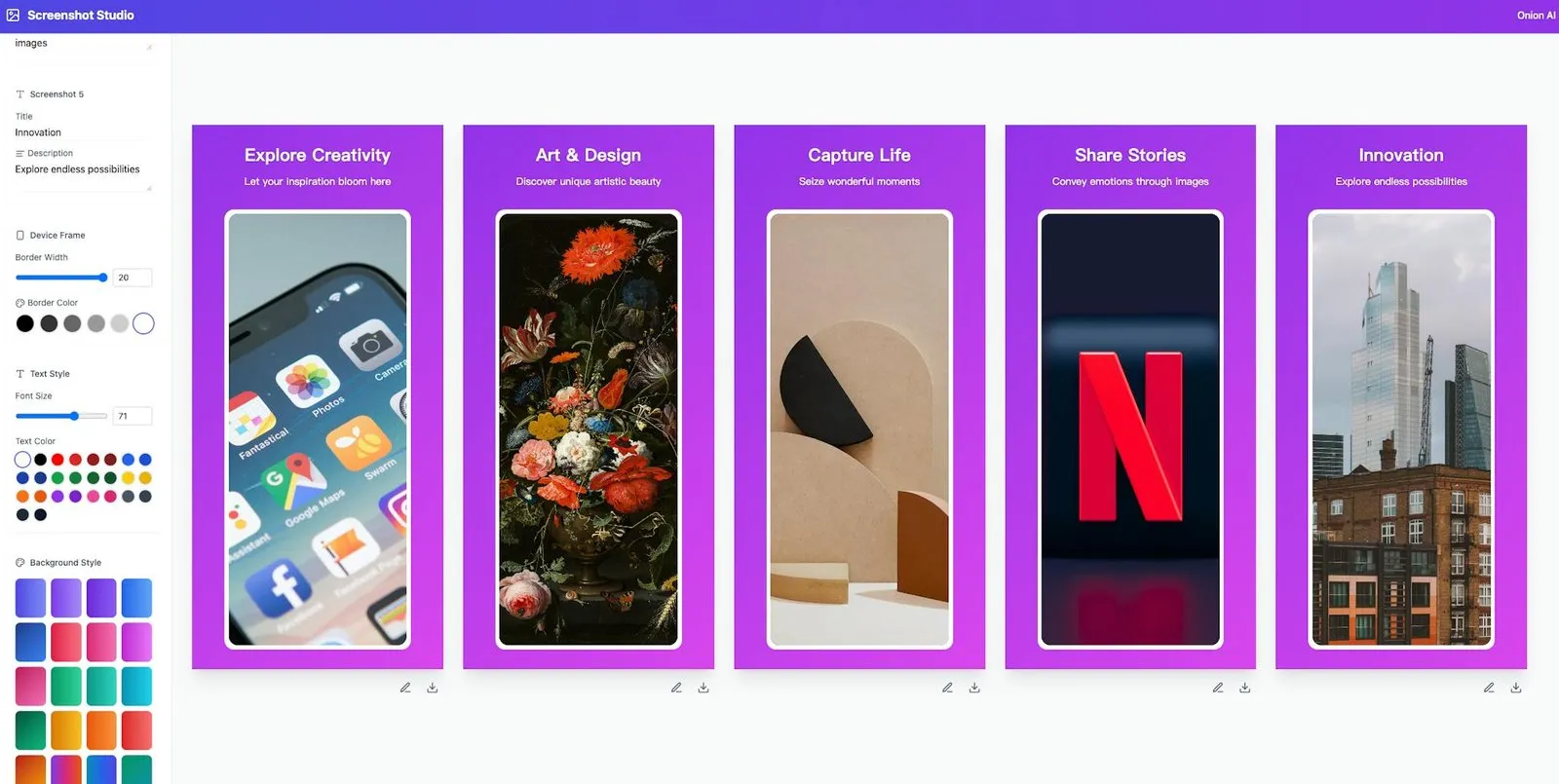
4. Style the set. Pick a gradient, a text colour, a font size and the frame's border width and colour. The style applies to all five at once.
5. Download. Each preview has its own download button; the file is named after its title, such as explore-creativity.png.
What happens to your screenshots
The images never leave your machine as far as the code shows: they are loaded into the tab as local object URLs, and the PNG is drawn in the browser. There is no upload request in the page's code. The page does run Google Analytics, and nothing is saved between visits, so finish and download a set in one sitting.
Seven store presets, including Huawei, HarmonyOS, OPPO, vivo and Xiaomi
In short
Most screenshot makers stop at Apple and Google. Screenshot Studio also ships presets for the big Chinese Android stores, which matters if you publish an Android build to Huawei AppGallery or the phone makers' own stores.
Apple App Store: 1242 by 2688, Apple's 6.5-inch iPhone size.
Google Play, OPPO Store, vivo Store, Xiaomi Mi Store: 1080 by 1920 each.
HarmonyOS App Store: 720 by 1280.
Huawei AppGallery: 450 by 800.
Custom: any width and height, for example 1320 by 2868 for Apple's newest 6.9-inch size, or an iPad size.
Google Play screenshot size rules it meets
Google Play wants 2 to 8 phone screenshots, 320 to 3,840 pixels per side, JPEG or 24-bit PNG, and at least four at 1080 pixels or more if you want to show up in its screenshot-led recommendation formats. The 1080 by 1920 preset fits all of that. The one limit that bites is the five-image cap: for a sixth to eighth Play screenshot, or Apple's maximum of 10, build a second set with the same style.
Price
Free, no account
Runs in
Any browser
Store presets
7 plus custom
Per set
Up to 5 images
Export
PNG, one by one
Watermark
None
Styling options: backgrounds, text and frames
In short
The styling is deliberately small, which is why a set takes minutes rather than an afternoon. It is also the main thing you give up against bigger tools.
Backgrounds: 48 preset gradients, from blues and purples to oranges and greens. No photo backgrounds or free colour picker.
Text: the Inter font, a size slider and 26 colour swatches, shared by every screenshot in the set.
Frame: a rounded border around each screenshot with a width slider and six colours from black to white. It is a simple frame, not a photoreal iPhone or Pixel mockup.
Screenshot Studio vs Sonar, AppScreen, AppScreens and Previewed
In short
Screenshot Studio is not the only free option, and on features it is not the strongest. Sonar's free generator and the open-source AppScreen also cost nothing, add no watermark, and add device mockups, more Apple sizes and ZIP export. AppScreens and Previewed have free tiers with limits and paid plans.
| App | Price | Free limits | Store sizes | Device frames | Export |
|---|---|---|---|---|---|
Screenshot Studio this one this article | Free | 5 images per set, no save | Apple 6.5", Google Play, AppGallery, HarmonyOS, OPPO, vivo, Xiaomi, custom | Rounded border | PNG, one at a time |
Sonar screenshot generator free web tool | Free | No export limit, no save | iPhone 6.9", 6.7", 6.5", iPad 13", Google Play phone and tablets | 3D iPhone and Android | PNG or ZIP |
AppScreen open source | Free (MIT) | None | iPhone 6.9" to 5.5", iPad, custom | 3D iPhone | Single image or ZIP |
AppScreens web app | Free; Pro $99/yr | 1 project, 5 screens, core sizes | iOS and Android | Basic on free | Download on free |
Previewed web app | Free; Plus $9.99 once; Pro $19/mo | 720p exports | Mockup templates | 2D on free, 3D paid | Images; video on paid |
A free app store screenshot generator with no watermark
Where Screenshot Studio wins is speed and store coverage. There is nothing to learn, the defaults already look like a finished listing, and it is the only tool here with presets for Huawei AppGallery, HarmonyOS, OPPO, vivo and Xiaomi. If you need a photoreal 6.9-inch iPhone frame, an iPad set or localized copy in several languages, Sonar or AppScreen is the better free pick.
Who it suits, and who should skip it
In short
It suits indie developers who need a clean set of five screenshots for a first release, and Android developers who publish to Chinese stores as well as Google Play. Skip it if your listing needs device mockups, iPad screenshots, many languages, or more than five images in one go.
One iPhone preset: the App Store button gives 1242 by 2688. Apple accepts it and scales it to other iPhones; newer sizes need the custom fields.
No saving: there is no account and no project storage, so a reload starts over.
Small, quiet project: launched on Product Hunt in January 2025 by Onion AI, a Chinese AI image platform, with about 10 upvotes. A few button tooltips are still in Chinese. The page code was last updated on 18 November 2026.
A quick first run
Open the tool, drop in five screenshots from your simulator, click the App Store preset, replace the sample titles with one benefit per screen, pick a gradient that matches your icon, and download the five PNGs one by one. Facts were verified on 19 November 2026.
Frequently asked questions
Does Screenshot Studio upload my screenshots to a server?
Not according to its code. Your images are read into the browser tab and the finished PNGs are rendered there too; the page makes no upload request. The page does load Google Analytics, and nothing is saved, so closing the tab loses your work.
Can Screenshot Studio make screenshots for Huawei, Xiaomi, OPPO and vivo stores?
Yes. It has presets for Huawei AppGallery (450 by 800), the HarmonyOS App Store (720 by 1280), and the OPPO, vivo and Xiaomi Mi stores (1080 by 1920 each), next to Apple App Store and Google Play. Check each store’s current console rules before you upload, since the presets are fixed in the tool.
Will 1242 by 2688 screenshots be accepted by the App Store?
Yes. 1242 by 2688 is one of Apple’s accepted 6.5-inch iPhone sizes, and App Store Connect scales screenshots from that size to other iPhones. If you want the newest 6.9-inch size (1320 by 2868 or 1290 by 2796), type it into the custom width and height fields.
Can I make more than five screenshots in Screenshot Studio?
Not in one set: the upload area caps a set at five images. Apple allows up to 10 per device size and Google Play up to 8 phone screenshots, so for a longer set, download the first five and then build a second set with the same style.
Does Screenshot Studio add a watermark?
No. The downloaded PNG contains only your screenshot, the frame, the text and the background you picked.
Is Screenshot Studio the best free app store screenshot maker?
Not on features. Sonar’s free generator and the open-source AppScreen are also free with no watermark, and both add device mockups, more iPhone and iPad sizes and ZIP export. Screenshot Studio is the quicker editor and the only one of these with presets for Huawei, HarmonyOS, OPPO, vivo and Xiaomi. AppScreens starts at $99 a year for Pro and Previewed sells a $9.99 one-time Plus plan.
Sources
- 1
Free, no registration. Store presets, the five-image cap, 48 gradients, 26 text colours, the frame controls, per-image PNG download and the absence of any upload request are read from the shipped JavaScript bundle (last modified 18 November 2026) on 19 November 2026.
- 2
Screenshot Studio on Product Hunt
Launched 11 January 2025 next to its maker’s Onion AI; about 10 upvotes on 19 November 2026.
- 3
Screenshot specifications (Apple App Store Connect)
6.5-inch iPhone sizes include 1242 by 2688; 6.9-inch sizes include 1320 by 2868 and 1290 by 2796; up to 10 screenshots per size; JPEG or PNG without transparency; App Store Connect scales between sizes.
- 4
Add preview assets to showcase your app (Google Play Console Help)
Phones: 2 to 8 screenshots, 320 to 3,840 px per side, longer side at most 2.3 times the shorter, JPEG or 24-bit PNG; at least 4 at 1080 px or more for recommendation formats.
- 5
Free App Store Screenshot Generator (Sonar)
Free, no signup, no watermark, runs in the browser; 3D device frames; iPhone 6.9, 6.7 and 6.5-inch, iPad 13-inch and Google Play phone and tablet sizes; localization; ZIP export.
- 6
AppScreen on GitHub (YUZU-Hub)
Free, MIT licence, runs in the browser; 3D iPhone mockup; iPhone and iPad sizes plus custom; ZIP export; AI translation with your own API key.
- 7
Free: one project, up to 5 screens, core sizes, Pro features watermarked. Pro $99 a year; Scale $180 a year.
- 8
Lite free with 720p exports; Plus $9.99 one-time; Pro $19 a month billed $228 a year.
- 9
Best free App Store screenshot generators 2026 (AppScreenshotStudio)
Background survey; notes that most free tools watermark exports or cap resolution.

Screenshot Studio
Free browser tool for App Store and Play Store screenshots
Web
More apps worth a look: browse the desktop