
FocusPet: A Cute Pomodoro Timer for Mac With a Pet
Most Pomodoro timers are a number in a corner, easy to ignore once the novelty wears off. FocusPet gives the timer a face: a pixel fish, octopus or jellyfish lives in your Mac menu bar and swims while a session runs. This piece covers how the timer works, what you can track for free, what the one paid unlock adds, and how it compares with the better-known menu bar timers.

OneTimePay.app
6 min read
Is there a cute Pomodoro timer for Mac with a little pet?
Yes. FocusPet puts a pixel fish, octopus or jellyfish in the menu bar that animates while your timer runs. Sessions run from 5 minutes to 2 hours, with titles, labels and a focus history. The timer is free; a single $5.99 unlock adds full history and a stopwatch, with no subscription.
On this page
Is there a cute Pomodoro timer for Mac with a little pet?
In short
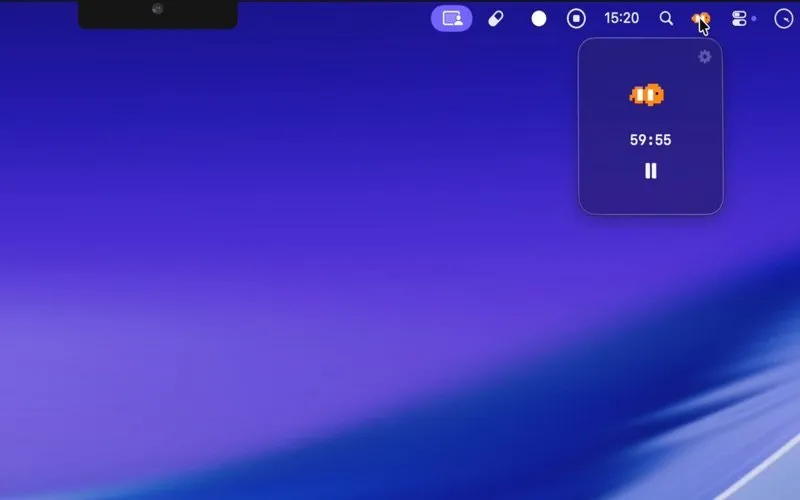
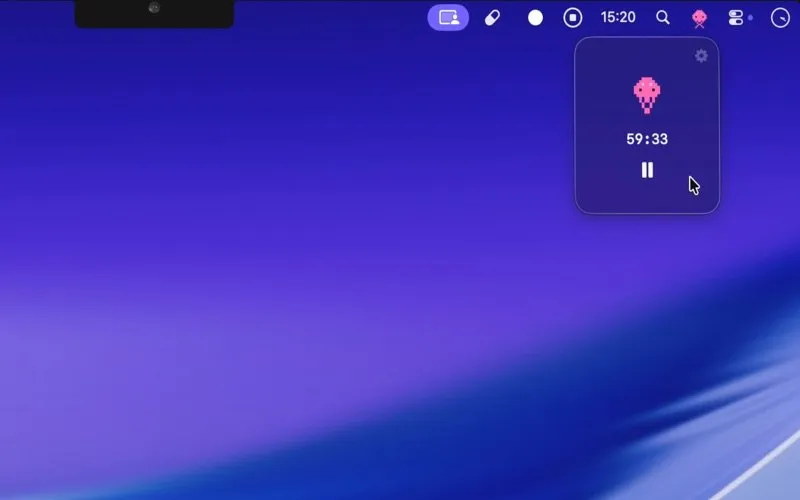
Yes. FocusPet is a Mac menu bar app whose icon is a pixel-art pet. Pick a fish, an octopus or a jellyfish when you set it up. Start a session and the pet animates in the menu bar while the countdown runs; stop it and the pet goes still. Click the pet to open a small popover with the time left and a pause button.
How a session works
Pick a length: anything from a 5-minute sprint to a 2-hour block, classic Pomodoro intervals or your own. Since version 1.0.3 you can change the length from the main window.
Name it: give the session a title (added in 1.0.6) and a label such as a project or subject (added in 1.0.8).
Work: the countdown stays in the menu bar as text, a ring or a bar, your choice since 1.0.10. When time is up a completion window appears, even over full-screen apps, with an optional sound.
A menu bar Pomodoro timer for Mac that stays out of the way
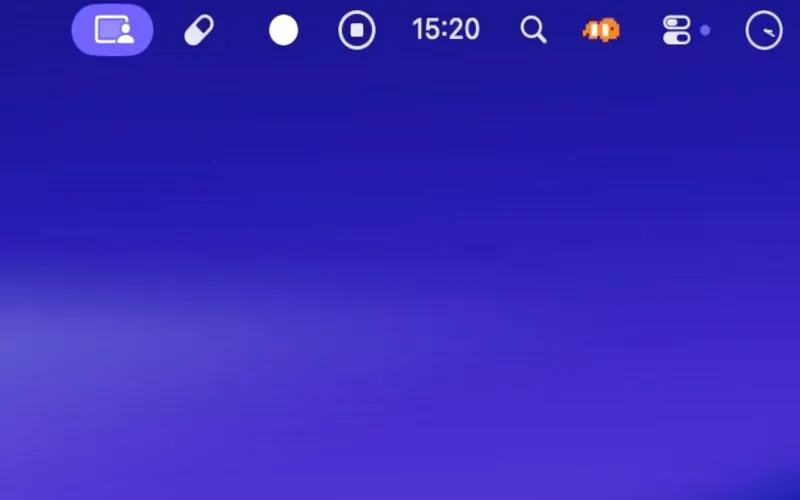
The pet is the menu bar icon, so it sits beside your clock and Control Center all day, and the countdown stays visible there after you close the popover. The developer made the icon static whenever no timer is running (version 1.0.5), so the pet only moves while you are meant to be working.
Session titles, labels and a focus history
In short
Every finished session is saved. A Focus History view lists past sessions, and since October 2026 a Focus Overview shows focus time by day, week, month or year, with a breakdown by label and a Top Focuses list. The free version shows the last 7 days of history; older sessions need Premium.
Labels: tag sessions by project or subject, then see which label took most of your week.
Stopwatch (Premium): count up with no limit when you do not know how long a task will take. Added in version 1.0.10.
Countdown style: Settings, Appearance, Countdown Style switches the menu bar readout between Text, Ring and Bar.
Timer
Free
Premium
$5.99 once
Runs on
macOS 15 or later
Download
34 MB
Latest version
1.0.10, Oct 2026
Pets
Fish, octopus, jellyfish
Free timer, or $5.99 once for Premium
In short
The download is free and the timer, pets, labels and 7 days of history work without paying. The App Store lists one in-app purchase, Unlock Premium, at $5.99 on the US store. No monthly or yearly plan is listed. The documented Premium extras are history beyond 7 days and Stopwatch mode.
That makes FocusPet a Pomodoro timer without a subscription in the plain sense: you can use it free forever, and the only upgrade is a single purchase. The developer does not publish a complete list of what Premium covers, so if a specific feature matters to you, check it in the free version first.
Actively updated, still lightly reviewed
FocusPet 1.0 shipped on 8 January 2026 and has had ten updates since, the latest on 16 October 2026. The developer answers App Store reviews and added a persistent menu bar countdown after a user asked for it. There are not yet enough ratings for a score. The App Store privacy label lists usage data for analytics, not linked to you. We did not run it on a Mac for this article; everything here was checked on 20 November 2026.
Menu bar Pomodoro timers for Mac, compared
In short
FocusPet has the cheapest paid unlock here and is one of two built around a pet. TomatoBar is free and open source, Horo Pro is $9.99 once, and Tamiyoka grows a pet in the notch for $34.99 lifetime. Be Focused, Flow and Session add iPhone sync, and the last is subscription only.
| App | Price | Companion | Other devices |
|---|---|---|---|
FocusPet this one this article | Free; Premium $5.99 once | Fish, octopus or jellyfish | Mac only |
Tamiyoka Pomodoro Pet | Free; $4.99/mo or $34.99 lifetime | Pet that levels up | Mac only |
Horo menu bar timer | Free; Pro $9.99 once | None | Mac only |
TomatoBar open source | Free (MIT licence) | None | Mac only |
Be Focused Pro | $2.99/mo, $19.99/yr or $39.99 lifetime | None | iPhone, iPad |
Flow Pro | $2.99/mo, $17.99/yr or $39.99 lifetime | None | iPhone, iPad |
Session subscription | $4.99/mo or $39.99/yr | None; blocks apps and sites | iPhone, iPad |
Cute Pomodoro timer or plain countdown
If you want a companion, the choice is between FocusPet and Tamiyoka. Tamiyoka turns focus into a small game, with levels, hearts and unlockable characters in a notch panel, and its lifetime unlock costs $34.99. FocusPet is simpler: the pet keeps you company but does not need feeding, and Premium is $5.99. If you only want a countdown, TomatoBar costs nothing and Horo starts a timer from typed text like “45m”. Be Focused and Flow suit people who also time sessions on an iPhone; Session is the pick if you want distractions blocked, at $39.99 a year.
Who FocusPet suits, and who should skip it
In short
Students and Mac workers who find a bare countdown easy to ignore and like a bit of charm on screen. Skip it if you need a task list, timers on your iPhone, or app and website blocking, or if your Mac runs anything older than macOS 15.
It fits someone who already knows what to work on and wants a gentle, visible reminder that a session is running, plus a weekly view of where the time went. Because the free version covers the timer, the pets and a week of history, you can find out whether a swimming fish actually keeps you on task before spending anything.
Frequently asked questions
Is FocusPet’s free version enough for daily Pomodoro sessions?
Yes, for the timer itself. The free download runs focus sessions from 5 minutes to 2 hours, shows the pet and the menu bar countdown, and keeps 7 days of focus history. The documented Premium extras are history older than 7 days and a Stopwatch mode, so you only need to pay if you want to look back further or count up without a limit.
Does FocusPet block distracting apps or websites?
No. Neither the App Store listing nor the developer’s page offers or mentions app or website blocking. FocusPet is a timer with a companion and a history, not a blocker. If you want blocking on a Mac, Session includes it in its subscription.
Is FocusPet a subscription?
No. FocusPet is a free download with one in-app purchase, Unlock Premium, listed at $5.99 on the US Mac App Store on 20 November 2026. No monthly or yearly plan is listed.
Which pets can you choose in FocusPet?
Three pixel-art pets: a fish, an octopus and a jellyfish. The pet sits in the menu bar, animates while the timer runs, and stays still when no timer is running, a change the developer made in version 1.0.5 to cut distraction.
Is there an iPhone or iPad version of FocusPet?
No. FocusPet is a Mac app for macOS 15 or later, and the App Store lists it as Mac only. There is no mobile companion and no sync between devices.
Is FocusPet the best Pomodoro timer for Mac?
Not for everyone. It is the cheapest paid unlock in our comparison and the only one built around a menu bar pet, but it has no task list, no sync and no blocking. TomatoBar is free and open source, Horo Pro is $9.99 once, and Be Focused and Flow add iPhone sync for a subscription or a $39.99 lifetime.
Sources
- 1
Free download, Mac only; requires macOS 15 or later; 34 MB; English; version 1.0.10 on 16 October 2026 after 1.0.0 on 8 January 2026; one in-app purchase, Unlock Premium, $5.99; privacy label lists usage data not linked to you.
- 2
Developer Yuhei Yasutake; links to the App Store listing, privacy policy and terms of use.
- 3
Tamiyoka: Pomodoro Pet on the Mac App Store
Mac notch companion that grows as you focus; Tamiyoka Premium $4.99 monthly or $34.99 lifetime.
- 4
Menu bar countdown timer with natural-language input; free, Horo Pro $9.99 in-app purchase; macOS 13.5 or later.
- 5
Open-source (MIT) Pomodoro timer for the macOS menu bar; installable with Homebrew.
- 6
Free with Pro at $2.99 monthly, $19.99 yearly or $39.99 lifetime; tasks sync across iPhone, iPad and Mac.
- 7
Free with Monthly Plan $2.99, Yearly Plan $17.99 or Lifetime Pro Access $39.99.
- 8
Free with a $4.99 monthly or $39.99 yearly subscription; blocks distracting websites and apps on Mac.

FocusPet: Pomodoro Timer
A macOS menu bar Pomodoro timer with an animated pet that keeps you focused
once
macOS
More apps worth a look: browse the desktop