
TunesArt: Album Art on Your Mac Desktop, Lyrics Included
Music and Spotify hide the cover of what you are playing inside their own windows. TunesArt puts it on the desktop instead, as a vinyl sleeve, a CD case or a plain square, with the track, artist and controls underneath. This piece covers the themes, the lyrics and search tools that come with it, how current the app is, and how it compares with the other Mac now playing apps.

OneTimePay.app
6 min read
How can I show the album art of the song I'm playing on my Mac desktop?
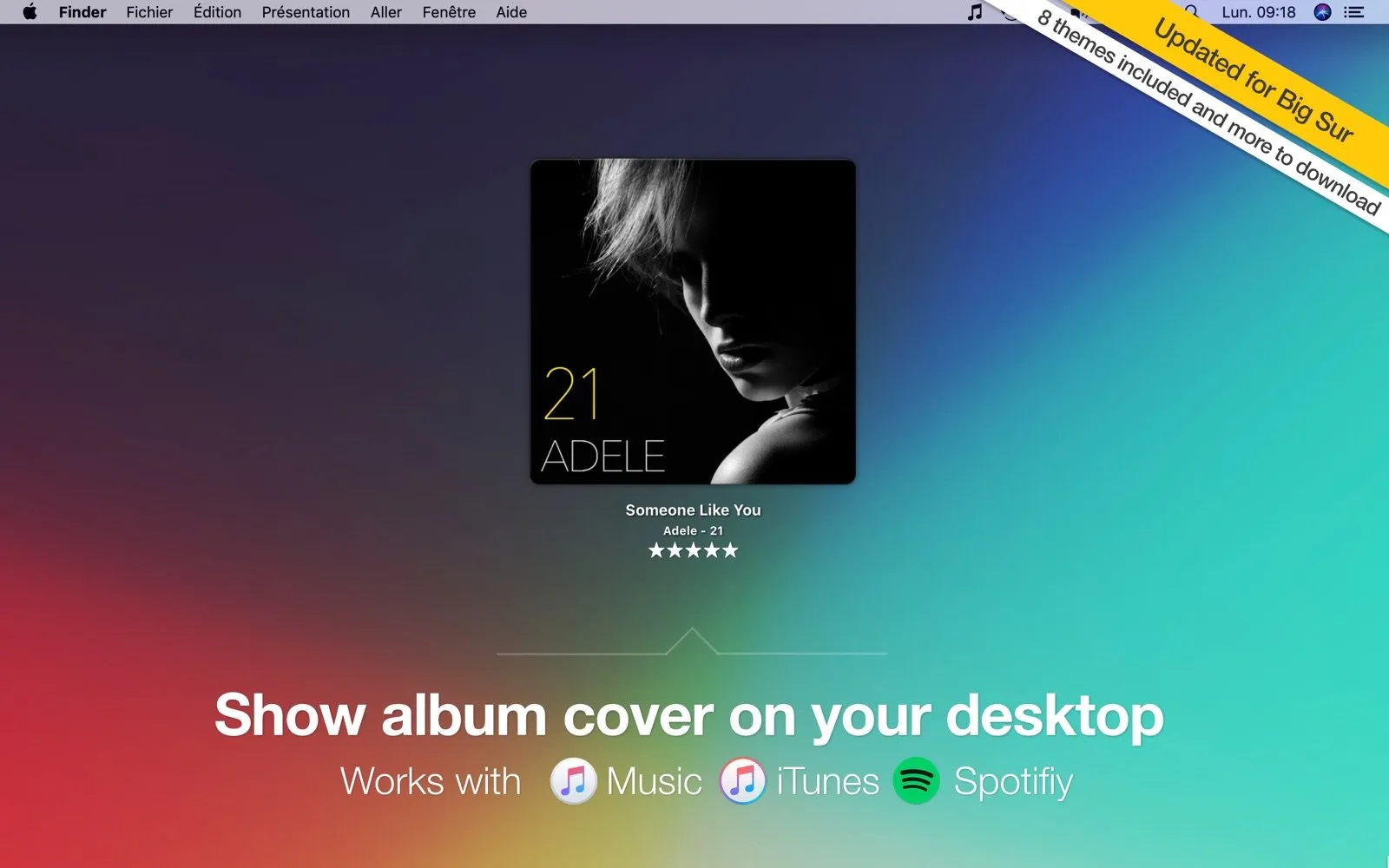
Install a now playing companion app. TunesArt shows the cover of the song playing in Music, iTunes or Spotify on your Mac desktop, in one of eight themes such as vinyl or CD case, with track info and playback controls attached. It also shows lyrics and costs $2.99 once. Its last update was in 2021.
On this page
How can I show the album art of the song I'm playing on my Mac desktop?
In short
Use a companion app that reads what Music or Spotify is playing and draws the cover on the desktop. TunesArt does this in eight included themes, shows title, artist and rating under the art, and adds play, pause and skip controls on the cover itself and in the menu bar.
macOS has no built-in way to pin album art on the Mac desktop. The cover shows in the player window and in Control Center, and both disappear the moment you switch to another app. TunesArt sits at desktop level behind your windows, so the art is there whenever you glance past them or hide everything with a gesture. It changes on every track, and an optional macOS notification announces each new song.
It works with three players: the Music app, iTunes on older systems, and the Spotify app for Mac. There is no account to connect; TunesArt reads the local player, which is also how it can rate the current song from the cover or the menu bar.
Eight themes for the cover
In short
The cover can look like a vinyl sleeve, a CD jewel case or a classic flat square, and eight themes ship with the app. More can be downloaded from the developer, and version 1.9.8 added a font size option for the track text under the cover.
An album cover desktop app with controls
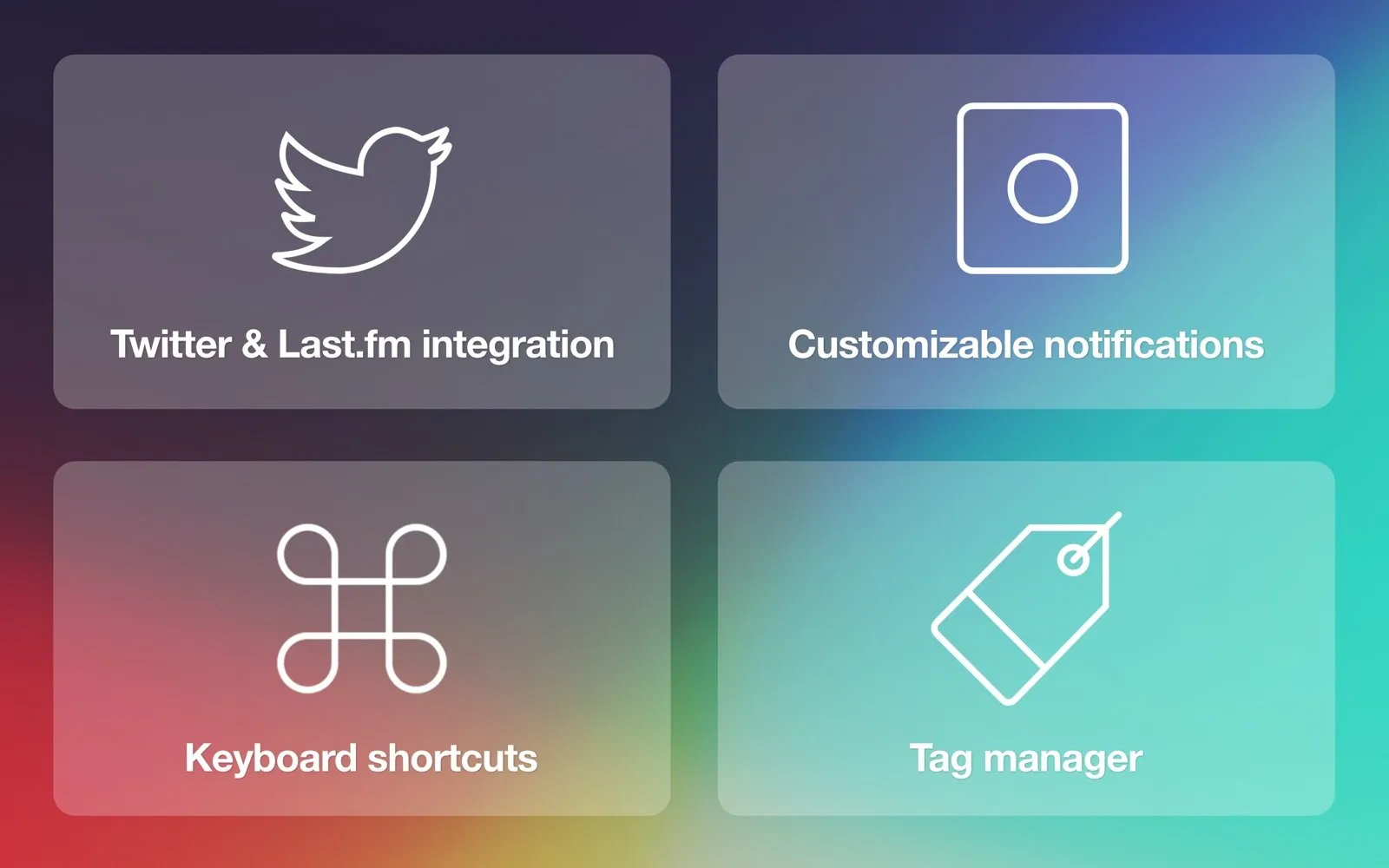
Next, previous and play or pause work from the cover itself. The same controls live in the menu bar next to a scrolling track title and a rating menu, and a playlist can be started from TunesArt without opening the player. Nearly every action has a customizable keyboard shortcut, so you can skip a track from any app.
Desktop lyrics on Mac, plus library search
In short
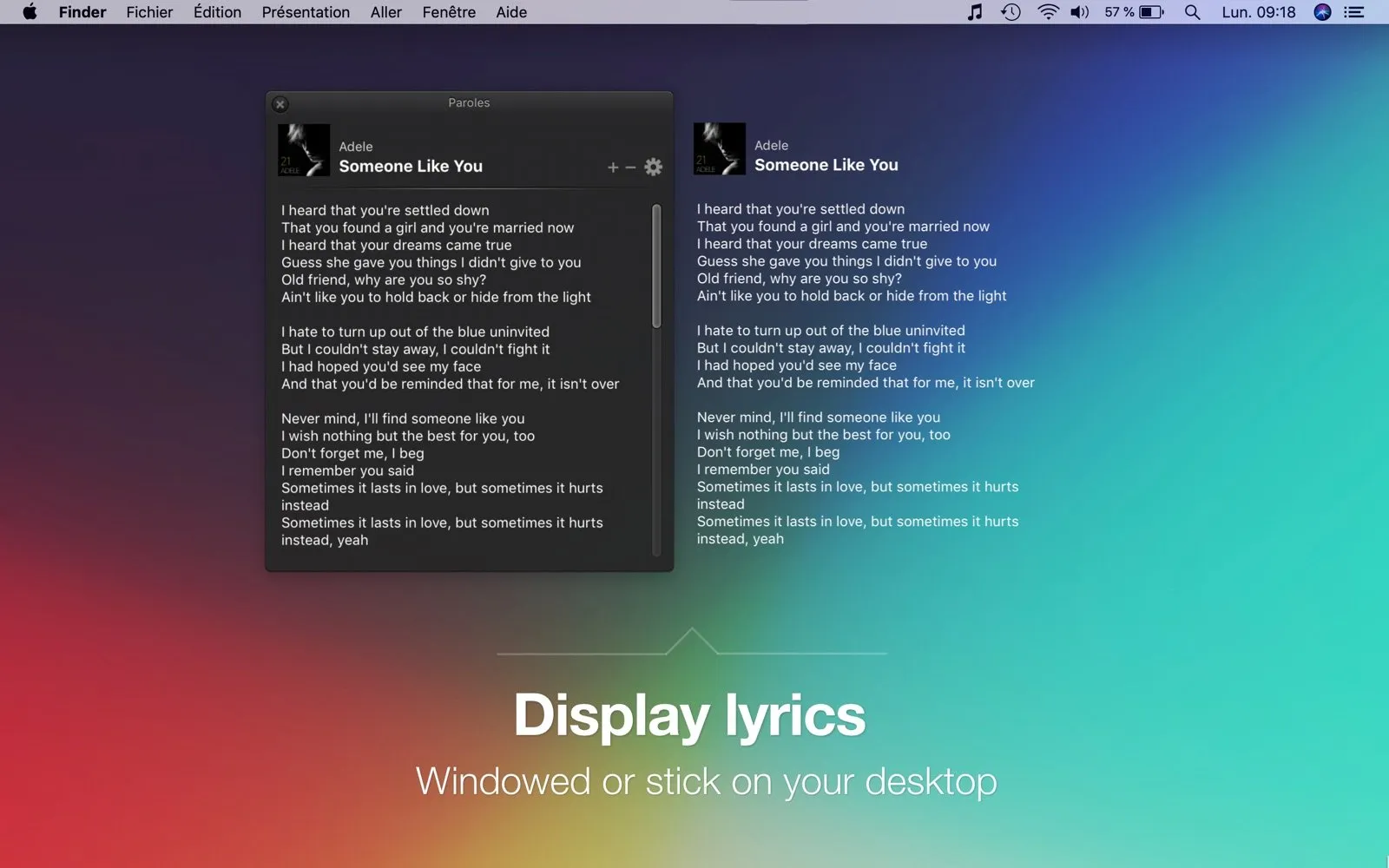
TunesArt can show the current song's lyrics pinned to the desktop or in a floating window. It reads lyrics embedded in the track, lets you edit or paste them, and offers a Google search when none exist. It does not scroll synced lyrics line by line.
Search without opening the player
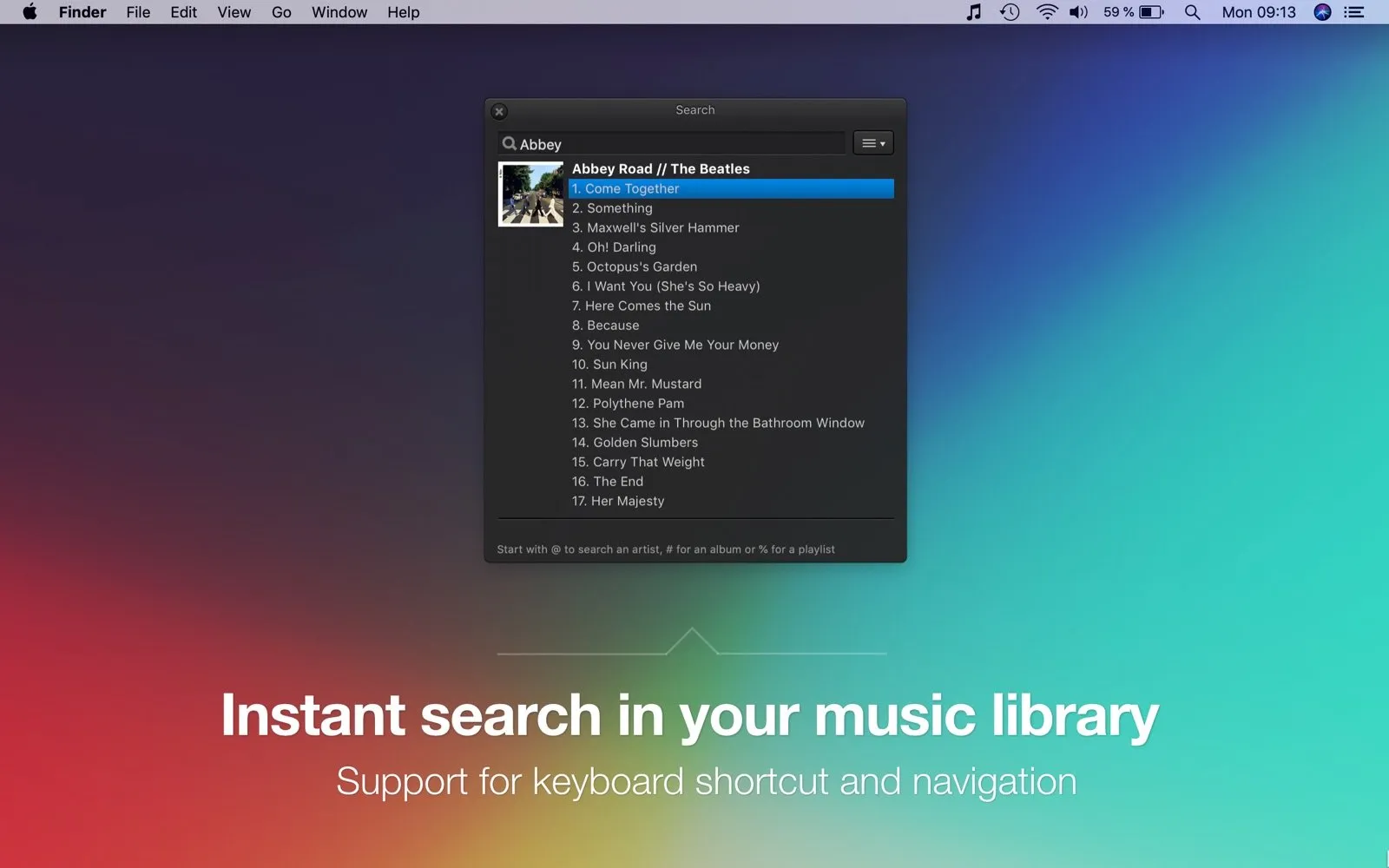
A keyboard shortcut opens a search panel over whatever you are doing. Type a song name to search everything, or start with @ for an artist, # for an album, or % for a playlist, then pick a result with the arrow keys to play it. The panel shows the album cover next to the track list, so it doubles as a quick browser for one album.
The rest of the toolbox: tags, alerts and Last.fm
In short
Beyond the cover and lyrics, TunesArt edits track tags and fills in missing artwork in your Music library, sends customizable track-change notifications, scrobbles to Last.fm, and shows the artist's biography, photo and discography from Last.fm.
Tags manager: fix titles, artists and albums, and add missing covers, for Music and iTunes libraries (not Spotify).
Notifications: a Notification Center alert on each new track, with the layout you choose.
Artist info: biography, photo and discography for the playing artist.
Twitter sharing: post the current track with its cover. This was built before X changed its API, and we did not test whether it still works.
A Last.fm scrobbler for Mac, built in
Log in to Last.fm in TunesArt and it records what you play, with a now playing status while the song runs. That replaces a separate scrobbler app for Music and Spotify.
Every Mac now playing app, compared
In short
TunesArt is the cheapest paid option here and the only one that lists desktop lyrics. It is not the cheapest overall: Silicio is free and SpotMenu is free and open source. Sleeve is the actively maintained paid rival, but its current version needs macOS 26.
| App | Price | Where art shows | Lyrics | Last.fm | Requires |
|---|---|---|---|---|---|
TunesArt this one Jibapps | $2.99 | Desktop, 8 themes | macOS 10.9+ | ||
Sleeve Replay Software | $7.99 | Desktop, 7 themes | macOS 26+ | ||
Silicio mini player | Free | Mini player, widgets | macOS 10.13+ | ||
SpotMenu open source | Free | Menu bar on hover | macOS 13+ |
Sleeve is the polished, current pick: themes you can build and share, Doppler support, and an App Store version (3.3.1) that is still being updated, at $7.99 on the US App Store ($5.99 on its own site). It needs macOS 26 Tahoe. Silicio costs nothing and adds a mini player plus desktop widgets on Sonoma or later. SpotMenu keeps the track in the menu bar and shows the cover only on hover. None of the three lists lyrics.
Silicio
$0
free
SpotMenu
$0
free
TunesArt
$2.99
once
Sleeve
$7.99
once, US App Store
One-time prices on 18 October 2026. Sleeve lists $5.99 on its own site.
Price
$2.99 once
Trial
15 days
Players
Music, iTunes, Spotify
Themes
8 included
Requires
macOS 10.9+
Last update
August 2021
Who TunesArt suits, and who should skip it
In short
It suits people who want the cover, lyrics and controls on the desktop for a few dollars, and owners of older Macs that Sleeve no longer supports. Skip it if you need synced lyrics or an app that is still under active development.
Music library keepers who also want to fix tags and missing covers.
Last.fm users who would rather have one app than a player companion plus a scrobbler.
Owners of Macs below macOS 26, where the current Sleeve will not install.
Check it on your macOS first
TunesArt's latest version is from 11 August 2021, and the developer lists compatibility up to Big Sur, optimized for Monterey. Newer macOS versions and recent Spotify builds are not mentioned, and we did not test them. Download the 15-day trial from jibapps.com and confirm it reads your player before you buy.
Frequently asked questions
Can I see song lyrics on my Mac desktop while Spotify or Apple Music plays?
Yes, with TunesArt. It shows the lyrics of the current track pinned to the desktop or in a window. It reads lyrics embedded in the track; if there are none you can type or paste them in, or run a Google search from the app. It does not fetch synced, line-by-line lyrics.
What's the cheapest way to put now playing album art on a Mac desktop?
Silicio, which is free and adds a mini player and, on macOS Sonoma or later, desktop widgets with the cover. SpotMenu is free and open source but lives in the menu bar. Among paid apps, TunesArt is the cheapest we found at $2.99 once; Sleeve is $7.99 on the US App Store.
Is TunesArt still updated?
Not recently. Version 1.9.8, from 11 August 2021, is the latest, and the developer lists compatibility up to Big Sur with Monterey optimization. It is still sold on the Mac App Store, but newer macOS versions are not mentioned, so try the 15-day trial from jibapps.com on your Mac first.
Is TunesArt a subscription?
No. It is a single $2.99 purchase on the US Mac App Store with no in-app purchases listed. The download from the developer site runs as a 15-day trial before you buy.
Does TunesArt run on Apple silicon Macs?
Yes. The developer says it runs natively on Apple silicon as well as 64-bit Intel Macs, and the app is notarized by Apple. The App Store lists macOS 10.9 or later as the minimum.
Sources
- 1
$2.99 on the US store with no in-app purchases listed. Version 1.9.8 dated 11 August 2021, macOS 10.9 or later, 8.5 MB, by Jean-Baptiste Zedda. Too few ratings for an average.
- 2
The developer page: eight cover themes, lyrics, library search, tags manager, Last.fm scrobbling and artist info, a 15-day trial, native Apple silicon support, and compatibility listed up to Big Sur with Monterey optimization.
- 3
Listed at $5.99 with no subscriptions and no in-app purchases. Supports Apple Music, Spotify and Doppler, with themes and Last.fm scrobbling. The current version requires macOS 26 Tahoe.
- 4
$7.99 on the US store at check time, version 3.3.1, macOS 26.0 or later, seven built-in themes. No lyrics feature listed.
- 5
Free with no in-app purchases listed. Mini player with album art, desktop widgets on macOS Sonoma or later, Last.fm scrobbling, for iTunes, Apple Music and Spotify. macOS 10.13 or later.
- 6
Free and MIT licensed. Shows the track in the menu bar with album art on hover, for Spotify and Apple Music. macOS 13 or later.

More apps you buy once: browse the desktop