
AI Push-Up Counter That Skips Bad Reps: Master of Pushups
Counting push-ups in your head gets loose around rep 15, and a sagging hip still feels like a rep when you are tired. Master of Pushups hands the count to the iPhone camera: it maps your posture and adds a rep only when your body holds the line. This piece covers how it works, what the free app and its one purchase include, what is still unclear, and which other counters do the job better.

OneTimePay.app
5 min read
Is there a free app that only counts my push-ups when my form is good?
Yes. Master of Pushups is a free iPhone app that watches you through the camera, maps your posture, and counts only reps where your body holds correct form. It charts every set and sets a 20-a-day and 600-a-month target. A trainer's technique review is an optional $9.99 purchase.
On this page
Is there a free app that only counts my push-ups when my form is good?
In short
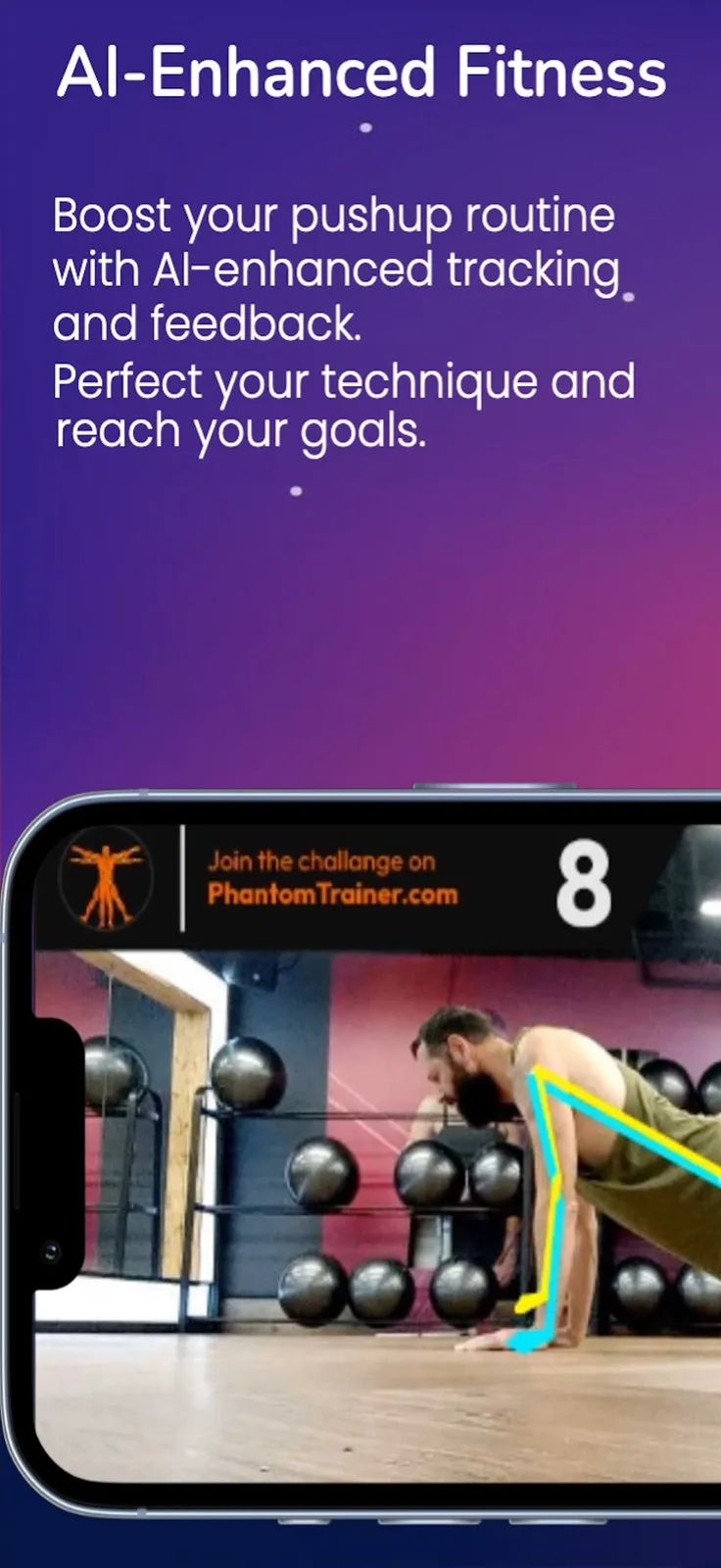
Master of Pushups points the iPhone camera at you, tracks the lines of your arms, torso and legs, and adds a rep only when your posture passes its check. The lines are drawn over the live video, so you see what it sees. The listing does not name the faults it checks for, so treat it as a strict counter rather than a coach.
Count push-ups with the camera: how a set works
Set the phone down. The gallery footage is filmed side on and at floor level, so the camera sees your arms, hips and legs.
Do your reps. The counter in the top corner rises only for reps where your posture is judged correct, per the App Store description.
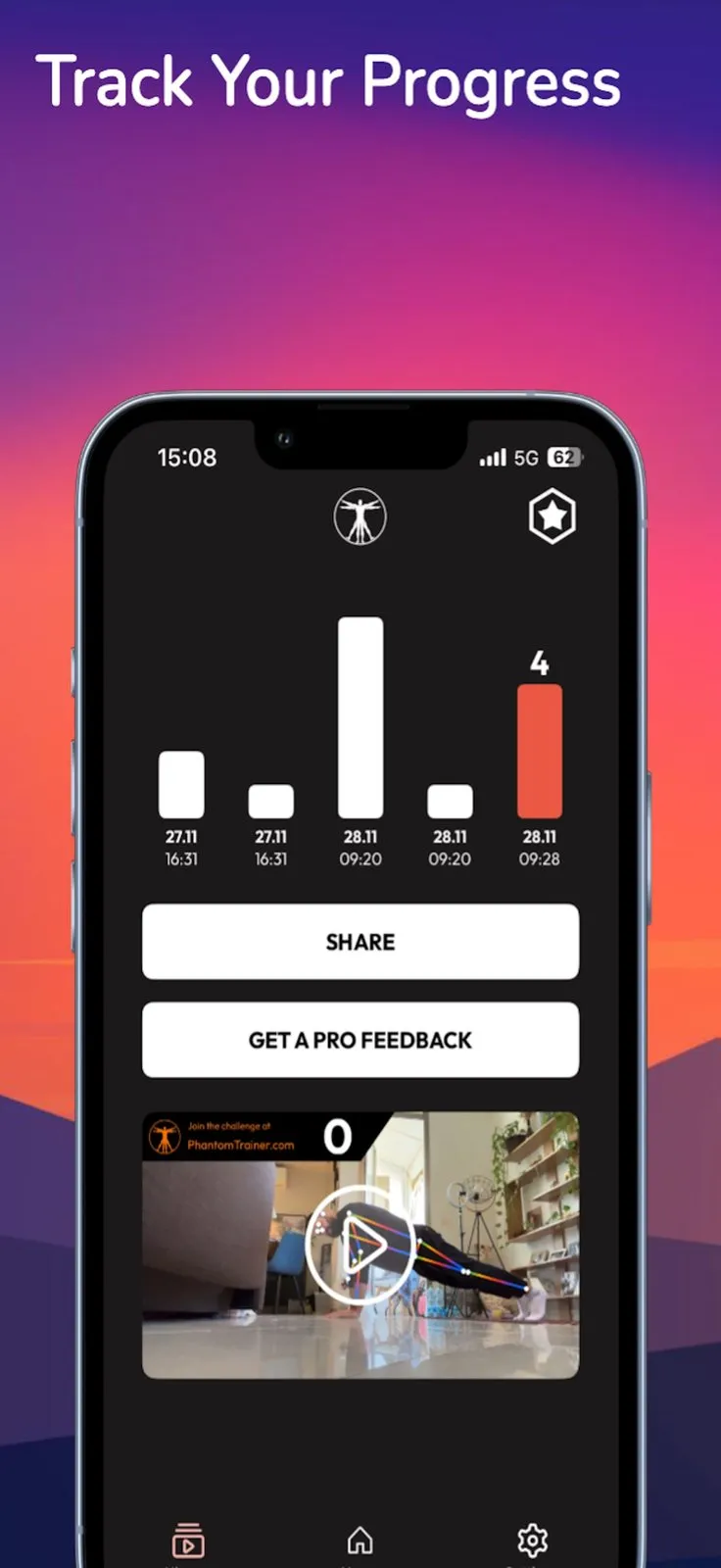
Check the log. Each set lands as a bar with its date and time, and the progress screen shows a replayable clip of a set with the overlay.
Phantom Trainer, the developer's site, spells out the form it expects: a straight line from head to toe, wrists under the shoulders, and elbows down to about 90 degrees.
Price
Free
Optional extra
$9.99 review
Daily target
20 reps
Monthly target
600 reps
Runs on
iPhone, Mac, Vision
Version
1.0 (Jan 2025)
Daily and monthly targets as a push-up challenge app
In short
The app sets a daily badge at 20 reps and a monthly badge at 600, the same targets as Phantom Trainer's push-ups challenge. The challenge screen shows how many reps are left for each, and every set feeds both.
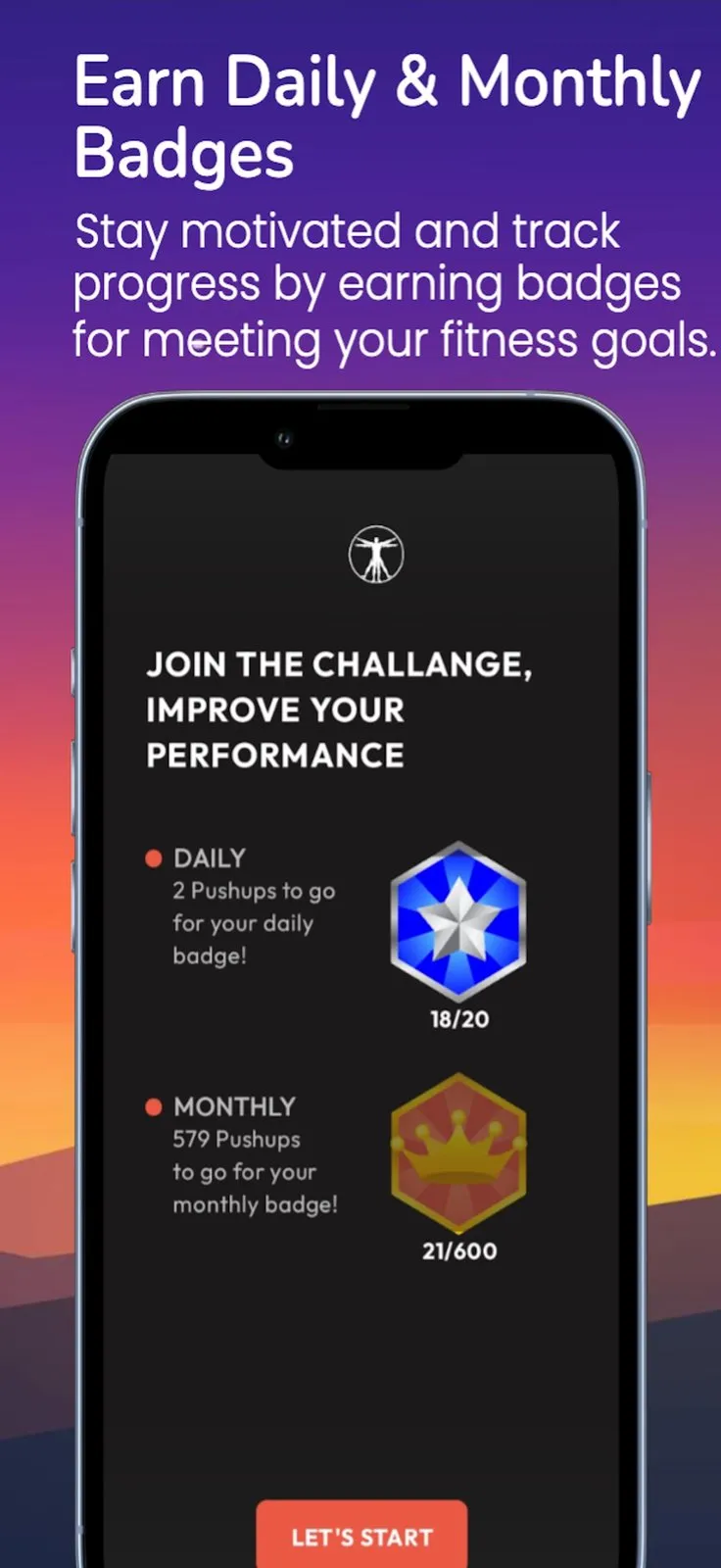
Twenty a day is a low bar on purpose: it is a habit target, not a training plan. The listing describes no progressive program or rest timer, so if you want a plan that builds from zero to 100, pair it with one or pick a plan-based app.
The one paid extra, and what is still unclear
In short
The only purchase is a $9.99 feedback request, behind the Get a Pro Feedback button, for a trainer's review of your technique. Everything else is free with no subscription. Three things the listing leaves open are worth knowing before you rely on it.
Video handling: the listing does not say whether camera footage is analysed on the phone or uploaded, or how a clip reaches a trainer. The privacy label lists only a name and email address.
Form rules: it counts only “correct” reps but does not list the faults it checks or tell you what went wrong.
No updates since launch: version 1.0 shipped on 8 January 2025 and is still the only one. The maker called it a proof-of-concept test on Product Hunt.
Master of Pushups vs Top Pushup and other push-up counters
In short
Master of Pushups is not the only free camera counter, and on form feedback it is not the most specific. Top Pushup is free and names the faults it catches out loud. Push Up Counter by RockyBrain costs $4.99 once and records sessions. Face-tracking counters count reps but do not judge form at all.
| App | Price | How it counts | Form check | Runs on | Last update |
|---|---|---|---|---|---|
Master of Pushups this one this article | Free; $9.99 trainer review optional | Camera, pose overlay | Counts only correct reps; faults not named | iPhone, Mac (M1+), Vision | 1.0, Jan 2025 |
Top Pushup Robust AI | Free, no purchases listed | Camera, body keypoints, side view | Rejects sag, pike, half reps; cues flared elbows by voice | iPhone, iPad, Mac (M1+), Vision | 4.3.0, Nov 2023 |
Push Up Counter. RockyBrain | $4.99 once | Camera, pose detection | Form-based counting; video overlay of elbow path and depth | iPhone, iPad, Mac (M1+), Vision | 1.1, Feb 2026 |
Push Up Counter! Shared Eye | Free; tips of $5 to $20 | Front camera, face recognition | None | iPhone (iOS 18+) | 1.3.6, Feb 2026 |
Push ups: 100 pushups trainer Fitness22 | Free | Guided plan with audio coach | None; 10-week 0 to 100 plan | iPhone, iPad, Vision | 7.5, Oct 2017 |
Push-up form checker or plain counter?
A face-tracking counter like Shared Eye's, or Push from the 2024 9to5Mac write-up, counts each time your face dips toward a phone on the floor, and it cannot see your hips. A pose counter watches your whole body from the side and can refuse a sagging or shallow rep. Master of Pushups and Top Pushup are both pose counters; Top Pushup also tells you what to fix by voice, and Master of Pushups offers a paid human review instead.
Who it suits, and who should skip it
In short
It suits iPhone owners starting a daily push-up habit who want a strict count, a simple set log and badges to chase. Skip it on Android or iPad, if you want named form cues or a training plan, or if you prefer an app that still gets updates.
Thin track record: 3 ratings with a 3.7 average on the US App Store, and 311 points with 1 review on Product Hunt, where it was the #2 product on 15 January 2025.
English only: the app is 14.4 MB and needs iOS 16.0 or later.
Mac and Vision: Apple lists both, but this is the iPhone app; a set still needs a camera that can see you from the side.
A quick first test
Since it is free, install it and do one set of five slow reps, then one set with your hips dropped on purpose. If the second set counts lower, the posture check works for your setup. Facts were verified on 6 November 2026.
Frequently asked questions
Is Master of Pushups really free?
Yes. Counting, the progress chart, the daily and monthly challenges and the badges cost nothing, and there is no subscription. The only purchase on the App Store is a feedback request at $9.99, which asks a trainer to review your technique. You can skip it and use everything else.
Can a push-up counter app replace a trainer checking my form?
Not fully. Master of Pushups can refuse to count a rep when your posture is off, but the listing does not say which faults it looks for, and it does not tell you what to fix. That is what the optional $9.99 trainer review is for. A counter keeps your reps honest; a person explains why one failed.
Does Master of Pushups work on iPad or Android?
No. The App Store lists iPhone (iOS 16.0 or later), Mac with an Apple M1 chip or later (macOS 13.0 or later) and Apple Vision (visionOS 1.0 or later), but not iPad. We found no Google Play listing on 6 November 2026, although the Product Hunt page carries an Android tag.
Is the app still being updated?
Not recently. The only version on the App Store is 1.0, released on 8 January 2025, so there has been no update in about 22 months. The maker described it on Product Hunt as a proof-of-concept test. It still installs on iOS 16 and later, but plan for no new features.
Does the app upload my workout video?
The listing does not say. Apple's privacy label, which the developer fills in, lists only a name and email address, not linked to your identity. Neither the App Store page nor Phantom Trainer's site explains whether camera footage is processed on the phone or how the $9.99 feedback request reaches a trainer.
Is Master of Pushups the best push-up counter?
Not on every count, and it does not have to be. Top Pushup is also free, names the faults it catches (sag, pike, flared elbows, half reps) and gives audio cues. Push Up Counter by RockyBrain costs $4.99 once and records sessions. Master of Pushups stands out for its daily and monthly badge targets and the optional trainer review.
Sources
- 1
Master of Pushups on the App Store
Free, one $9.99 feedback request purchase; iOS 16.0+, Mac with M1 and macOS 13.0+, visionOS 1.0+; version 1.0 of 8 January 2025; 3 ratings, 3.7 average on 6 November 2026.
- 2
Phantom Trainer push-ups challenge
The developer's site: a minimum of 20 reps a day and over 600 a month, plus a three-step form guide.
- 3
Master of Pushups on Product Hunt
Launched 15 January 2025, #2 of the day; 311 points and 1 review on 6 November 2026; the maker calls it a proof-of-concept test.
- 4
Top Pushup: AI Push Up Counter
Free, no purchases listed; detects sag, pike, half reps and flared elbows with live audio feedback; version 4.3.0 of 13 November 2023.
- 5
$4.99 paid app; AI pose detection, session video with an analysis overlay, streaks and reminders; version 1.1 of 2 February 2026.
- 6
Free with optional $5, $10 and $20 tips; counts with front-camera face recognition; iOS 18.0 or later.
- 7
Push ups: 100 pushups trainer (Fitness22)
Free; a 10-week plan from 0 to 100 push-ups, about 20 minutes three times a week, with an audio coach.
- 8
Push counts push-ups with the TrueDepth camera (9to5Mac)
June 2024 write-up of Push, a free app that counts reps with Face ID face tracking on iOS 17 or later.
Master of Pushups
AI vision app that turns your phone into a pushup trainer!
iOS · macOS · visionOS
More apps worth a look: browse the desktop